HyperOS 3 (2025) — Powerful Android 16-Level Update, HyperAI Tricks & Timeline

What Is HyperOS 3?
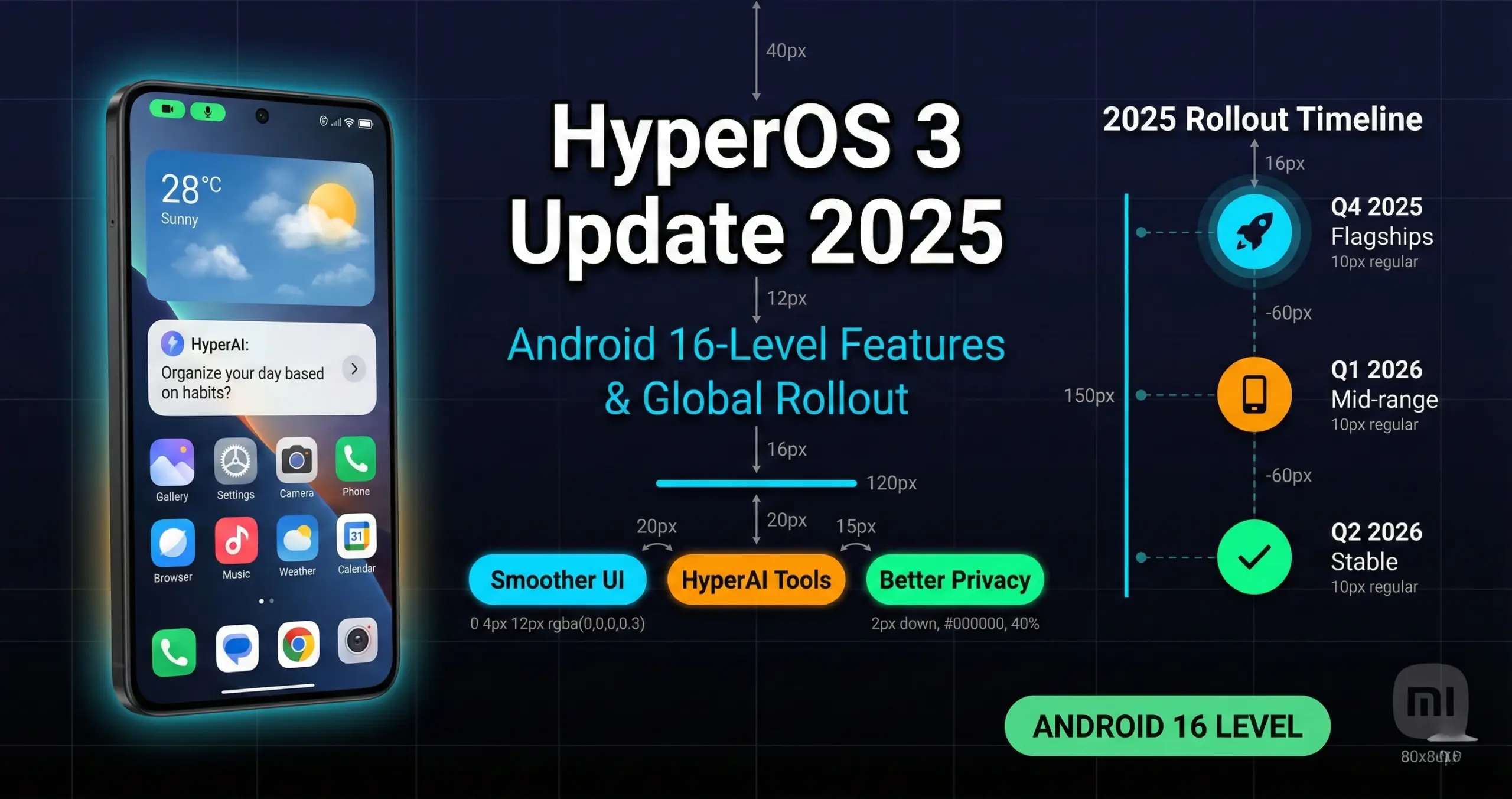
HyperOS 3 is Xiaomi’s system update that modernizes the interface, streamlines performance, and injects powerful AI-assisted features right into the launcher, camera, gallery, and notes. Xiaomi’s official HyperOS 3 feature hub outlines a more consistent design, tighter device sync, and new AI utilities across the ecosystem (phones, tablets, and wearables). Official HyperOS 3 page.
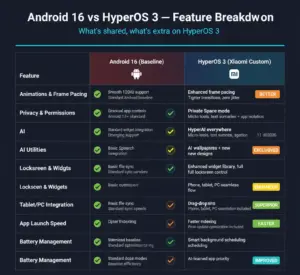
Depending on device and region, HyperOS 3 rolls out on top of Android 16-level builds for newer phones, while some early testing phases referenced Android 15 bases for select models. The practical takeaway: HyperOS 3 aims to deliver the feel of Android 16—smoother motion, stronger privacy, deeper customization—regardless of staging, with the newest flagships leading the charge.
What’s New in HyperOS (Features)
From our testing and official materials, here are the standout improvements you’ll notice immediately after installing HyperOS 3:
1) Smoother, Faster UI
- Improved frame pacing and transitions; the interface feels calmer and more responsive.
- Cleaner iconography and lock-screen options with more granular control.
2) HyperAI Everywhere
- AI wallpapers, smart cutouts in the Gallery, and faster object erasing for photos.
- Voice and text assist for organizing, searching, and summarizing content.
3) Better Cross-Device Flow
- Drag-and-drop files across phone, tablet, and PC in supported setups.
- Smarter continuity for clipboard, media controls, and multi-screen workflows.
4) Privacy & Security Upgrades
- Stronger app permission prompts, tighter background access rules, and improved Private Space-style controls.
5) Quality-of-Life Tweaks
- Refined widgets, context menus, and status indicators; better accessibility defaults.
HyperOS 3 Update Timeline (2025)
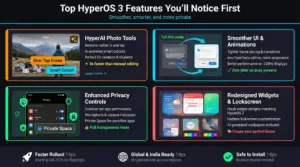
Rollouts occur in waves. Xiaomi started by pushing Android 16-level builds of HyperOS 3 to its latest flagships, then expanded to prior-gen devices. Betas and “Mi Pilot” programs can appear before a region’s stable release.
| Quarter | Likely Wave | Notes |
|---|---|---|
| Q4 2025 | Newest flagships (15T series, 15/15 Pro/15 Ultra) | Global rollout for Android 16-level HyperOS 3 begins with 15T line; other 15-series models follow in select regions. |
| Q4 2025 – Q1 2026 | High-end 2024–2025 devices | Examples: Xiaomi 14 family, Poco F7/X7, Redmi K70/K80 lines, and Xiaomi Pad 7 variants. |
| Q1–Q2 2026 | Popular mid-range | Redmi Note 14 series, Poco mid-tiers; staged release by market/operator; pilots may precede stable builds. |
Eligible Devices (Probable Waves) for HyperOS 3
Xiaomi prioritizes the newest flagships and tablets, then moves to popular mid-range phones. Based on public rollouts and credible reporting, here’s a practical, non-exhaustive view:
Flagships & Upper-Tier (earliest)
- Xiaomi 15T / 15T Pro / 15 / 15 Pro / 15 Ultra
- Xiaomi 14 / 14 Pro / 14 Ultra
- Poco F7 / Poco X7 series
- Xiaomi Pad 7, Pad 7 Pro
Popular Mid-Range (staged)
- Redmi Note 14 family (Pro/Pro+, region-dependent)
- Redmi K70 / K80 lines (where sold globally as Poco/Xiaomi models)
Note: The above is indicative. Eligibility and dates differ by region and carrier. Always check on-device in Settings.
How to Check & Install HyperOS 3 Safely
- Backup first. Use Xiaomi Cloud/Google Drive and back up photos, chats, and app data.
- Charge to 60%+. Keep the phone on Wi-Fi and plugged into a reliable charger.
- Settings > About phone > HyperOS version > Check for updates.
- If eligible, download and install. For betas, join “Mi Pilot” when Xiaomi opens registrations in your region.
- After install: let the phone settle for a few hours while it re-indexes apps and media.
HyperOS 3 vs HyperOS 2
- Animations: HyperOS 3 tightens animation timing and reduces UI jitter on busy screens.
- Customization: Enhanced lock-screen styles and AI wallpapers make personal setups easy.
- AI Utilities: HyperAI photo tools, shortcuts, and smart summaries are more discoverable.
- Continuity: Cross-device drag-and-drop is more reliable with compatible tablets/PCs.
- Security: Permission prompts and Private Space-style options are surfaced better.
Performance & Battery: What to Expect on HyperOS
On newer hardware, HyperOS 3 launches apps a bit faster and keeps animations steadier, especially at 120Hz. Battery life stabilizes after 2–3 charge cycles post-update. For best results:
- Give the system a full day to re-index media and optimize apps.
- Disable unused always-on widgets and review auto-start permissions.
- Re-apply per-app refresh rate and battery optimization settings.
Known Issues & Quick Fixes (Early Waves)
- Minor animation stutter: Toggle “Performance mode” or restart after the first full day.
- Battery drain after update: Clear cache for heavy apps (camera, messaging) and allow two cycles for normalization.
- Notifications delayed: Check app auto-start and remove battery restrictions for messengers.
- Widgets missing: Re-add after a clean launcher cache or reboot.
HyperAI: New Tricks You’ll Actually Use in HyperOS 3
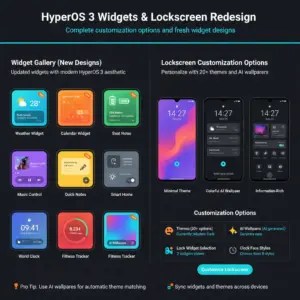
HyperAI enhances photos, search, and everyday productivity. Highlights include AI-generated wallpapers, smarter object erasing, quick cutouts for collages, and assistive summaries. HyperAI effects also pair with cross-device features, so you can start an edit on your phone and finish on a tablet.
For creators and students, the standout is one-tap background cleanup and quick subject isolation in the Gallery—simple but time-saving. Expect more server-side HyperAI additions to roll out over the year as Xiaomi expands models and regions.
HyperOS 3 — Frequently Asked Questions
1) Is HyperOS 3 based on Android 16?
On new flagships, yes—Xiaomi started pushing Android 16-level builds paired with HyperOS 3 for early global waves. Some testing on older devices referenced Android 15 bases; final builds vary by model and region.
2) When will HyperOS arrive in my region?
Rollouts are staged. Flagships get HyperOS first, followed by upper-tier and popular mid-range phones. Betas can appear weeks before stable releases. Check Settings → About phone → HyperOS version regularly.
3) Which devices are likely first?
Generally: Xiaomi 15T/15T Pro and the wider Xiaomi 15 line, then Xiaomi 14 variants, Poco F7/X7, Redmi K70/K80 lines, and Xiaomi Pad 7. Availability differs by market and carrier certification.
4) How big is the HyperOS update?
Packages vary between 3–6 GB depending on device, region, and whether it’s a beta or stable build. Keep at least 10 GB of free space to avoid installation errors.
5) Will HyperOS improve battery life?
Most users see similar or slightly better endurance after a couple of charge cycles. Post-update indexing can temporarily increase drain; it typically normalizes within 24–48 hours.
6) What HyperAI features stand out?
AI wallpapers, smart cutouts, faster erasing in the Gallery, assistive summaries, and better suggestions in search and settings. Expect additional HyperAI features to roll out over time.
7) Can I roll back if I don’t like it?
Downgrades are risky and often blocked on carrier builds. If you must revert, back up fully and consult Xiaomi’s official guidance for your exact model/region.
8) Does HyperOS change gaming performance?
Game performance depends on SoC and thermals. HyperOS mainly smooths frame pacing and background scheduling. Use Game Turbo and keep your device cool for the best results.
9) Will my apps break after the update?
Most mainstream apps work fine. If an app misbehaves, clear its cache, re-grant permissions, or reinstall. Report persistent issues through the Xiaomi Community app.
10) Is HyperOS worth installing on day one?
Yes, for power users and early adopters; cautious users can wait for the first minor patch. Always back up before updating.
Sources & Useful Links
- Official: HyperOS 3 features hub
- Rollout (Android 16-level build, 15T series start): AndroidCentral report
- Early testing context (Android 15 bases cited for some models): Times of India coverage
- European beta timing context: CincoDías (El País)
- Official HyperAI preview: Xiaomi YouTube
Interested in Samsung’s next flagship? Read our in-depth India tracker for Galaxy S26 Ultra/S26+ launch details.