WCC3 Guide: Gameplay, Modes, Download Safety and Best Settings
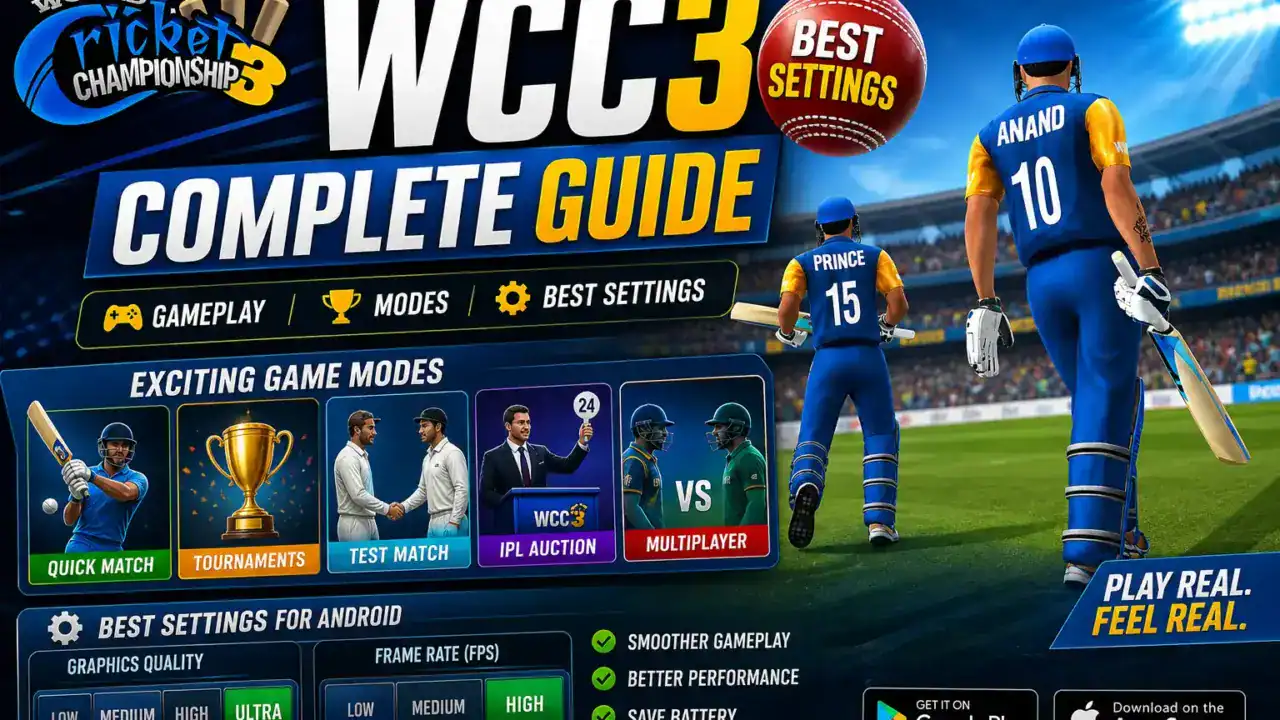
WCC3 is one of the most searched cricket game names in India, but World Cricket Championship 3 needs more than a quick install if you care about gameplay modes, settings, storage, ads, and safe official downloads.
Before you install it on Android, check more than the download button. RAM, free storage, ads, in-app purchases, offline behavior, multiplayer requirements, and the source you download from all matter. That is especially true for Indian players using budget phones, 4GB RAM devices, hostel Wi-Fi, weak mobile data, or trains and buses where connection quality changes fast.
This guide is written for players who want the real picture before they spend storage or data on a heavy cricket game. It is not an APK, OBB, or mod page. If you want a wider shortlist after this article, see our best cricket games in India guide and our best cricket games for Android guide.
Review note: This version is based on the live Google Play listing, the WCC3 FAQ, the WCC site, the Nextwave product page, and keyword-led SERP research. It does not rely on APK mirrors, cracked APK pages, Telegram files, or random download blogs.
Official sources checked: Google Play listing, WCC3 product page, WCC3 FAQ, and Nextwave’s product page. These were used to check the app name, developer, minimum configuration, mode references, monetization labels, multiplayer, and offline notes.
Table of Contents
Quick Answer: Is WCC3 Worth Playing?
WCC3 is worth playing if you want a deeper Android cricket game with richer presentation, more modes, and stronger long-term progression than a tiny arcade hitter. It makes more sense on mid-range phones, while budget devices should start with reduced visuals, keep plenty of storage free, and install from Google Play or the publisher’s own pages only.
Quick pick: This game is best for Android users who want commentary, a broader mode mix, and a more layered cricket experience. Check the live Play page before downloading because the storage footprint, ads, in-app purchases, and some online-linked behavior may shift over time.
- Best for: Players who want more depth than a casual cricket app
- Best phone fit: Mid-range Android phones, with reduced settings on entry-level hardware
- Download rule: Use Google Play or publisher pages only
Best settings quick answer: On 3GB or 4GB RAM phones, start with the lowest or low-to-medium preset, a stable camera, and shorter matches. On 6GB or 8GB RAM phones, begin at medium, then raise visuals only if loading, match flow, heat, and battery comfort remain under control.
WCC3 at a Glance: World Cricket Championship 3 Facts
Google Play currently lists WCC3 as World Cricket Championship 3 from Nextwave Multimedia, while the FAQ says the minimum configuration is Android 5.1 and above with 2GB RAM. The same FAQ also says offline play is supported, but sign-in, progress syncing, daily Platinum rewards, mission tracking, and multiplayer still need internet.
Current listing note: At the time of checking, Google Play showed World Cricket Championship 3 updated on Apr 16, 2026, with ads, in-app purchases, and 10M+ downloads. Refresh this line if you publish after a later recheck.
| Item | Detail | Why It Matters | Status |
|---|---|---|---|
| Full name | World Cricket Championship 3 | Confirms the exact app identity | Checked on Google Play |
| Common search name | WCC3 | Matches how most users search | Checked on Play and WCC pages |
| Developer | Nextwave Multimedia | Helps you avoid fake listings | Checked on Google Play |
| Platform focus | Android phones and tablets | Matches this guide’s audience | Checked on Google Play |
| Minimum requirement | Android 5.1 and above, 2GB RAM | Useful starting filter for older phones | Checked in the FAQ |
| Best for | Players who want richer modes, commentary, and progression | Sets expectations early | Editorial guidance |
| Match style | Feature-rich cricket game with batting, bowling, fielding, commentary, and presentation focus | Separates it from tiny cricket apps | Checked on Play and publisher pages |
| Offline and online note | Offline play is mentioned, but syncing, rewards, and multiplayer still need internet | Important before travel | Checked in the FAQ |
| Monetization note | The Play page currently labels the app as containing ads and in-app purchases | Useful for parents and budget users | Checked on Google Play |
| Phone fit | Usually better on mid-range phones, but workable with reduced settings on entry-level hardware | Helps avoid a bad first impression | Requirement plus editorial caution |
| Download source | Google Play and publisher-run WCC or Nextwave pages | Keeps you away from risky mirrors | Checked |
| Last checked | May 3, 2026 | Shows freshness | Refresh if published later |
Official Download and Safety: Use Trusted Sources Only
Download summary: If you want the Android version, the best path is the Google Play page. It shows the game title, developer name, update date, monetization labels, support contacts, and the Data safety panel in one place.
Warning: Do not download mod APKs, unlimited platinum APKs, unlimited coins APKs, OBB bundles, hacked files, or Telegram uploads. Stick to Google Play or pages run by the publisher.
Before installing, open the Data safety section on Google Play and check what the developer currently discloses about sharing, collection, encryption, and deletion requests. On the listing checked for this guide, Google Play said the app may share Location and Personal info with third parties, may collect Messages, says data isn’t encrypted, and says deletion can be requested.
The WCC and Nextwave pages are also useful identity checks: WCC3 product page and Nextwave product page. If the app name or developer does not match what you see there, stop and do not install.
For one more layer of protection, keep Google Play Protect turned on. Google says it checks apps from the Play Store before download and also checks devices for potentially harmful apps from other sources.
| Search Term | What It Usually Means | Recommended Action | Avoid |
|---|---|---|---|
| WCC3 | Short form of the game name | Confirm the full title and developer on Google Play | Copied app pages |
| World Cricket Championship 3 download | Install intent | Use Google Play | Random “download now” blogs |
| APK | Often leads to mirror or sideload pages | Stay on store or publisher pages | XAPK installers and rehosted APKs |
| Mod APK | Altered build intent | Skip it completely | “Unlimited” and “all unlocked” pages |
| App | Usually means the Android listing | Check the developer, support email, and current disclosures | Fake pages using copied screenshots |
| Unlimited platinum or coins | Usually monetization bait | Use the in-game systems shown on the live listing | Hacks, patches, Telegram files |
How We Reviewed This Guide for Android Users
This version uses the live store listing, the FAQ, and publisher pages to review WCC3 for Android users. We checked gameplay claims, mode references, multiplayer notes, monetization labels, download paths, and the problems people most often face on budget phones or low-storage devices.
WCC3 Gameplay, Controls and Match Feel
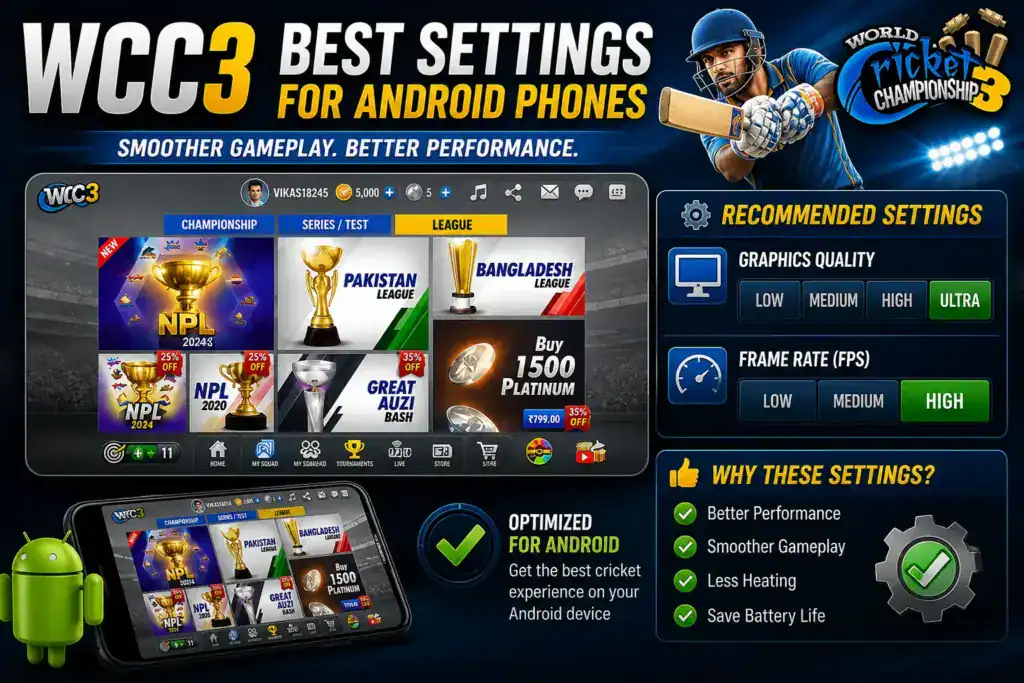
Gameplay summary: WCC3 is built to feel richer than a simple tap-and-hit cricket app. The Play description highlights full-motion batting, bowling, and fielding, while the publisher page leans on brand-new controls with variations, commentary, motion-captured presentation, and advanced AI.
That usually means timing matters more, shot choice feels more deliberate, and the whole package feels closer to a cricket presentation product than a quick score chase. The trade-off is simple: the same presentation depth that makes the game interesting is also what can make it feel heavy on older phones.
Commentary is a clear part of the identity. The Play page currently mentions Matthew Hayden, Isa Guha, and Aakash Chopra, and says commentary is available in English, Hindi, and Tamil. If match atmosphere matters to you, that is one of the game’s biggest strengths.
WCC3 Modes Explained
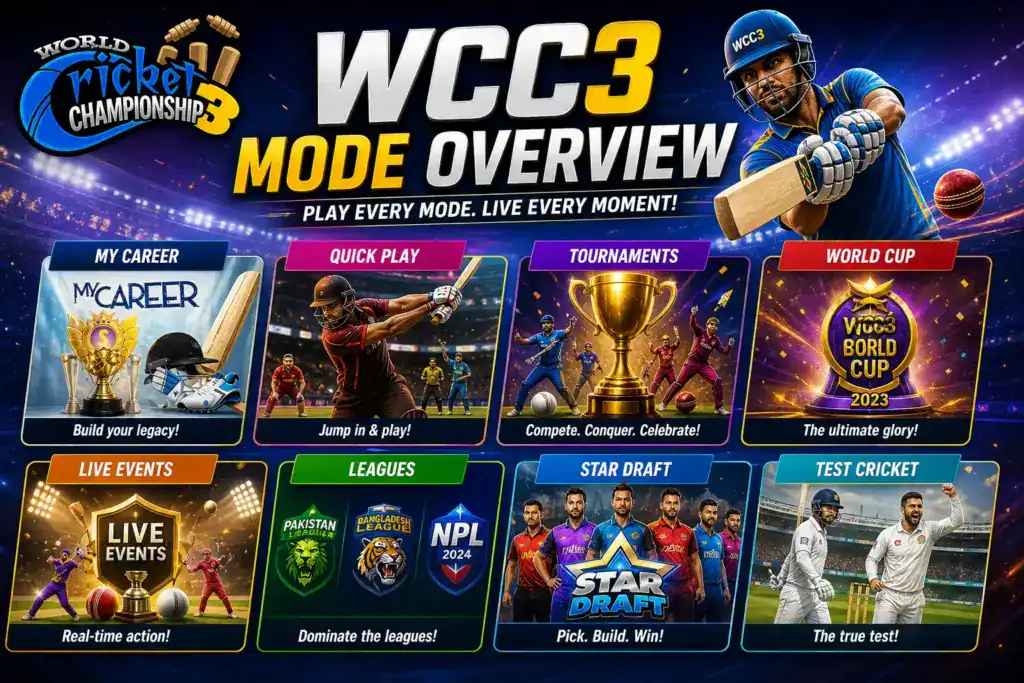
Mode summary: Current public pages point to Career Mode, World Cup, Ashes, Test Cricket, WNPL, Road to Glory, NPL 2025, and real-time multiplayer. That gives the game more long-term value than a one-mode cricket app, especially if you want something to come back to between classes, work breaks, or weekend sessions.
| Mode/Feature | Best For | Online/Offline Note | Beginner Tip | Source |
|---|---|---|---|---|
| Career Mode | Players who want progression and longer-term play | Check internet-linked rewards and sync before long runs | Learn timing in shorter matches first | Play page and publisher page |
| World Cup | Fans who want tournament structure | Best after the first setup is complete | A good place to start after practice matches | Play page |
| Ashes | Players who like classic rivalry setups | Longer sessions can be tougher on older phones | Drop visuals if your phone warms up fast | Play page |
| Test Cricket | Players who enjoy longer formats | Battery and time demands are higher | Not the smartest first mode on weaker phones | Play page |
| Real-time Multiplayer 1v1 | Competitive players | Needs stable internet | Avoid weak Wi-Fi and unstable data | Play page |
| Multiplayer Tournaments | Players who want repeat online competition | Internet-dependent | Try only after single-player timing feels stable | Play page |
| Road to Glory | Players who enjoy unlocks and presentation extras | Treat as a bonus layer, not the first reason to install | Use after basics feel comfortable | Play page |
| WNPL | Players who want added variety | Availability can evolve with updates | Nice change after standard formats | Play page |
| NPL 2025 | League-style players | Best tried after your settings are stable | Good for regular players, not pure beginners | Play page |
Career Mode
Career Mode is the easiest way to see why this game attracts guide-style searches instead of just download clicks.
- Match length: Better for regular play than fast breaks.
- Device fit: More comfortable on mid-range phones.
- Beginner tip: Learn timing and bowling rhythm first.
- Main limitation: Not as pick-up-and-play as shorter modes.
Best WCC3 Settings for Android Phones
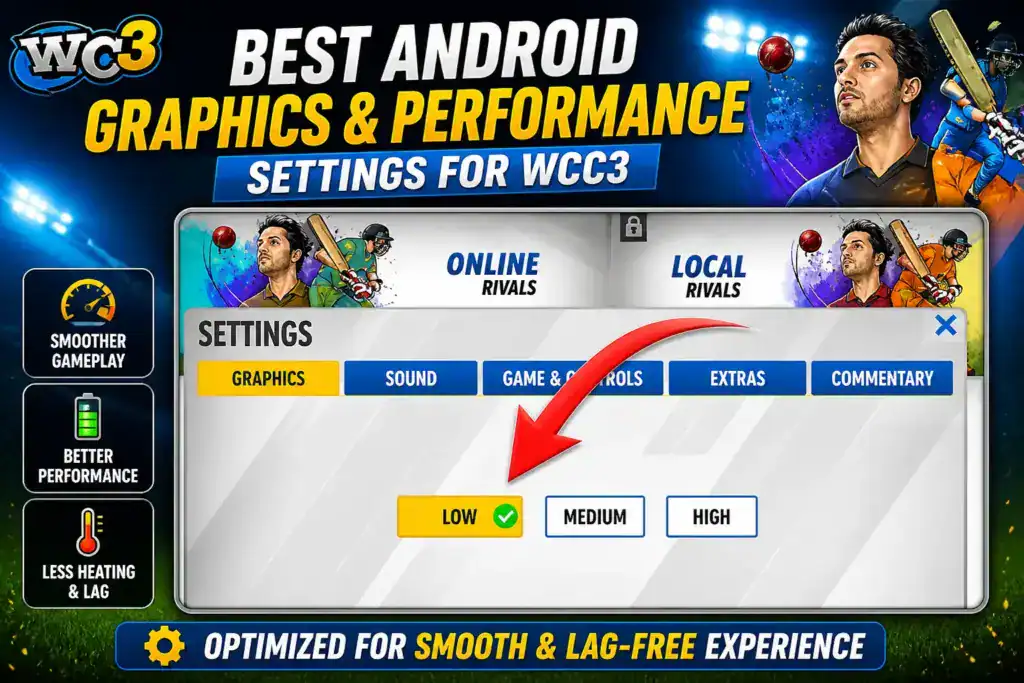
Settings summary: Start below your phone’s limit, not at the highest preset. The game looks better when it is stable than when it is overpushed. If loading slows down, the phone gets hot, or longer matches feel rough, lower visuals first and only raise them after several consistent sessions.
Best WCC3 Settings for Budget Android Phones
| Phone Type | Recommended Settings | Storage/Data Tip | Main Trade-Off |
|---|---|---|---|
| 3GB RAM phone | Use the lowest available graphics preset, stable camera, and shorter matches | Keep extra free storage before first launch | Visual quality may stay limited |
| 4GB RAM phone | Try low-to-medium visuals and test before long formats | Use Wi-Fi for updates when possible | You may still need to step down later |
| 6GB RAM phone | Start at medium and raise only if loading and match flow stay smooth | Keep space free for patches | Longer formats can still be demanding |
| 8GB RAM phone | You can try higher visuals, but still test Career Mode and long matches first | Update over steady Wi-Fi | More detail can still mean more heat |
| Low-storage phone | Prioritize smooth play over max detail | Delete unused media, downloads, and apps first | You may spend more time managing storage |
| Phone that heats quickly | Lower visuals, close background apps, and keep sessions shorter | Do not update while gaming on mobile data | Long formats may feel less comfortable |
| Weak Wi-Fi or patchy data | Focus on single-player and offline-capable play after setup | Download and update on steady Wi-Fi only | Online modes and rewards may be unreliable |
| Users who want better graphics | Increase slowly after several stable matches | Keep battery and storage headroom | Heat and drain can rise fast |
| Users who want smoother play | Reduce visuals first, then test camera and match length | Restart before long sessions | The game may look less flashy |
Editor’s tip: The best WCC3 settings are not always the highest settings. If your phone heats quickly or storage is tight, smoother gameplay matters more than maximum graphics.
Low-End Phone Performance Tips for WCC3
Budget-phone advice: Treat the minimum requirement as the starting line, not as a promise of a perfect experience. If your Android phone already struggles with heavier games, clean storage first, restart before playing, and test short sessions before trusting it for long tournaments or travel.
- Keep extra storage free before the first launch and future patches.
- Use Wi-Fi for the first download and larger updates when possible.
- Close background apps before starting a long match.
- Use shorter formats if the phone gets hot or the battery drops fast.
- Keep the phone cool and avoid gaming while charging if heat is already a problem.
Need alternatives? If your phone struggles with heavy graphics or limited storage, compare more options in our best cricket games for Android guide.
Offline, Online, Multiplayer and Mobile Data Notes
Offline and online summary: The FAQ says the game can be played offline, but sign-in, syncing progress, daily Platinum rewards, mission tracking, and multiplayer still need internet. So offline play exists, but it is not the same thing as “never needs a connection again.”
For Indian users dealing with weak hostel Wi-Fi, mobile-data limits, or train travel, test offline behavior yourself after setup and again after major updates. If multiplayer matters more than offline play, your internet stability will matter almost as much as your phone.
Career, Tournament, Test Cricket and T20 Tips
Format choice summary: If you mostly play in short breaks, start with shorter matches or tournament-style sessions. If you want a longer personal journey, Career Mode is the stronger hook. If you enjoy longer cricket, Test Cricket is part of the current public feature set, but it asks more from your time, battery, and patience.
T20-style play is better for quick rhythm and shorter sessions. Longer formats make more sense when your controls are already comfortable and your phone has shown it can handle extended play without heating or draining too quickly.
Ads, In-App Purchases, Platinum, Coins and Progression
Monetization summary: Google Play currently labels the app as containing ads and in-app purchases. The FAQ also references Platinum through daily missions, rewarded videos, Career Mode progress, and store purchase, which means rewards are part of the progression loop.
Parents should check purchase settings before handing the phone to younger players. And if you keep seeing searches for “unlimited platinum” or “unlimited coins,” treat them as a warning sign. Those searches usually pull people toward risky mod pages, not the real game.
WCC3, WCC2, WCC Lite and Other Cricket Games: Which One Should You Choose?
Decision summary: WCC3 and World Cricket Championship 3 are the same game. WCC2 and WCC Lite are separate apps in the same series. If you want the newer, richer package, start here. If you want something lighter, WCC Lite is the more obvious family option. If you prefer older WCC-style gameplay, WCC2 is still a separate choice.
| User Type | Best Choice | Why It Fits | Watch Out For |
|---|---|---|---|
| Wants deeper cricket modes | WCC3 | Career Mode, stronger presentation, and a wider current mode mix | More demanding on storage and weaker phones |
| Wants a lighter family option | WCC Lite | Its own Play page describes it as lightweight and optimized for older phones | It is not the same game as World Cricket Championship 3 |
| Wants older WCC gameplay | WCC2 | Separate app with a long-running player base | It is an older branch of the series |
| Has weak phone or very tight storage | Compare lighter Android cricket games first | You may get a smoother experience elsewhere | Do not force one heavy game to fit every device |
| Wants online competitive play | Multiplayer in WCC3 | The live Play page highlights real-time 1v1 and tournaments | Needs stable internet |
Related guide: For more cricket games across Android, PC, online, and offline categories, read our best cricket games in India guide.
Mod APK Warning: What to Avoid
Risk summary: Do not download mod APKs, unlimited platinum APKs, unlimited coins APKs, hacked builds, OBB files, or Telegram links. If your goal is a clean install, the answer is simple: use Google Play, keep Play Protect on, and avoid sideload pages that promise shortcuts.
Why this matters: Modified APKs can mean malware risk, privacy issues, broken updates, and unreliable installs. They also make it harder to confirm what you are really putting on your phone.
If you want a cleaner install path, read Google’s Play Protect safety guide and stay with the store listing.
Who Should Play WCC3?
Best fit: This is a strong match for realistic mobile cricket fans, players who care about commentary and presentation, and users on decent mid-range phones who want more than a tiny instant-play cricket app.
Use caution if: your phone has very little free space, warms up fast, or already struggles with heavier games. It is also not the smartest choice if you only want a tiny batting app with almost no setup.
FAQs About WCC3
What is World Cricket Championship 3?
It is a cricket game from Nextwave Multimedia that focuses on richer gameplay, more modes, and stronger presentation than a tiny one-minute cricket app.
Is WCC3 the same as World Cricket Championship 3?
Yes. WCC3 is simply the shorter search name. It is not the same thing as WCC2 or WCC Lite, which are different apps in the same broader series.
Is it safe to download from Google Play?
Yes, Google Play is the best route for most Android users because it shows the developer, support contacts, monetization labels, and Data safety details in one place.
Where should I download it from?
The easiest trusted source is the Google Play listing. The WCC and Nextwave pages are also useful identity checks because they point back to the same game and publisher family.
Does WCC3 work offline?
Yes, the FAQ says offline play is supported. But sign-in, syncing progress, daily Platinum rewards, mission tracking, and multiplayer still need internet, so test the current version yourself before travel.
Is WCC3 good for budget Android phones?
It can run on older phones according to the published minimum requirement, but that does not mean every budget device will feel comfortable. Start with lower visuals and check storage first.
What settings should I try first on weaker phones?
Use the lowest available graphics preset, keep a stable camera, close background apps, and start with shorter matches. Raise visuals only if the game stays smooth and the phone remains comfortable.
Does WCC3 have multiplayer or Career Mode?
Yes. Public pages currently point to both Career Mode and real-time multiplayer. Career Mode is better for regular long-term play, while multiplayer makes more sense if your internet is stable.
Are WCC3 mod APKs a good idea?
No. Mod APK pages are the wrong route if you care about malware risk, privacy, account trouble, or broken installs. Use the store page instead of chasing “unlimited” claims.
Is it better than Real Cricket?
Neither game is automatically better for every player. The better choice depends on your phone, your taste, and whether you want this franchise’s current mode mix and presentation style.
Final Verdict: Should You Install WCC3?
Install WCC3 if you want a deeper cricket game with richer modes, stronger presentation, and more than a quick arcade hit. Use Google Play or publisher-run pages only, lower the settings on weaker phones, and check current storage, ads, in-app-purchase labels, and offline behavior before depending on it during travel. If you need something lighter, use our Android cricket games guide for alternatives.
Update Log
Update log: Last checked on May 3, 2026. This refresh rechecked Google Play availability, the FAQ, the WCC and Nextwave pages, the update date, 10M+ downloads, data-safety labels, mode references, download guidance, monetization labels, and Android phone-fit advice.
Related guides