Character AI: Guide to Stories, Safety and Pricing

What Character AI is and why it matters in 2025
Character AI is a conversational platform that lets you talk to public characters or ones you build yourself. Each character holds a short instruction block and a few example messages that set the tone and goals. People use it to outline novels, design game lore, practice languages, plan trips, test interview answers, and relax with role play. The mix of speed and play makes it feel less like a utility and more like a creative studio that lives in your browser and phone.
If you are new, start by browsing the top characters at the official site. You can open the web app from the home page at character.ai and learn the basics in minutes. The platform is simple enough for casual use yet deep enough for writers and teachers who want reusable helpers. This balance is why Character AI keeps growing even as other chat tools come and go.
What changed for teens and families in 2025
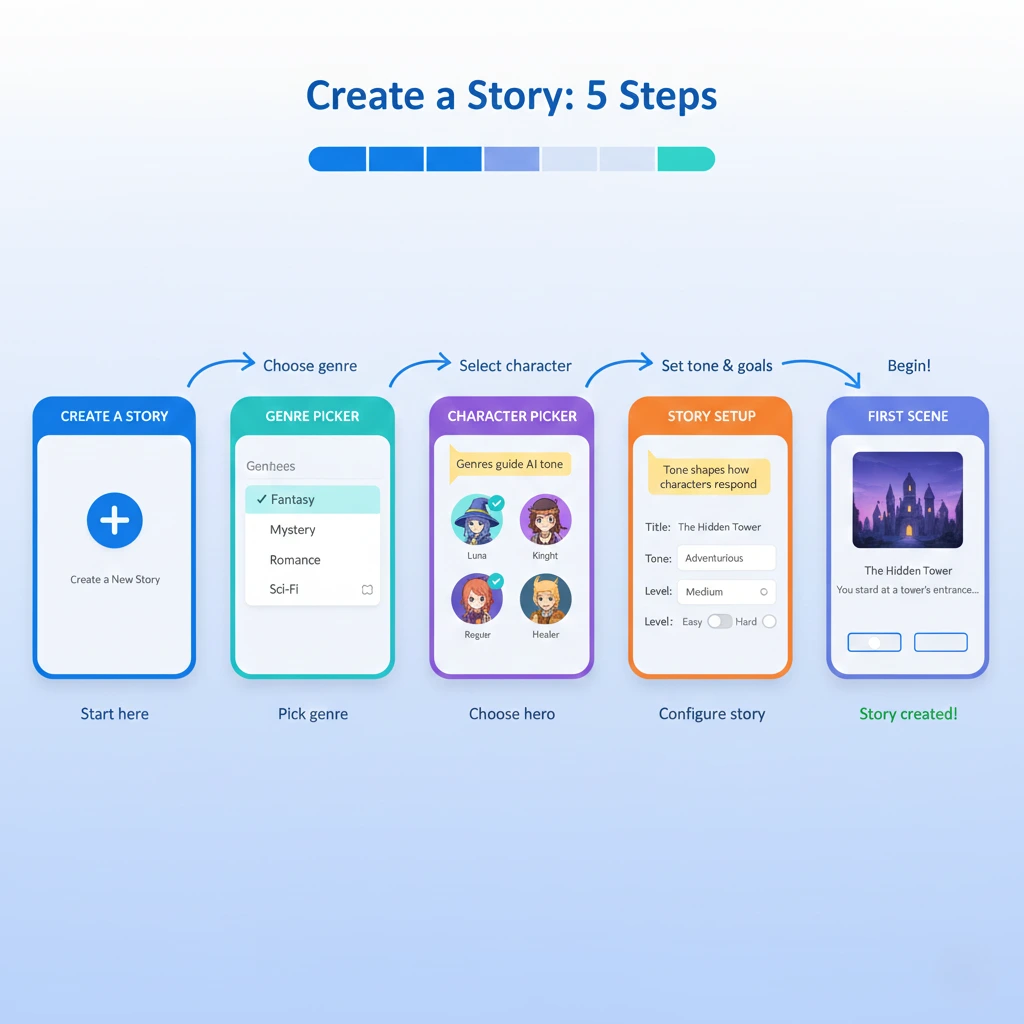
In 2025, Character AI introduced a guided mode called Stories for younger users. Stories is a choose-your-path format that pairs short text with scene art and clear options. Teens follow a build step, pick a genre, and make choices that move the narrative. Adults still use open chat, rooms with many characters, and custom creations. The teen change is about steering under-18 users toward a safer space while preserving a fun, creative loop.
If a teen account is flagged as under 18, the app guides that account toward Stories and other guardrail features. Adults who are misflagged can verify and return to open chat. This is not a limit for adults. It is a simpler lane for minors, so they can play with fiction while avoiding freeform text that is harder to moderate. For families, that structure can reduce friction and make the app easier to approve.
To learn more about the change and the rollout, read the official Stories announcement on the Character AI blog at Introducing Stories. For broader coverage, see reporting at TechCrunch and analysis at The Verge. These links give good context and help you explain the change to parents and teachers who are still catching up.
Character AI pricing and what the paid plan adds
Character AI runs on a free tier that lets you chat, build, and play with basic limits. The paid plan, often called c.ai plus, gives priority during busy times, faster responses, and better memory for longer arcs. If you write scripts, host steady role play, or study in long sessions, the paid tier can save time and reduce frustration. If you only pop in for short tasks, the free tier is enough.
Use a simple test. Spend a week on the free tier and note three things. First, how often do you see a waiting room? Second, how often does the character forget context after a long branch? Third, whether your work depends on a steady turn-by-turn speed. If two of those three points hurt your flow, try a month of the paid plan. You will know within days if the upgrade is worth it for your workload on Character AI.
Apps and safe installation on iOS and Android
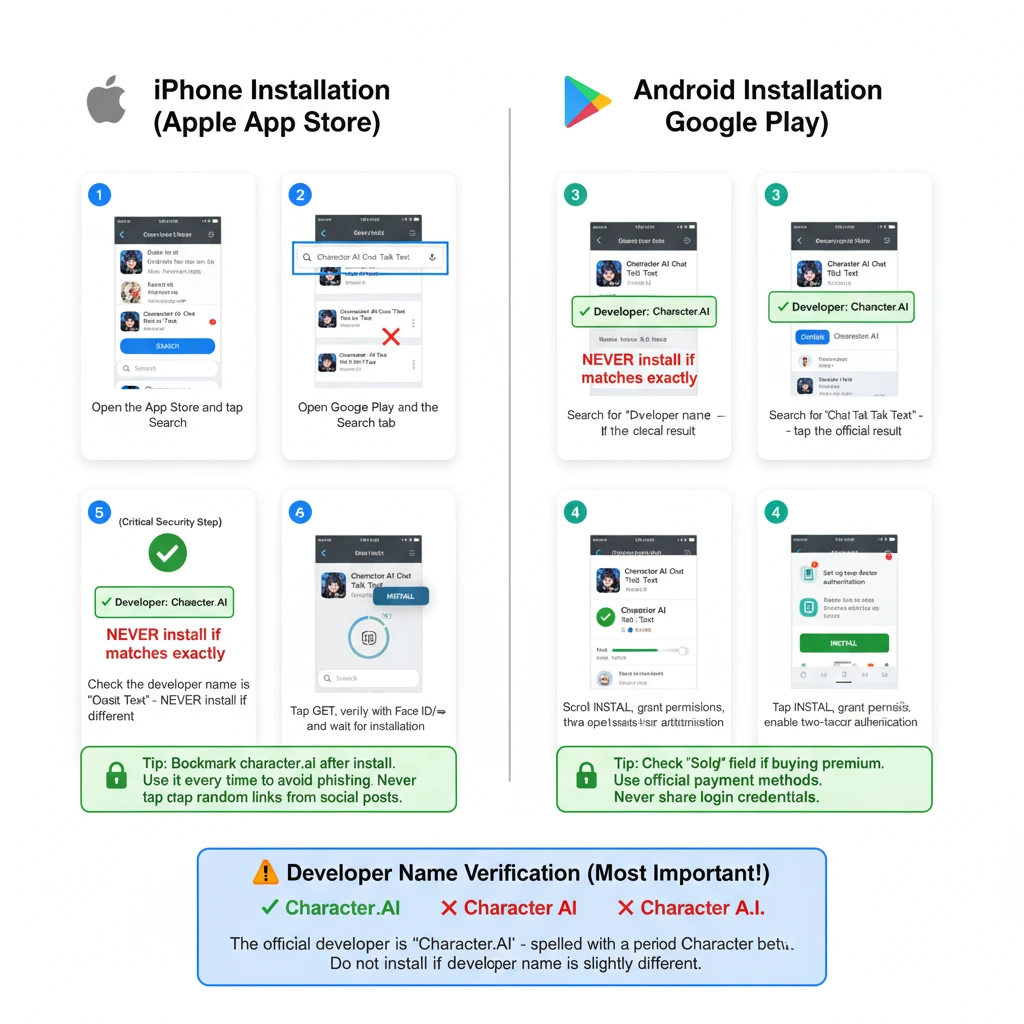
Install from official stores only. On iPhone, search the App Store for Character AI Chat Talk Text and confirm the developer name is Character.AI. Here is the direct listing on the Apple App Store. On Android, use Google Play and confirm the same developer name. Do not sideload from unknown sites. After you install, turn on two-factor protection and set a unique password so your characters and chats stay private.
Desktop users should bookmark the web app and use that single link every time. Avoid short links from social posts. A single trusted bookmark lowers the chance of landing on a look-alike site that tries to harvest your login. This small habit keeps Character AI safe and steady for daily use.
How to set up Character AI for a better first week
- Create an account with a unique email and a strong password. Turn on two-factor if your region supports it. This protects your history and any public characters you publish.
- Pick three starter helpers that map to your goals. Choose a writing coach, a language partner, and a general planner. With this trio, Character AI will feel useful in almost every session you run.
- Start with short tasks. Ask each helper for a 100-word result. If the tone is off, say exactly what to change. The model learns fast inside a session when you give direct feedback.
- Pin the helpers that click for you. A small roster speeds your day. Over a few weeks, you will know which two or three characters you use most.
- Try a Story even if you are an adult. Stories can nudge ideas when a blank chat feels heavy. Many writers use a Story to spark a scene and then switch back to open chat to expand it.
Prompts that work well with Character AI
Good prompts are short, clear, and specific. Character AI responds best when you set a role, list a goal, and ask for a format. You do not need complex tricks. Here are patterns that work across writing, study, and role play.
- Role and goal: You are a Chennai travel guide. Build two-day plans for a family of four. Include metro options.
- Constraints: Friendly tone. Bullet list. Maximum 150 words.
- Iteration: Keep plan two. Add two food stops and one low-cost activity near stop one.
- Review: Change the second food stop to a vegetarian option and add a quick price range.
If output drifts, do a one-line recap of the target and continue. This keeps Character AI on track and reduces restarts.
Create a custom character that stays on track.
Character AI lets you publish or keep private characters. Begin with a clear purpose, a short instruction set, and three example messages. Name the character in plain language so people understand what it does. Test it against three tasks. If it drifts, add one rule and test again. Short rules beat long rule dumps. Characters that use simple language are easier to maintain and share.
When your character feels right, write a one-paragraph profile that explains the scope and limits. Build a small checklist you run before you publish. That checklist can include tone, depth, and banned topics. These steps turn a good idea into a helper that performs well for you and for the community of Character AI users.
Safety and privacy that actually help
Parents and teachers should set simple rules. Place devices in common areas, set time windows, and talk about healthy use. The platform moved young users toward Stories so they can explore inside structured scenes. Adults still use open chat and rooms. All users benefit from privacy basics. Do not share personal data. Do not upload private photos. Be careful with third-party prompts and unknown links that appear in chats.
GEO tips for India, the United States, and the United Kingdom
Experience varies by region. In India, payment rules and network quality can affect upgrades and speed. Test the free tier for a week and note peak time delays before you pay. Keep a copy of the invoice and set a reminder for the renewal date. Avoid gray market APKs. Always use Google Play and the official site at character.ai. For students, watch for short seasonal discounts on the official blog at blog.character.ai.
In the United States, billing is smooth, but families should still pair the app with device-level controls. In the United Kingdom, review regional billing, age labels, and local legal notices before enabling purchases. For all regions, check the developer name in the store listing and use a single bookmark for the web app. These small checks make Character AI safer and more stable over time.
Creative uses that show why Character AI is fun
People use Character AI for short fiction, scene beats, language drills, lesson plans, and brainstorming. Writers stage a tight scene with two or three characters, then paste the best lines into a draft. Language learners practice short conversations with mild corrections. Students build a study week plan with a tutor-style bot that adds reminders. These simple loops are why the platform sticks. It fills small gaps in the day and turns heavy tasks into lighter sessions.
Advanced features you should try next
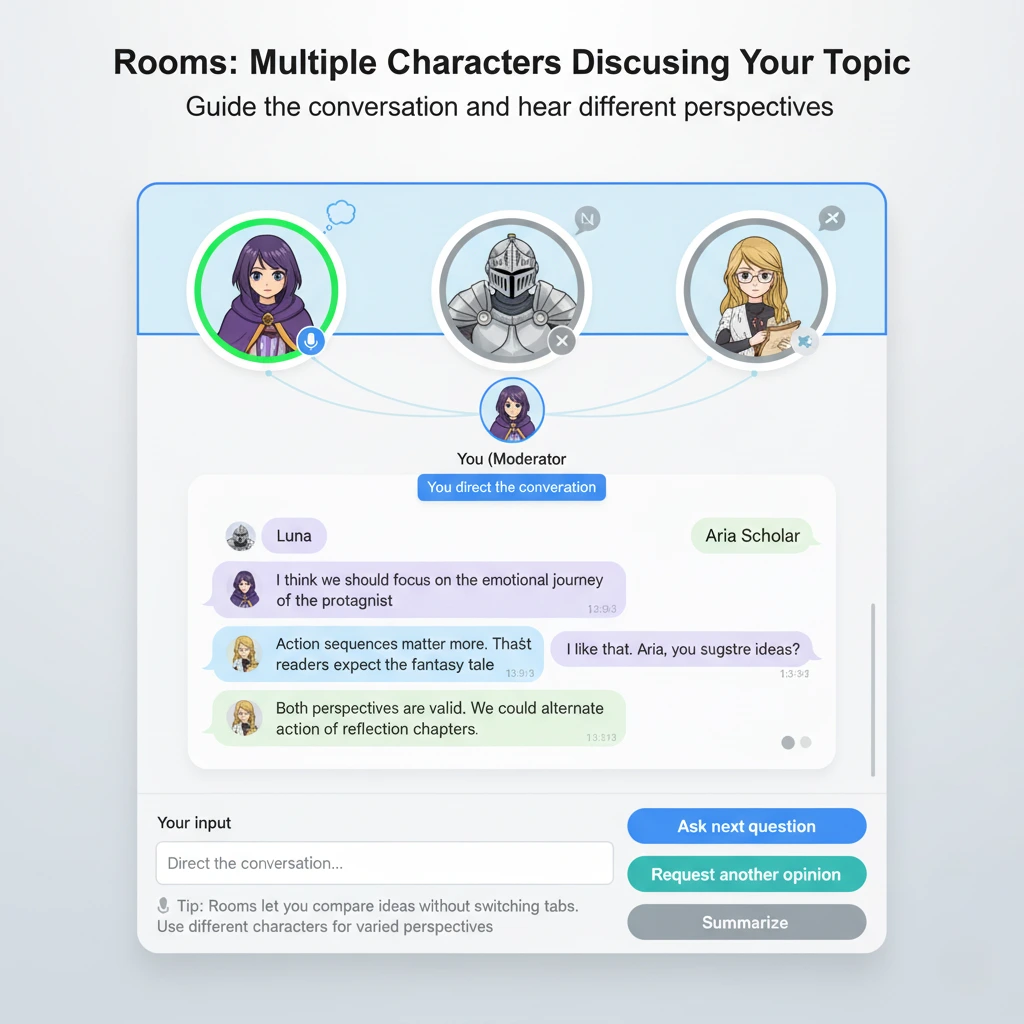
Rooms let several characters interact while you guide the flow. Use Rooms when you want varied voices without switching tabs. Memory options help a character keep track of their preferences within a session. Use memory to lock in tone, goals, and off-limits topics. Some builds support image or voice extras. Try them for quick mood boards or for practicing delivery. These features make Character AI feel like a studio kit instead of a single chat box.
Accessibility and language learning tips
For low vision users, raise system text size and ask the bot for short paragraphs or bullet points. For hearing support, stick to text modes and summarization. For language learning, define the target language and ask for mistakes and fixes. Keep sessions short and active. Character AI is not a teacher, but it can be a steady practice partner that never runs out of patience.
For educators and classrooms
Set a clear policy before you bring the app into class. Define what is allowed and what requires citation. Built role-play prompts for civics and literature. Use structured tasks that ask students to rewrite output in their own voice. Store rubrics in a document and share them with students and parents. With the right guardrails, Character AI becomes a writing lab that students enjoy using.
For writers and role players
Use a style plan. Keep a text file with a two-line tone guide, a vocabulary list, and three example sentences that fit your voice. Paste the style plan at the start of a session and ask for a 120-word test. If it fits, continue. If it misses, correct the dials and rerun the test. This keeps Character AI close to your voice without long prompt chains.
Workflows that save time week after week
If you use Character AI daily, build a simple set of templates. Make one outline prompt, one translation check prompt, and one summary prompt. Keep a speed version and a quality version of each. Toggle based on your deadline. Pair the app with a note tool. Draft in Character AI, revise in your editor, and return for a second pass. Track time spent in each step so you learn where the app helps most.
Limits to watch and how to fix common issues
No AI is perfect. The app can miss a goal, lose a thread, or mimic a voice too strongly. Fixes are simple. Restate the goal in one line. Add a format note. Reduce scope. If context feels lost, paste a short recap and continue in the same chat. If a session goes in circles, start a new chat and paste the recap. That clean handoff often fixes the drift and keeps Character AI focused.
Where this tool fits among other AI services
Many chat tools exist, but few match the character system that gives Character AI its identity. General-purpose chats can be better for raw research or code. This platform shines for role play, creative writing, and conversational teaching. If you follow AI in the physical world too, read our internal look at robotics here: Tesla Optimus Humanoid Robot 2025. That page shows how software and hardware trends meet, and it pairs well with the creative work you do in Character AI.
Future outlook and what to watch in 2026
Expect steadier memory, better voice, and new creative formats. Watch the official pages for new features and policy changes. The home page at character.ai links to updates. The blog at blog.character.ai posts feature notes and guides. For broader industry coverage, bookmark TechCrunch and The Verge. These sources help you track real changes and plan your own workflows without guesswork.
Frequently asked questions
Is Character AI free to use
Yes. There is a free tier for chat, Stories, and basic creation. A paid plan gives priority and stronger memory. Try free first and upgrade only if you hit queues or need a longer context for steady work. This approach saves money and shows you the real value of your device.
Where can I install the mobile app?
Use the official listings. On iPhone, open the Apple App Store. On Android, install from Google Play. Check the developer name Character.AI and avoid look-alike apps. Update on a regular schedule so you get current features and fixes.
What are Stories and why do they matter
Stories are guided adventures with safe choices and scene art. They help new users start fast and steer younger users toward safer play. Adults can use Stories to spark ideas and then switch to open chat for deeper writing. Learn more at the official blog post called Introducing Stories.
How can parents supervise use?
Set device limits, keep the app in shared spaces at home, and talk about privacy and healthy behavior. Review settings together and decide what hours are allowed. If a session feels off, reset and discuss. A simple plan plus honest talks makes the app safer for teens and smoother for families.
What is the fastest way to get better replies?s
Set a role, define a goal, and state a format. For example, say you are a mentor, ask for three approaches, and cap the reply at 120 words. Give direct feedback when tone misses. Tight loops like this are the easiest way to shape output and keep momentum inside Character AI.
Can I use the app for work or school? ol
Yes, if you manage risk. Use it for ideas, structure, and drafts. Check facts and keep private data out of chats. Treat the tool like a fast assistant that needs oversight. This balance gives you speed without losing accuracy or voice in your final work.
How do I stop drift in a long session?ion
Paste a two-line recap that lists the target, tone, and output format. Continue in the same chat. If drift returns, start a new chat and paste the recap. This clean handoff realigns the session and is usually enough to keep Character AI on task for the next phase.
Can I build a character that teaches me a skill?
Yes. Create a tutor with a narrow scope, a friendly tone, and three sample answers. Ask for short corrections and occasional quizzes. Many learners find this approach more fun than flash cards and use it as a daily practice partner.
Does the service work offline
No. You need a connection. If your link is slow, draft in a text editor, then paste smaller chunks. This keeps the app responsive and reduces timeouts on weak networks. Save important work outside the chat so you always have a copy.
What makes this platform different from a simple chatbot
The character system. You can design many helpers with clear roles and swap them based on the job. This variety keeps sessions fresh and lets you match the right voice to the task without forcing one bot to do everything at once.
Bottom line
Character AI is easy to install, simple to prompt, and flexible enough to support writing, studying, and playing. If you use Stories, it can kick-start ideas. If you prefer open chat, you can build steady workflows with rooms, custom characters, and smart templates. With safe installs, clear goals, and light guardrails, Character AI becomes a daily helper that makes creative work and planning less stressful and more fun.