Skip to content
BGMI

BGMI 4.3 Update 2026: New Features, Release Date, Patch Notes and Download Guide

BGMI 4.3 update 2026 - official update splash screen on Android

BGMI 4.3 Update 2026: New Features, Release Date, Patch Notes & Download Guide

Last Updated: March 18, 2026

Verified by Arjun Mehta, gaming content writer with 6 years of experience covering BGMI, esports, and mobile gaming for Indian audiences.

Quick Answer: BGMI 4.3 Update 2026

The BGMI 4.3 update 2026 officially rolls out in India from March 19, 2026 in a phased schedule. Android (Google Play) goes live at 6:30 AM, 9:30 AM, and 11:30 AM IST. iPhone (App Store) is listed at 11:30 AM IST. The official website APK follows at 12:30 PM IST and should be treated as a backup only.

The headline feature is the Evolving Universe theme mode. Download only through official channels. Use Wi-Fi and keep at least 3 to 4 GB of free storage before you start.

Your squad is ready but your store page still looks old. Your rank push is on hold before the first drop. If you are trying to figure out when the update is coming, what is new, or how to download it safely, you are not alone.

This BGMI 4.3 update 2026 guide is built for Indian players first. It covers the confirmed India release schedule, the biggest new features, and the likely patch notes. It also breaks down the safest download steps for Android, iPhone, and emulator users.

Confirmed information is separated from expected carryover features throughout. BGMI often follows the global patch shape, but India-specific events and APK timing can move later. If you play on Redmi, Realme, OnePlus, iQOO, Samsung, or iPhone, this guide should save you time.

For official announcements, keep the official BGMI website by Krafton bookmarked alongside this page.

BGMI 4.3 Update 2026 Release Date and Rollout in India
BGMI 4.3 update 2026 - official update splash screen on Android

KRAFTON India has announced March 19, 2026 as the India rollout date for version 4.3. This is a phased rollout, not a one-shot drop. That is the only date Indian players should trust.

Android users on Google Play see the patch first. iPhone users get it later on the App Store. The official website APK is last in the sequence, so it works better as a backup than a first choice.

Announced BGMI 4.3 Rollout Schedule for India

BGMI 4.3 Official India Rollout Schedule – March 19, 2026
PlatformIndia Rollout TimingWhat You Should DoBest Use
Android Google Play6:30 AM, 9:30 AM, 11:30 AM ISTOpen the full listing page, not only search resultsFastest and safest route
iPhone App Store11:30 AM ISTRefresh the page and keep extra storage freeBest for iPhone users
Official Website APK12:30 PM ISTUse only if KRAFTON posts the file directlyBackup option only

Why Some Players Get the Update Later

Store cache, device batch rollout, and server load all affect timing. KRAFTON used the same staggered pattern in earlier versions, and the 4.2 update even saw a brief delay after a crash issue surfaced during rollout.

  • Google Play assigns devices to rollout batches. Your phone may be in a later group.
  • Play Store cache can block the update from appearing even after your batch goes live.
  • Unstable internet pauses background auto-updates silently.
  • Store art and description text can lag behind the actual update button going live.

If you do not see the update after the full window passes, the fix steps are covered in the download section below.

BGMI 4.3 New Update Features for Indian Players
BGMI 4.3 patch notes 2026 - weapon balancing and new features list

How to read this section: confirmed items tie back to India rollout messaging. Expected items match the global 4.3 roadmap and repeated India previews. KRAFTON can still stagger or trim regional content after the base client goes live.

The headline feature is the Evolving Universe mode. It looks bigger than a normal themed island refresh. This update pushes BGMI toward faster movement and clearer squad roles.

Confirmed or Strongly Reported for India

  • Evolving Universe as the main theme mode for the patch.
  • A futuristic lobby and spawn island redesign.
  • Faster traversal including reported slide rail systems.
  • More hot drop pressure – India reports point to four hot zones instead of two.
  • New defensive and vehicle utility including an energy shield and nitrous-style boosts.

Likely Additions Still Needing Live India Confirmation

These items match the global 4.3 direction and multiple India previews. They are expected but not yet locked in for every region.

  • Five passive skill specializations or squad role assignments.
  • Energy Rank system from C to S with Temporal Vault-style rewards.
  • Erangel-focused spacetime zones and revamped city areas.
  • Racing additions in Erangel, with smaller updates for Livik and Miramar.
  • The M1 Garand semi-auto rifle as a new mid-range weapon.
  • Ancient Secret-style content returning in some form.

Note: India often gets the base patch first, then layered events after the client is stable. Global 4.3 also carries anniversary collaborations, but India timing on those can differ. Treat the Evolving Universe theme mode as confirmed and extra event content as rollout-dependent.

BGMI 4.3 Patch Notes 2026: Full Breakdown
BGMI 4.3 new update features - Erangel zone event gameplay screenshot

The BGMI 4.3 patch notes look like a real meta patch, not just a cosmetic one. The likely shifts are faster rotations, more structured squad play, and more pressure on early fights. If you play primarily in Erangel and Miramar, this patch matters.

Gameplay Changes That Matter in Real Matches

If slide rails, vehicle boosts, and extra hot drops land as reported, early game speeds up significantly. Squads that rotate with purpose gain more value. Lone-wolf rushing gets punished harder. The four hot zone structure pushes action earlier into the circle than 4.2 allowed.

Weapon and Balance Outlook

The biggest weapon addition is the M1 Garand. It should reward clean tap-firing and head-level discipline. DMR and sniper players will need time to test it before committing to it in serious rank push. It adds a new mid-range option that fits the faster rotation style 4.3 pushes.

Quality-of-Life and Network Changes

India pre-rollout coverage points to smart network optimization and a cleaner UI. That can help ping spikes and menu clutter on Indian servers. It will not fix weak internet on its own, but mid-range phones should notice cleaner lobby loading after the update.

Update Size and Storage Expectations

KRAFTON has not set a single universal size for every device. Based on community testing and recent major builds, expect roughly 1 GB to 2 GB for the Android download. Keep 3 to 4 GB free before starting. On iPhone, the App Store listing for BGMI is already large, so keeping extra room is the safer move.

Do not panic if the store art still shows an older theme. The binary can go live before every banner and description refreshes on the store page.

BGMI 4.3 Feature Summary Table

BGMI 4.3 Update 2026 – Feature and Change Overview for India
ChangeIndia StatusGameplay Impact
Evolving Universe ModeConfirmedHigh – Fresh hot drops, movement tools, new loot pressure
Squad Roles and Passive SkillsExpectedHigh – Makes Medic, Recon, and Vehicle roles more valuable
M1 Garand Semi-Auto RifleStrongly ReportedMedium – New mid-range tap-fire option
Slide Rails and Faster TraversalConfirmedHigh – Faster rotations and safer zone entries
Four Hot Zones Instead of TwoConfirmed (India reports)High – More early game pressure across all modes
Erangel Spacetime ZonesExpectedMedium – Revamped city areas and new loot points
UI and Network CleanupConfirmedMedium – Cleaner menus, possible ping relief on Indian servers
Energy Rank System (C to S)ExpectedMedium – New reward progression path alongside ranked

Pro Tip: On Android, open the full Play Store listing page for BGMI directly instead of tapping from search results. The Update button often appears on the full listing before the general apps section refreshes. Search for “BGMI: Online Multiplayer Game” and open the app page directly.

BGMI Update Download Guide for Android and iPhone
BGMI update download - Google Play Store update screen for Android India

The BGMI update download process is simple if you follow the safe path. Use official stores first. Use the official website APK only if KRAFTON posts it directly at 12:30 PM IST. For support issues, the BGMI Help Center is the cleanest route.

How to Update BGMI 4.3 on Android

  1. Open Google Play Store and search for BGMI: Online Multiplayer Game.
  2. Open the full app listing page, not only the search result card.
  3. Tap Update when your rollout batch goes live.
  4. Use Wi-Fi and keep at least 3 to 4 GB free before starting.
  5. After the base client updates, download only the map packs you actually use first.

That last step matters if storage is tight. BGMI keeps some map packs as separate downloads to control total app size. You do not need every map loaded on Day 1.

How to Update BGMI 4.3 on iPhone

  1. Open the Apple App Store and search for BATTLEGROUNDS MOBILE INDIA.
  2. Open the listing page and tap Update when it appears at 11:30 AM IST.
  3. Keep extra storage free because iOS installs fail when space is tight.
  4. Restart the iPhone once if the download gets stuck on Waiting.
  5. Launch the game and pull only the resource packs you actually use.

What to Do If the Update Is Not Showing

  • Wait until the full rollout window has passed. Phased rollout takes time.
  • Pull down to refresh the store listing page directly.
  • On Android, clear only Play Store cache, not BGMI app data itself.
  • Restart your phone and try again on Wi-Fi.
  • Check that your phone date and time are set to auto-sync.
  • Do not reinstall unless your account is fully linked and you know your login method.

Emulator Users

Emulator users should update through the emulator’s official store environment if BGMI is available there. Do not side-load random APK or OBB files. Performance, controls, and matching behavior can feel very different from phone play. KRAFTON’s anti-cheat actively detects emulator environments, and policy violations risk permanent account bans.

Warning: Do not download mod APK, cracked OBB packs, or “free UC” installers from Telegram channels or random sites. The only safe manual route is the official BGMI website after KRAFTON posts the file at 12:30 PM IST. Anything else can break the game, waste your mobile data, or put your account at permanent risk.

Pro Tip: Clearing only Play Store cache is safer than clearing BGMI app data. It refreshes the store listing without touching your in-game files or settings. Never clear BGMI data unless you are troubleshooting a serious install corruption and your account is fully linked to an external login method.

BGMI 4.3 Device Compatibility and Performance in 2026

BGMI can install on a wide range of phones, but install does not mean smooth. The real question is not “Will it open?” but “Will it stay stable during hot drops and long rank sessions?” RAM, free storage, and thermal control decide that.

BGMI dropped support for Android 4.4 and iOS 10 or below during the 3.1 cycle. In real 2026 use, 4 GB RAM is the floor and 6 GB or more is the practical comfort zone for rank push. On iPhone, the App Store now requires iOS 13 or later.

BGMI 4.3 Device Compatibility Guide for Indian Players
Device GroupCommon India ExamplesWhat to ExpectBest Settings
Low-End AndroidRedmi A series, Realme C series, older Samsung M and FPlayable for casual matches, render delay in hot dropsSmooth graphics, limit background apps
Mid-Range AndroidRedmi Note, Realme Narzo, OnePlus Nord, iQOO Z or Neo, Samsung A or M 5GBest balance for rank push, stable gyroscope, better recoil controlSmooth + highest stable frame rate
Flagship AndroidOnePlus 12 or 13, iQOO 12, Xiaomi 14, Samsung S24 or S25Best for 90fps or 120fps, faster loading, tighter spray feelSmooth + max frame rate if stable
iPhoneiPhone 11 and newer (iOS 13+ required)Steadier frame pacing, less render hitching than comparable AndroidKeep Low Power Mode off during rank push
EmulatorGameLoop or similar setupsWorks if via official store path; controls and feel differ from phoneUpdate only through the official store inside the emulator

If you play on Redmi or Realme budget phones, free up storage before updating. Full storage hurts stability throughout the match, not just at install. Samsung users should also check Game Booster and thermal modes before long rank sessions.

For spray players, frame pacing matters more than prettier shadows. If gyroscope feels delayed after the patch, drop graphics quality first and test recoil again. That usually helps faster than changing every sensitivity value at once.

Pro Tip: After the 4.3 update installs, go to Settings > Graphics and re-confirm your frame rate setting. Major updates sometimes reset preferences to a lower default. Players on iQOO, OnePlus, or Samsung flagships should manually verify 90fps or Extreme mode is still selected.

What the BGMI 4.3 Update 2026 Means for Indian Players

For Indian players, this is not only a theme swap. It can change how you rank push, how you practice, and how your squad shares roles. That is why 4.3 feels bigger than a normal patch.

Rank Push and Conqueror Grind

If role skills and faster rotation tools land as expected, squads that split jobs cleanly gain free points. One player anchors vehicles, one heals, one scouts. Blind four-man rushing will get punished harder with more hot zones and faster movement options available to everyone.

TDM, Gyroscope, and Recoil Reset

Spend your first few post-update games in TDM or the training range. Big patches often shift frame pacing, button feel, and spray rhythm. Even a small change can throw off your recoil control before you adapt to the new build.

Casual Players, Event Grinders, and UC Spenders

This patch should be fun for casual players because theme modes and event rewards land early in the cycle. Just let the event tab fully load before spending UC. India-specific offers and Royale Pass timing can still appear after the base client goes live, sometimes hours later.

Competitive Players and Indian Servers

Scrim teams should confirm every player is on the same version before running customs. Patch day can still spike ping on Indian servers even with the reported network improvements. If you play in tournaments, check official rules before assuming every new weapon or mode is legal in custom lobbies.

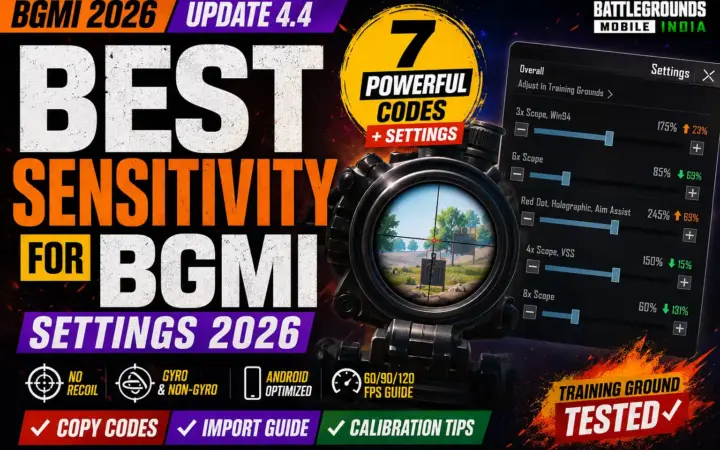
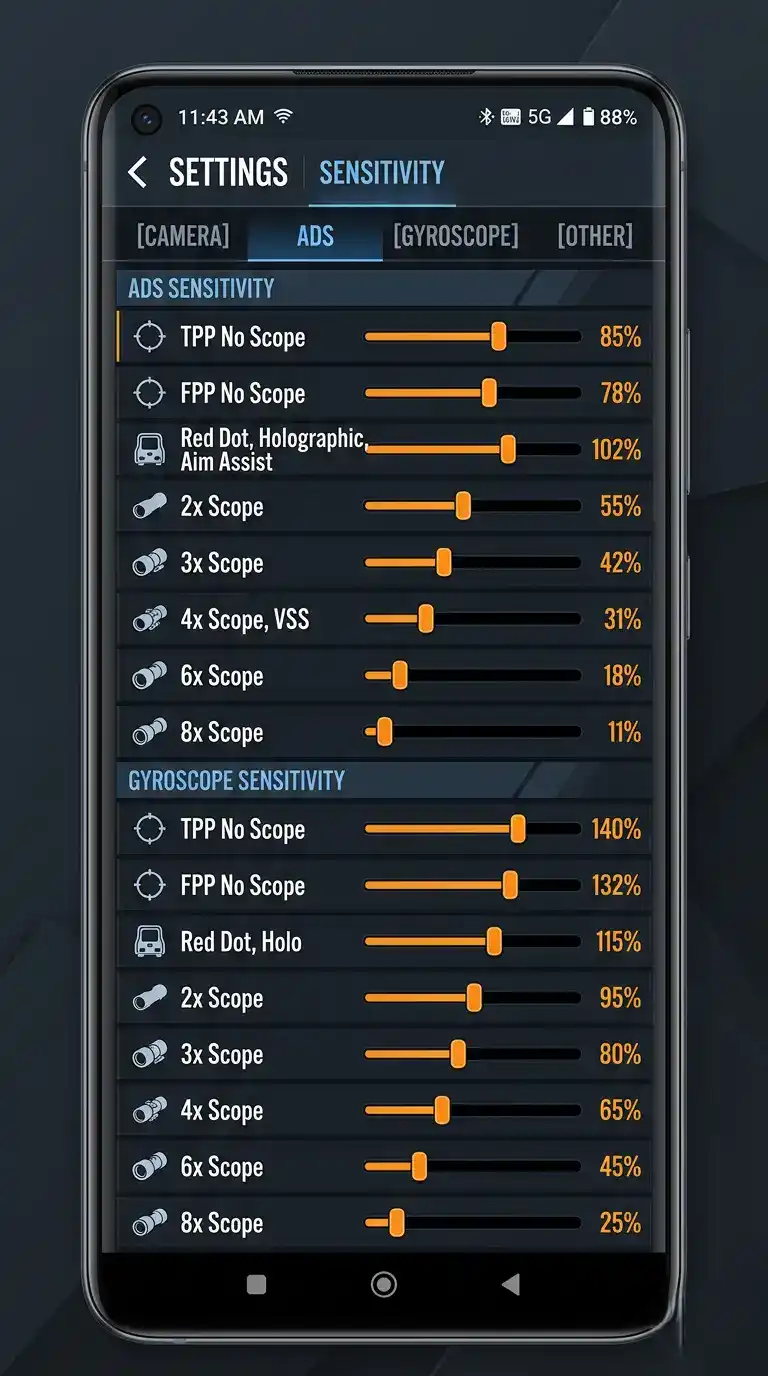
Useful Next Step: If BGMI 4.3 changes your spray or gyroscope feel, check our best BGMI sensitivity code guide and our BGMI best sensitivity settings for gyroscope players before serious rank push. Both are updated for 2026 builds.

Pro Tip: Do one warm-up in TDM, one recoil test in training, and one hot drop in Unranked before your first serious ranked session. Jumping straight into ranked on patch day is the fastest way to bleed RP before you have adapted to the new feel and movement options.

Frequently Asked Questions: BGMI 4.3 Update 2026

When is BGMI 4.3 update coming in India?

KRAFTON India announced March 19, 2026 as the India rollout date. Android is listed for 6:30 AM, 9:30 AM, and 11:30 AM IST, while iPhone is listed for 11:30 AM IST. If you still do not see it after the full window has passed, store cache or staged rollout is the usual reason.

What are the new features in BGMI 4.3 update 2026?

The biggest confirmed feature is the Evolving Universe theme mode with a futuristic lobby, slide rail movement, four hot zones instead of two, and new energy shield mechanics. Strong India reports also point to squad role specializations and the M1 Garand rifle. Some event content may still vary by region after the base client goes live.

How to download BGMI 4.3 update on Android?

Open Google Play Store, search for BGMI: Online Multiplayer Game, open the full listing page directly, and tap Update when your batch appears. Use Wi-Fi and keep 3 to 4 GB of free storage before starting. Avoid all APK and OBB links from outside the official Play Store.

Why is BGMI 4.3 update not showing on Play Store?

BGMI updates roll out in phases, so not every Android device sees the patch simultaneously. Clear Play Store cache only, refresh the full listing page, and restart your phone on Wi-Fi. Store art and text can lag behind the actual update button, so do not judge availability by banners alone.

What is the BGMI 4.3 update size?

KRAFTON has not confirmed a single size for every device. Based on community testing, expect roughly 1 GB to 2 GB for the Android download. Keep 3 to 4 GB free before starting. iPhone users should keep even more space free because the App Store BGMI listing is already large before the update adds to it.

Is BGMI 4.3 available for iPhone?

Yes. The rollout schedule lists iPhone on the same day as Android but at 11:30 AM IST, later in the window. The App Store requires iOS 13 or later. If the update does not appear after the scheduled time, refresh the listing page and check available storage first.

Can I download BGMI 4.3 APK safely?

Only if the APK comes directly from the official BGMI website after KRAFTON posts it at 12:30 PM IST on March 19. Do not trust mod APKs, cracked OBB packs, or Telegram links. Those are the fastest route to malware, broken installs, or a permanently banned account.

Does BGMI 4.3 update improve performance?

India pre-rollout coverage mentions cleaner UI and smart network optimizations that should help ping spikes and menu lag. Real performance still depends on your device, storage health, and internet quality. Mid-range and flagship devices will benefit more visibly than older budget phones.

Which devices support BGMI 4.3 update?

BGMI dropped Android 4.4 and iOS 10 or below support during the 3.1 cycle. In real 2026 use, 4 GB RAM is the practical floor and 6 GB or more is the comfort zone for stable ranked sessions. iPhone users also need iOS 13 or later for the App Store to show the update.

Will BGMI 4.3 work on emulators?

It can work if BGMI is available through the emulator’s official store environment. Do not side-load random APK and OBB files. Performance and controls feel very different from phone play, and KRAFTON’s anti-cheat detects emulator environments with policy consequences for accounts.

What are the BGMI 4.3 patch notes?

BGMI 4.3 patch notes center on the Evolving Universe theme, faster movement tools including slide rails, likely role-based squad systems, and the probable M1 Garand weapon addition. India-specific events and collaborations can still differ from the global PUBG Mobile 4.3 set. Treat the theme mode as confirmed and extra event content as rollout-dependent.

Will BGMI 4.3 affect my sensitivity settings?

Major patches often shift frame pacing and spray rhythm even without explicit weapon stat changes. Test your gyroscope and recoil in training mode after updating before jumping into ranked games. If something feels wrong, drop graphics quality first and retest before changing all your sensitivity values at once.

Final Verdict: BGMI 4.3 Update 2026

The big three takeaways are simple. The BGMI 4.3 update 2026 rolls out in India from March 19, starting with Android at 6:30 AM IST. The Evolving Universe patch looks bigger than a normal mode swap, with real changes to movement, squad roles, and early game pressure. And the safest install path is always official stores first.

Bookmark this page and check back for rollout changes, delayed features, or India-only events as the patch settles. Once you are updated, tighten your aim with our best BGMI sensitivity code guide and our BGMI best sensitivity settings for gyroscope players. Those two reads help if your recoil, ADS, or camera feel different after the update.

Page Last Updated: March 18, 2026

This article reflects the latest available information from official KRAFTON India channels and verified community sources. Check back as the March 19 rollout progresses for updates on delayed features or India-specific events.

For official patch notes and India announcements, follow the official BGMI website by Krafton.

Continue with

Next read

Leave a Reply

Your email address will not be published. Required fields are marked *