BGMI Download APK 2026: Official APK and Safe Install Guide

BGMI Download APK 2026: Official APK and Safe Install Guide
Update (October 6, 2026): BGMI 4.6 went live on September 16, 2026 (see the 4.6 update guide). Some version details below refer to earlier updates, so check the official BGMI website for the current APK version.
Updated: October 6, 2026. BGMI 4.6 (September 16, 2026) is the current version. The official-store and official-website install routes below are the general routes, so confirm the current APK version on the official BGMI website. This bgmi download apk guide explains the official APK route, Google Play and App Store install methods, safe Android APK fallback steps, storage requirements, and fixes for app not installed, parse error, stuck download, and device compatibility issues.
The safest method is still the official store route when it works. If you specifically need the APK route, start from the official BGMI website and avoid third-party APK mirrors, mod APKs, free UC APKs, and Telegram OBB packs.
Quick answer: For bgmi download apk, use the official BGMI website APK Download button or the official Google Play listing first. On iPhone, APK files do not work, so use the App Store only. Never install BGMI mod APK, unlimited UC APK, auto headshot APK, Telegram OBB packs, or any page that asks for your login, OTP, UPI, or payment details.
BGMI Download APK 2026: Quick Safe Steps
Start here if you want the safest way to install BGMI. Most bgmi download apk problems happen because players skip official sources, download from random mirrors, or install split APK bundles that need extra installer apps.
| Step | What to do | Why it matters |
|---|---|---|
| 1. Official first | Use Google Play, App Store, or the official BGMI website. | Official routes reduce fake app, signature, and update issues. |
| 2. Verify APK route | Use the APK Download button from the official BGMI website only. | Fake APK pages often use lookalike domains and download buttons. |
| 3. Check package name | Official Android package name should be com.pubg.imobile. | A different package name can indicate a fake or modified app. |
| 4. Keep storage free | Keep at least 10-12 GB free, preferably 18-25 GB. | BGMI downloads resources after install and needs unpacking space. |
| 5. Avoid risky files | Avoid mod APK, unlimited UC, OBB packs, XAPK/APKS, and installer apps. | These are common scam and malware patterns. |
Safety rule: A safe bgmi download apk flow never asks for your BGMI password, OTP, UPI, card details, Google login, or payment information. If a page asks for any of these, close it.
Official BGMI APK Download: Safest APK Route
If you specifically want bgmi download apk, the safest APK route is the official BGMI website, not a random APK mirror. The official BGMI homepage shows an APK Download option along with Google Play, App Store, official news, and update information.
Safe APK rule: Start from the official BGMI website, then use the official APK Download or store buttons shown there. Do not search random APK pages first.
Official APK subdomain to verify: apkdownload.battlegroundsmobileindia.com
| Download route | Use it when | Safety level |
|---|---|---|
| Google Play | You can access the official store listing. | Best |
| Official BGMI website APK Download | You need the APK route and can verify the official domain. | Safe if official |
| Third-party APK mirrors | Only if you fully understand the risk and cannot use official routes. | Risky |

In This Guide
Official BGMI Download Links and Source Checks
Before searching for bgmi download apk, check the official routes. Official app stores are safer because they handle app signature checks, cleaner updates, and compatibility filtering.
Android package name: com.pubg.imobile. If a download page shows a different package name, do not install it.
| Platform | Use this source | Check this before installing |
|---|---|---|
| Android | Official Google Play listing | Developer should show KRAFTON, Inc. and package should be com.pubg.imobile. |
| Official APK | Official BGMI APK Download | Domain should be a BGMI official subdomain: battlegroundsmobileindia.com. |
| iPhone | Official App Store listing | App should be from KRAFTON Inc. APK files do not work on iPhone. |
| Official site | battlegroundsmobileindia.com | Use this as your starting point for official links and news. |
| Patch notes | Official BGMI patch notes | Use official patch notes to confirm the current update context. |
Best method: Use Google Play or the App Store first. Use bgmi download apk only if the official store path is temporarily failing and you can verify the source.
How to Download BGMI on Android Safely
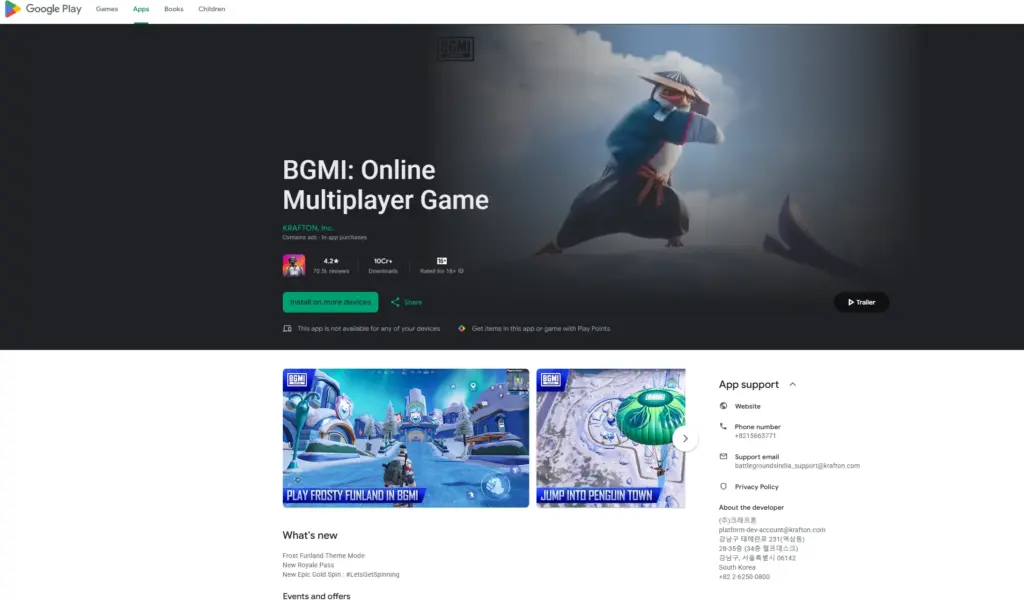
For Android users, the safest install method is the official Google Play listing. This avoids most APK issues, including signature mismatch, corrupted files, fake packages, and update loops.
- Open the Google Play Store.
- Search for BGMI or open the official listing from the BGMI website.
- Confirm the developer name shows KRAFTON, Inc.
- Tap Install or Update.
- Open BGMI and download in-game resources on stable Wi-Fi.
Play Store safety checklist:
- Developer name should be KRAFTON, Inc.
- Package name should be
com.pubg.imobile. - Do not install lookalike apps with similar icons.
- Keep Play Protect enabled.
- If the store route works, prefer it over bgmi download apk.
How to Download BGMI on iPhone
APK files do not work on iPhone. If a website tells you to use bgmi download apk on iOS, treat that page as unsafe or misleading.
- Open the App Store.
- Search for BATTLEGROUNDS MOBILE INDIA or BGMI.
- Open the official listing from KRAFTON Inc.
- Tap Get or Update.
- Do not install IPA files, configuration profiles, or third-party app stores for BGMI.
iPhone warning: BGMI APK is for Android only. iPhone users should use the App Store route and avoid third-party profile installs.
BGMI Download APK: Use Only as a Safe Fallback
Use bgmi download apk only when the official store route is temporarily blocked for you, the Play Store is stuck, or you are troubleshooting an install loop. Even then, avoid random APK mirror sites and never install files with mod, hack, UC, or OBB claims.
When APK fallback makes sense
- Play Store is stuck on Pending for hours after normal fixes.
- The official store listing opens but update does not appear yet.
- You are fixing a signature mismatch caused by a previous APK install.
- You can verify that the APK path is official and not a third-party mirror.
Do not install if the page says:
- BGMI mod APK
- Unlimited UC
- Aimbot, wallhack, ESP, or auto headshot
- Telegram OBB pack
- Extra APK installer required
How to install APK safely on Android
- Verify the source first. Official store or official BGMI domain should be your route.
- Download the APK only if you trust the source.
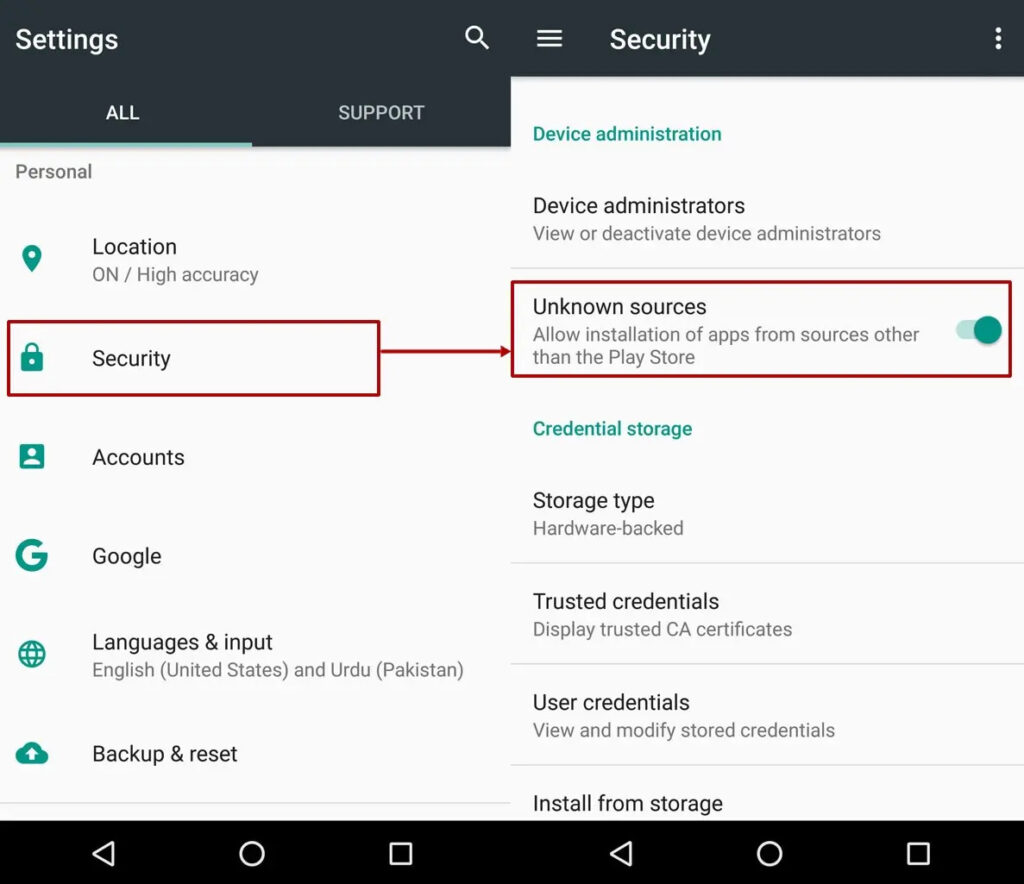
- Open Android settings and allow Install unknown apps only for the app you used to download the file.
- Install the APK using Android Package Installer.
- Turn off Install unknown apps immediately after installing.
- Open BGMI and download resources on Wi-Fi.
Single APK vs XAPK/APKS: Why Install Fails
A lot of bgmi download apk errors happen because the file is not a normal single APK. Some sites package apps as split bundles such as XAPK or APKS, which often require extra installer apps.
| Format | Risk level | What to do |
|---|---|---|
| Official store install | Lowest | Use this first. |
| Official APK route | Low to medium | Use only from BGMI official website or official APK subdomain. |
| Single APK from verified source | Medium | Use only if store route fails and source is verified. |
| XAPK/APKS/OBB pack | High | Avoid unless officially provided and clearly verified. |
Where to Find Install Unknown Apps on Android
If your bgmi download apk install is blocked, Android may be stopping the browser or file manager from installing apps. The menu name changes by phone brand.
| Phone UI | Typical path | What to enable temporarily |
|---|---|---|
| Samsung One UI | Settings > Security and privacy > More security settings > Install unknown apps | Allow Chrome or Files only during install. |
| Xiaomi HyperOS/MIUI | Settings > Privacy protection > Special permissions > Install unknown apps | Allow the downloader app, then disable. |
| Realme/OPPO ColorOS | Settings > Security > Install apps from unknown sources | Allow browser or file manager temporarily. |
| Vivo Funtouch OS | Settings > Security > More settings > Install unknown apps | Allow Files or Browser temporarily. |
BGMI Requirements and Storage Needed
BGMI installs in more than one step. The base app is only part of the process. After install, BGMI downloads maps, textures, audio, and other resources inside the game.
Many bgmi download apk failures are actually storage problems. Keep more free space than the app size suggests because Android also needs room for unpacking and verification.
| Item | Recommended | Why it matters |
|---|---|---|
| Android version | Use what the official store listing requires. | Old Android builds can cause parse error or compatibility issues. |
| RAM | 4 GB minimum practical, 6 GB+ better. | Helps reduce crashes and resource download failures. |
| Free storage | 10-12 GB minimum, 18-25 GB ideal. | Prevents stuck downloads and unpacking failures. |
| Internet | Stable Wi-Fi preferred. | Large resource packs fail less on stable networks. |
| Battery | 50%+ or keep charging. | Prevents interruption during install and resource download. |
BGMI Download Size and Resource Download
BGMI download size changes by version, device, and resource choices. Treat the base app size as only the first step. The bigger download usually happens after you open the game.
| Phone storage | Minimum free space | Recommended free space | Notes |
|---|---|---|---|
| 64 GB | 12 GB | 20 GB | Useful for unpacking and future updates. |
| 128 GB | 10 GB | 18 GB | Safer for HD textures and extra maps. |
| 256 GB | 10 GB | 15 GB | Usually enough for stable updates. |
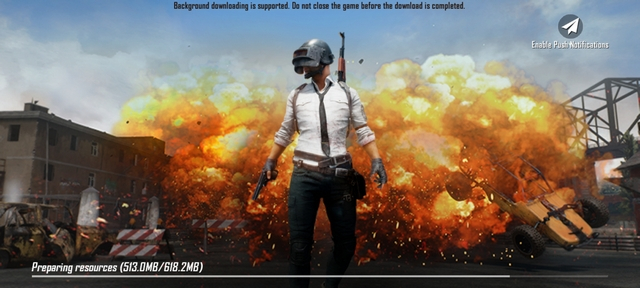
Why BGMI gets stuck at 99%: The final step may be unpacking and verifying files. If storage is too low, the download can fail even when it looked almost finished.
BGMI Download APK Problems and Fixes
Use this table before reinstalling again. Most bgmi download apk errors have a simple cause: low storage, wrong package format, corrupted file, blocked install permission, or network interruption.
| Problem | Likely cause | Fix first |
|---|---|---|
| App not installed | Low storage, signature mismatch, or wrong package. | Free storage, reboot, and prefer official store install. |
| Parse error | Corrupted file, unsupported Android version, or split APK. | Avoid XAPK/APKS and use official source. |
| Download stuck | Network issue, low storage, or background restriction. | Use Wi-Fi, disable battery saver, and clear space. |
| Update not showing | Staged rollout, Play Store cache, or wrong account. | Clear Play Store cache and check again later. |
| Device not compatible | Old OS, unsupported hardware, or region issue. | Update OS and check official store requirements. |
BGMI app not installed
- Free up at least 10-12 GB storage.
- Restart your phone and try again.
- Use Google Play if available instead of repeating APK attempts.
- If you previously installed from a different source, uninstall and reinstall from the official store.
BGMI parse error
- Avoid split packages such as XAPK or APKS unless officially provided.
- Check that your Android version supports the current BGMI build.
- Do not install corrupted APK files from third-party mirrors.
BGMI download stuck at 99%
- Free extra storage because 99% often means unpacking or verification.
- Switch to stable Wi-Fi.
- Turn off battery saver during the first resource download.
- Allow background data for Play Store and BGMI.
BGMI update not showing on Play Store
- Wait if the update is rolling out in stages.
- Clear Play Store cache.
- Check the same Google account used to install BGMI.
- Restart the phone and open the official listing again.
Post-Install Checklist After BGMI Opens
Even after a successful bgmi download apk install or store install, BGMI still needs resources and permissions. Use this checklist before assuming the install failed.
- Allow required permission prompts when BGMI asks.
- Keep screen on during large resource downloads.
- Use Wi-Fi for the first resource pack.
- Keep 2-3 GB extra free space after the download starts.
- Restart once after the full resource download finishes.
Safe Uninstall and Reinstall Flow
If you installed BGMI from an APK before and now the store update fails, you may be facing a signature mismatch. This clean reinstall flow is safer than downloading random APK files to “match” an old signature.
- Make sure your BGMI account is linked so you can log back in.
- Uninstall BGMI from Settings > Apps.
- Restart your phone.
- Install BGMI again from the official store listing.
- Open BGMI and download resources on Wi-Fi.
Do not reinstall from random APK mirrors to fix signature mismatch. That is one of the easiest ways to install a fake or modified package.
How to Check Your BGMI Version
- Inside BGMI: Open Settings and look for About or Version. The location can change by update.
- On Android: Long press the BGMI icon > App info > scroll to version.
- On Google Play: Open the BGMI listing and check whether the button says Update or Play.
- On iPhone: Open App Store > account profile > updates, or open the BGMI listing.
Safety: How to Avoid Fake BGMI APKs
Most fake bgmi download apk pages are built around urgency, free rewards, or install tricks. If the page tries to push you away from official sources, be careful.
| Safety check | Safe result | Danger sign |
|---|---|---|
| Source | Official store or official BGMI domain. | Unknown mirror, short link, or Telegram file. |
| Claims | Install/update guidance only. | Mod, free UC, aimbot, wallhack, or hack claim. |
| Login request | No login needed to download an app. | Asks for OTP, Google login, UPI, or password. |
| Installer | Android Package Installer or official store. | Separate installer app required. |
If you already installed something suspicious:
- Uninstall the suspicious app immediately.
- Run Play Protect and a trusted security scan.
- Change your Google account password.
- Enable 2-step verification.
- Check UPI and bank apps for unknown activity.
After You Install BGMI: Helpful Next Steps
- BGMI best sensitivity settings – tune aim, recoil control, gyro, and FPS after installation.
- Best BGMI sensitivity code – copy safe starting points for gyro, non-gyro, 2/3/4 finger players.
- BGMI redeem code today India server – check rewards after your install is stable.
FAQ: BGMI Download APK, Install, Update and Fixes
How to do bgmi download apk safely?
Use the official store listing first. If you need APK fallback, start from the official BGMI website, use the official APK Download button, avoid mod files, avoid split APK bundles, and turn off Install unknown apps after installation.
Is bgmi download apk safe in India?
bgmi download apk is safe only when the source is official and the file is not modified. Random APK mirrors, Telegram OBB packs, mod APKs, and free UC APKs are unsafe.
What is the official BGMI APK download source?
The official BGMI website shows an APK Download option. Start from battlegroundsmobileindia.com and verify that the APK route uses an official BGMI domain or subdomain.
What is the official Android package name for BGMI?
The official Android package name is com.pubg.imobile. If a download page shows a different package name, do not install it.
Why does BGMI show App not installed?
The usual causes are low storage, corrupted file, split APK format, signature mismatch, or unsupported Android version. Free storage, reboot, and use the official store listing if possible.
What does parse error mean during bgmi download apk install?
Parse error usually means the APK file is corrupted, the package is not a normal single APK, or your Android version does not support the build.
Why is BGMI stuck at 99%?
Near 99%, the game may be unpacking or verifying files. Keep extra free storage, use stable Wi-Fi, and restart the download if it remains stuck for too long.
Can I use BGMI APK on iPhone?
No. APK files are for Android. iPhone users should install BGMI only from the App Store and should avoid IPA installers or third-party profiles.
How much storage do I need for BGMI?
Keep at least 10-12 GB free, and ideally 18-25 GB free if you use HD resources and multiple maps. Storage headroom prevents stuck downloads and unpacking errors.
Do I need OBB files for BGMI?
Modern BGMI installs usually download resources inside the game. If a random site tells you to download OBB files from Telegram or unknown links, avoid it.
How We Keep This BGMI Download Guide Updated
Last refreshed: October 6, 2026. Version references and the update banner now reflect BGMI 4.6.
- Updated the article from 2025 to 2026 freshness context.
- Added the official BGMI APK Download route above the fold.
- Added package name verification for
com.pubg.imobile. - Moved official install guidance and safety checks higher in the article.
- Added Android, iOS, APK fallback, split APK, storage, and troubleshooting sections.
- Added stronger fake APK, mod APK, OBB, and installer-app warnings.
- Added internal links for sensitivity settings, sensitivity code, and redeem code guides.
About the author: Aniket Patil covers BGMI installs, updates, Android troubleshooting, sensitivity settings, redeem codes, and mobile gaming performance for TechPlayForge. This guide is updated after major BGMI patches and reviewed against official BGMI sources where possible.
Final note: Use official store installs first. Use bgmi download apk only as a verified fallback, and never install modded or reward-claim APKs.
Related guides
- Best BGMI Sensitivity Settings 2026: Zero Recoil Codes for Android and iOS
- BGMI Sensitivity Code Zero Recoil 2026: Best Codes for Gyro and Non-Gyro Players
- BGMI 90 FPS vs 120 FPS Sensitivity Comparison (2025)
- Best Sensitivity for BGMI 2026: 7 Community Codes & BGMI 4.4 Settings
- BGMI Best Sensitivity Settings 2026 | 90/120 FPS + Gyro Guide
- Best BGMI Sensitivity Code 2026: Low Recoil Codes for Gyro and Non-Gyro Players
- BGMI 4.5 Update Download: Release Date, Size, Android, iOS and Safe Install Guide
- BGMI Latest News & Updates Hub: Latest Version, Events & Official Announcements