BGMI Best Sensitivity Settings 2026 | 90/120 FPS + Gyro Guide
BGMI Best Sensitivity Settings 2026: 90/120 FPS + Gyro Guide
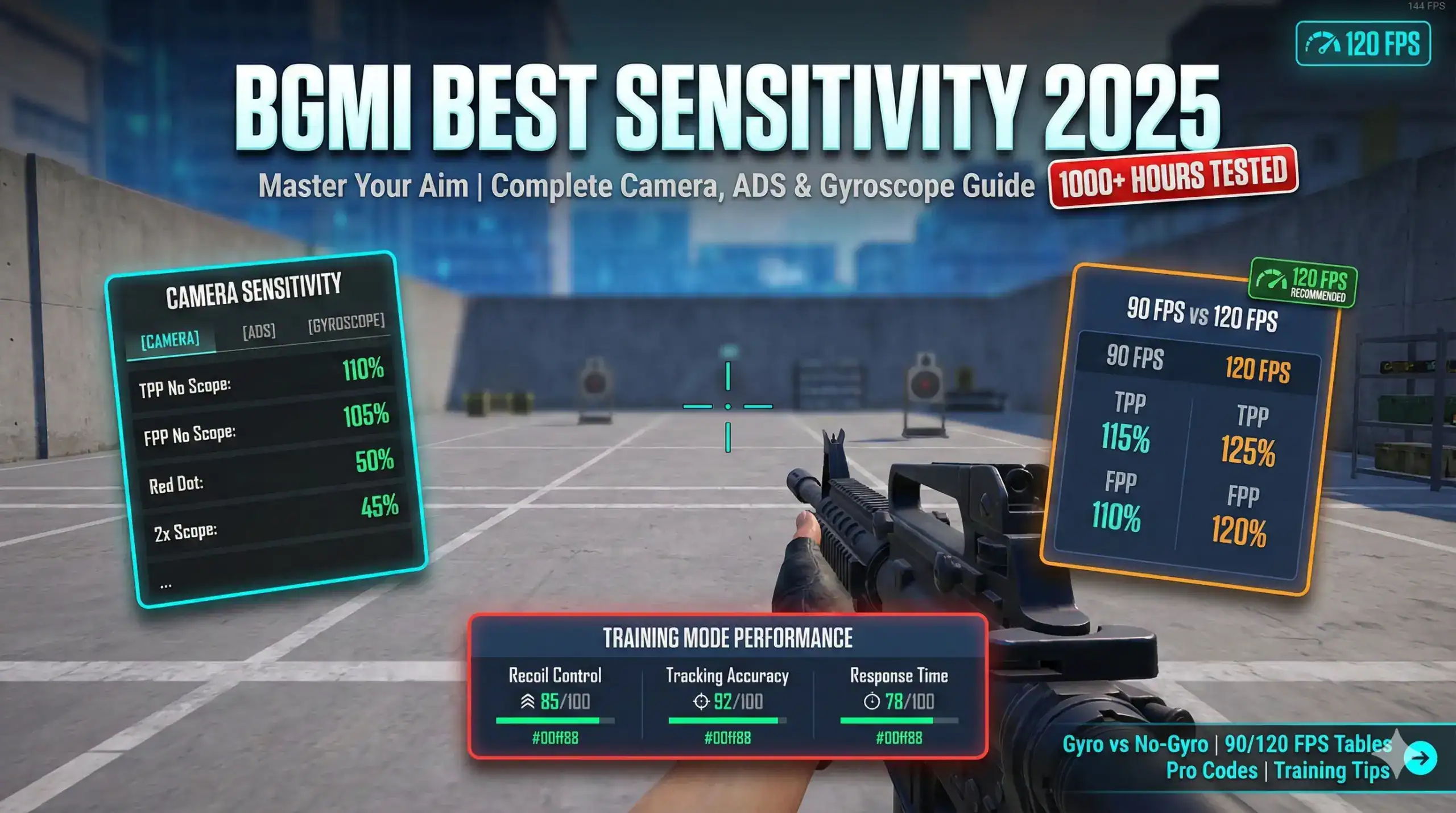
Updated: April 24, 2026 for BGMI v4.3.0 context. This BGMI Best Sensitivity Settings 2026 guide covers 90 FPS, 120 FPS, gyro, non-gyro, camera, ADS, scope values, copy-paste sensitivity codes, and Training Ground calibration.
Want a code built for your device? Use our free BGMI Sensitivity Code Generator to get settings matched to your phone, grip and playstyle, then compare them with the codes below. For the latest patch changes, see the BGMI updates hub.
Use these settings as starting points, not permanent magic numbers. Your phone FPS, refresh rate, screen size, finger layout, and gyro habit will decide the final values.
Quick answer: The BGMI Best Sensitivity Settings 2026 are the settings that match your device FPS and aim style. Use the 90 FPS preset for mid-range phones, the 120 FPS preset for high-refresh devices, and gyro if you want better recoil control. Start by testing Red Dot, 3x, and 6x before changing every slider.

In This Guide
BGMI Best Sensitivity Settings 2026: Quick Picks
Use this table first. It helps you choose the right preset before copying values. The BGMI Best Sensitivity Settings 2026 are not one fixed number for every phone.
| Player type | Use this preset | Best for | Tweak first |
|---|---|---|---|
| Mid-range Android | 90 FPS preset | Stable aim and smoother recoil | Red Dot Camera and 3x ADS |
| Flagship Android / iPhone Pro | 120 FPS preset | Fast tracking and clean response | Red Dot Camera and 6x stability |
| Gyro player | Gyro Always On or Scope On | Low recoil sprays | Gyro Red Dot and Gyro 3x |
| Non-gyro / thumb player | ADS-focused preset | Controlled sprays without tilt | Red Dot ADS and 2x ADS |
Important: No BGMI sensitivity setting gives true zero recoil. Good sensitivity reduces over-aim, makes recoil easier to pull down, and gives you a cleaner baseline for practice.
BGMI Best Sensitivity Settings 2026: Camera vs ADS vs Gyro
Sensitivity controls how quickly your crosshair moves when you swipe or tilt. In BGMI, the three most important parts are Camera, ADS, and Gyroscope. Each one fixes a different problem.
| Sensitivity type | What it controls | Adjust when |
|---|---|---|
| Camera | Free look, target acquisition, scope movement before firing | You overshoot enemies or turn too slowly |
| ADS | Aim movement while firing with scope | Spray climbs or thumb control feels unstable |
| Gyroscope | Aim movement through phone tilt | You want better recoil correction and micro-aim |
The BGMI Best Sensitivity Settings 2026 should feel smooth at Red Dot first. Once Red Dot feels stable, tune 2x, 3x, 6x, and 8x one by one.
BGMI Best Sensitivity Settings 2026 for 90 FPS Devices
On 90 FPS devices, aim feels smooth but not as instantly responsive as 120 FPS. These values keep the camera controlled and make ADS easier for mid-range sprays.
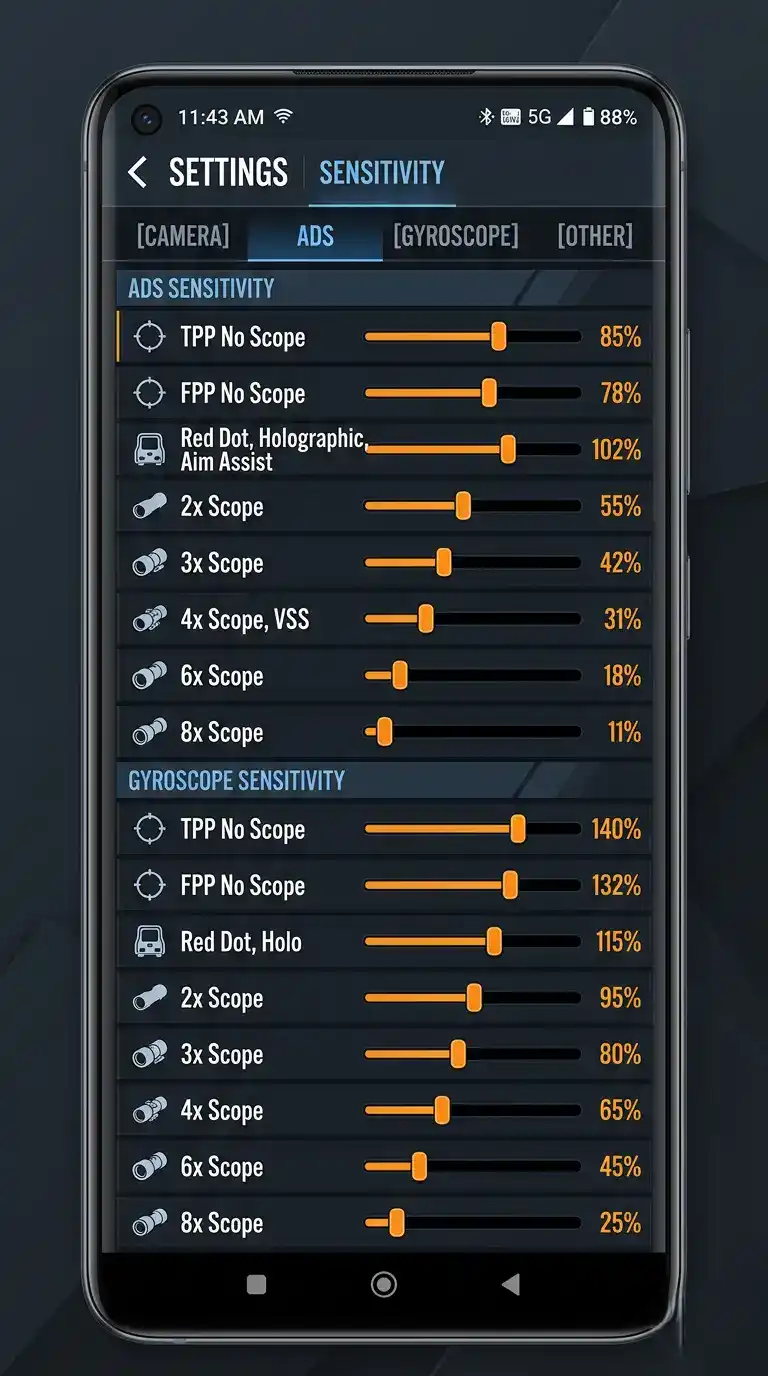
| Scope / Mode | Camera | ADS | Gyroscope |
|---|---|---|---|
| TPP No Scope | 115% | 110% | 250% |
| FPP No Scope | 110% | 105% | 240% |
| Red Dot / Holo | 50% | 45% | 248% |
| 2x Scope | 45% | 40% | 218% |
| 3x Scope | 35% | 32% | 182% |
| 4x / VSS | 25% | 22% | 152% |
| 6x Scope | 20% | 16% | 90% |
| 8x Scope | 12% | 10% | 62% |
90 FPS copy-paste code: 7307-1085-6780-4282-435
Codes can expire or fail after updates. If the code does not import, enter the table values manually and save your own cloud code.

BGMI Best Sensitivity Settings 2026 for 120 FPS Devices
At 120 FPS, aim feels more responsive. You can use slightly higher camera values, but do not make every scope fast. Keep 6x and 8x stable first.
| Scope / Mode | Camera | ADS | Gyroscope |
|---|---|---|---|
| TPP No Scope | 125% | 120% | 250% |
| FPP No Scope | 120% | 115% | 240% |
| Red Dot / Holo | 56% | 50% | 248% |
| 2x Scope | 52% | 46% | 218% |
| 3x Scope | 42% | 38% | 182% |
| 4x / VSS | 30% | 28% | 152% |
| 6x Scope | 25% | 22% | 90% |
| 8x Scope | 18% | 17% | 62% |
120 FPS copy-paste code: 7307-2094-8821-5315-120
If the code is unavailable or expired, use the table values and create your own share code.

BGMI Best Sensitivity Settings 2026: Gyro vs Non-Gyro
Gyroscope is the easiest way to improve recoil control if your phone sensors are stable. Non-gyro is still playable, but it needs stronger ADS control and more thumb discipline.
| Style | Best for | First setting to tune |
|---|---|---|
| Gyro Always On | Players who want strong recoil control and micro-aim | Gyro Red Dot, then Gyro 3x |
| Scope On Gyro | Players who want gyro only while aiming | Gyro 3x and Gyro 6x |
| Non-Gyro | Thumb players and players with motion jitter | Red Dot ADS and 2x ADS |
Want copy-paste codes instead of manual values? Use our best BGMI sensitivity code guide.

Device-Specific BGMI Best Sensitivity Settings 2026
The same values can feel different on different phones. Touch sampling, screen size, FPS, and display refresh rate all change how the BGMI Best Sensitivity Settings 2026 feel in real matches.
- iPhone Pro / high-refresh phones: Start with the 120 FPS preset. If Red Dot feels too fast, reduce Camera by 3 to 5.
- Android flagships: Use 120 FPS values and calibrate 3x/6x in Training Ground.
- Mid-range Android: Use 90 FPS values. If micro-stutter appears, reduce no-scope values by 5.
- Budget devices: Keep lower Camera and ADS values. Stable Red Dot matters more than fast flicks.
- Large screens: You can usually raise no-scope values slightly because longer swipes feel easier.
- Small screens: Lower Camera values slightly to avoid over-flicking.
For deeper FPS guidance, read our BGMI 90 FPS vs 120 FPS sensitivity comparison.
Copy-Paste Sensitivity Codes for BGMI Best Sensitivity Settings 2026
Codes are useful when they work, but they can expire or fail after updates. If a code fails, do not search random code pages. Use the table values above and save your own cloud code.
| Preset | Code | Status |
|---|---|---|
| 90 FPS optimized | 7307-1085-6780-4282-435 | Community starting point |
| 120 FPS optimized | 7307-2094-8821-5315-120 | Community starting point |
| Pro-style gyro | 7864-1190-4521-9020-915 | Inspired preset |
How to import a sensitivity code
- Open Settings in BGMI.
- Go to Sensitivity.
- Tap Layout Management, Cloud Management, Use Code, or the share icon. The label can change by update.
- Paste the sensitivity code and confirm.
- Go to Training Ground and test Red Dot, 3x, and 6x before ranked.
Code warning: Do not claim a code is “official” unless it comes from an official BGMI/KRAFTON source. Community codes are starting points and may expire.
Training Ground Calibration for BGMI Best Sensitivity Settings 2026
The difference between average aim and consistent aim is calibration. Do not change every value together. Test one scope, adjust slightly, then retest.
| Test | Goal | Adjustment |
|---|---|---|
| Red Dot tracking | Track a moving target without overshooting | Lower or raise Red Dot Camera by 2 to 3 |
| 3x spray | Keep bullets close to the target at mid range | Adjust 3x ADS or 3x Gyro by 3 to 5 |
| 6x stability | Micro-adjust without shaking | Lower 6x Camera, ADS, or Gyro slightly |
| Close combat | Turn and center targets quickly | Tune TPP No Scope and Red Dot only |

Common Sensitivity Mistakes to Avoid
- Copying pro settings blindly without matching their device and grip style.
- Changing every scope after one bad match.
- Using 120 FPS values on a phone that does not run stable 120 FPS.
- Ignoring Red Dot and 3x while over-focusing on 8x.
- Changing sensitivity daily and never building muscle memory.
Rule: Make one change at a time. If you change five sliders together, you will not know what fixed or broke your aim.
FAQ: BGMI Best Sensitivity Settings 2026
What are the BGMI Best Sensitivity Settings 2026?
The best settings depend on your phone FPS, refresh rate, gyro habit, and finger layout. Use the 90 FPS or 120 FPS table above as your base, then calibrate Red Dot, 3x, and 6x in Training Ground.
Should I use gyro in BGMI?
Use gyro if your phone sensors are stable and you want better recoil control. Start with Scope On if Always On feels uncomfortable.
What is the best sensitivity for beginners?
Beginners should start with the 90 FPS preset because it is easier to control. Once Red Dot tracking feels stable, raise or lower individual scope values by small steps.
Are sensitivity codes better than manual values?
Codes are faster, but manual values are more reliable if the code expires. A good guide should give both, which is why this page includes copy-paste codes and full tables.
Why does 120 FPS sensitivity feel different?
Higher FPS and higher refresh rate make aim feel more responsive. If the same value feels too fast on a new phone, lower Red Dot Camera first.
How do I reduce recoil in BGMI?
Use gyro or tune ADS carefully, then practice controlled spray pulls in Training Ground. Sensitivity helps, but practice controls the final result.
Related BGMI Guides
- BGMI Best Sensitivity Settings 2026 – main sensitivity settings guide.
- Best BGMI sensitivity code – copy code presets for gyro, non-gyro, 2/3/4 finger players.
- BGMI zero recoil sensitivity code – extra recoil-control presets and safe explanation.
- BGMI 90 FPS vs 120 FPS sensitivity comparison – understand FPS feel before changing values.
- BGMI 4.3 update 2026 – check update details and gameplay changes.
- How to buy BGMI UC in India 2026 – safe UC purchase steps.
- BGMI redeem code today India server – latest reward code guide.
Official Sources and Safety Notes
This is an independent fan guide. For official BGMI news, patch notes, and account notices, use official BGMI sources.
- Official BGMI website: battlegroundsmobileindia.com
- Official BGMI news: BGMI News
- Official BGMI 4.3 patch notes: Patch Notes 4.3
About the author: Aniket Patil covers BGMI sensitivity settings, FPS optimization, recoil control, updates, and mobile gaming performance for TechPlayForge. This guide is updated after major BGMI patches and reviewed against current gameplay needs where possible.
Related guides
- Best BGMI Sensitivity Settings 2026: Zero Recoil Codes for Android and iOS
- BGMI Sensitivity Code Zero Recoil 2026: Best Codes for Gyro and Non-Gyro Players
- BGMI 90 FPS vs 120 FPS Sensitivity Comparison (2025)
- Best Sensitivity for BGMI 2026: 7 Community Codes & BGMI 4.4 Settings
- Best BGMI Sensitivity Code 2026: Low Recoil Codes for Gyro and Non-Gyro Players
- BGMI 4.5 Update Download: Release Date, Size, Android, iOS and Safe Install Guide
- BGMI Download APK 2026: Official APK and Safe Install Guide
- BGMI Latest News & Updates Hub: Latest Version, Events & Official Announcements
More Gaming Guides From TechPlayForge