Best Sensitivity for BGMI 2026: 7 Community Codes & BGMI 4.4 Settings

best sensitivity for bgmi is a balanced setup that keeps camera movement smooth, ADS stable, and gyroscope strong enough to control recoil without shaking. Use the copyable BGMI sensitivity code table below, then tune gyro, non-gyro, Android FPS, and no recoil settings in Training Ground.
If your M416 spray climbs, red dot overshoots, or 3x shakes, this guide shows what to change. You can also use the BGMI Sensitivity Code Generator to create, save, and refine your own setup after testing.
Quick Answer: What Is the Best Sensitivity for BGMI?
The best sensitivity for bgmi is not one universal code. Your device FPS, gyro or non-gyro style, ADS comfort, screen size, and control layout all matter. Start with a community code or recommended range, test in Training Ground, then adjust one scope value at a time.
In Simple Terms
- Best for most players: a balanced Android code with stable red dot, 3x, and 4x control.
- Best for gyro players: higher gyroscope values with lower zoom-scope shake.
- Best for non-gyro players: smoother ADS values and controlled thumb drag.
- Best for Android players: sensitivity matched to 60 FPS, 90 FPS, or 120 FPS stability.
- Best next step: import a code, test for 10 minutes, then save your best sensitivity for bgmi as a personal code.
How We Chose These BGMI Sensitivity Settings
These are recommended starting ranges, not official values from KRAFTON. The best sensitivity for bgmi must be checked in Training Ground with M416, AKM, and Scar-L using red dot, 2x, 3x, 4x, and 6x scopes at close, mid, and long range.
Change one value at a time, test the spray, then save the final setup as a BGMI sensitivity code. Do not treat any BGMI no recoil sensitivity code as permanent because updates, device changes, touch delay, and FPS stability can change how it feels.
- Tested BGMI version: 4.4
- Tested devices: Samsung Galaxy S24 and available Infinix and OnePlus devices. Exact Infinix and OnePlus models were not recorded.
- FPS coverage: Complete FPS coverage was not recorded for this review.
- Control-layout coverage: Complete control-layout coverage was not recorded for this review.
- Last editorial review: July 5, 2026
Testing note: Updated for BGMI 4.4 on July 5, 2026. Settings were checked on a Samsung Galaxy S24 and available Infinix and OnePlus devices. Exact Infinix and OnePlus models and complete FPS/control-layout coverage were not recorded. Codes are in-game or online community starting points, not official or universally verified. Test each setting in Training Ground before ranked play. Read our How We Test process.
Table of Contents
- Best Sensitivity for BGMI Code
- How to Import a Code
- Calibration After Import
- Quick Settings 2026
- What Sensitivity Means
- Manual Settings Behind Codes
- Gyroscope Setup
- Without Gyroscope
- Finger Layout Matching
- Android and FPS Settings
- Weapon and Scope Tuning
- No Recoil Setup
- 10-Minute Training Routine
- Gyro vs Non-Gyro
- Common Mistakes
- Final Recommended Setup
- Official BGMI Resources
- FAQs
- Conclusion
Best Sensitivity for BGMI Code: Copy These Starting Codes
A BGMI sensitivity code is a shortcut, not a final fix. Use these codes to load Camera, ADS, Gyroscope, and ADS Gyroscope values quickly, then tune the best sensitivity for bgmi around your phone, FPS, hand movement, and control layout.
The codes below come from in-game or online community sources and are provided as starting points only. They are not official, universally verified, or guaranteed to work on every account. Check each code in BGMI 4.4 and test it in Training Ground before ranked play.
| Code Type | Sensitivity Code | Best For | Verification Status | First Tweak After Import |
|---|---|---|---|---|
| Community Overall Starting Code | 6983-8762-7023-5848-120 | Balanced Android players | Check in-game | Test red dot and 3x first |
| Community Gyro Starting Code | 7135-7924-8811-642 | Full gyro players | Check in-game | Adjust red dot gyro |
| Community Non-Gyro Starting Code | 7128-9021-5560-1134 | Thumb and non-gyro players | Check in-game | Adjust ADS |
| Community Gyro Starting Code | 7307-1085-6780-4282-435 | All-round gyro spray | Check in-game | Tune 3x gyro |
| Community Non-Gyro Starting Code | 6983-8762-7023-5848-120 | Thumb and non-gyro players | Check in-game | Tune red dot ADS |
| Community 6x/Long-Range Code | 7238-4245-4286-7096-036 | Long-range and 6x spray | Check in-game | Test 6x converted to 3x |
| Community Android Starting Code | 1-7504-1481-8987-5798-249 | Redmi, Realme, and Samsung budget users | Check in-game | Lower camera if shaky |
| Community Claw Starting Code | 1-7569-0822-3728-3468-950 | Claw players | Check in-game | Tune no-scope camera |
Codes can expire, fail to load, or feel wrong if the original settings change, your game version changes, or your device handles FPS and touch differently. Always test after import before using the best sensitivity for bgmi in ranked matches.
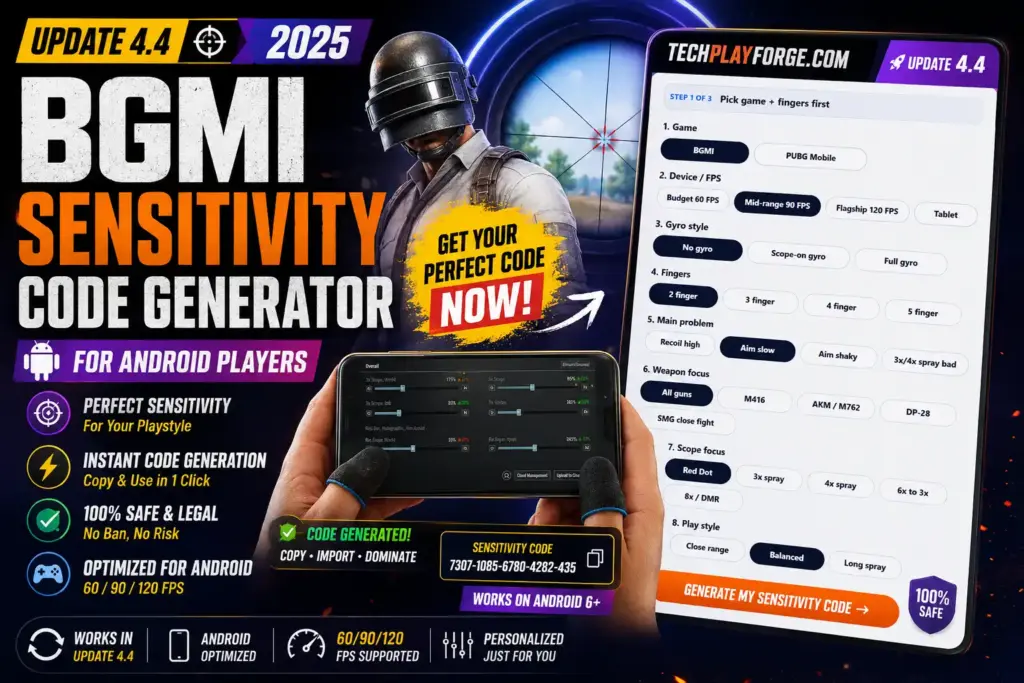
Want a personal code instead of copying a public one? Use TechPlayForge to generate your BGMI sensitivity code, then compare it with the best BGMI sensitivity code guide.
Generate BGMI Sensitivity Code
How to Import a BGMI Sensitivity Code
Importing a code is the fastest way to test a setup, but the best sensitivity for bgmi still needs hands-on calibration. Follow these steps before judging any BGMI sensitivity code 2026 setup.
- Copy the sensitivity code.
- Open BGMI.
- Go to Settings.
- Open Sensitivity.
- Open Cloud Management or Search Method.
- Paste the code.
- Preview settings.
- Apply the code.
- Enter Training Ground.
- Test red dot, 3x, 4x, and 6x before playing Classic.
Menu labels can change slightly after updates, so verify screenshots in-game before publishing. If Search Method or Cloud Management moves, update this section before the next editorial review.
How to Calibrate Your Code After Import
A code alone is not enough. The best sensitivity for bgmi comes from importing a starting code, firing controlled sprays, and changing only the value that causes the problem.
If spray climbs, increase gyro or ADS slightly. If your crosshair shakes, reduce scope gyro. If red dot overshoots, reduce red dot camera. If 3x spray drifts sideways, lower 3x gyro or ADS. If non-gyro drag feels heavy, increase ADS slightly and test for 10 to 15 minutes.
| Issue | What to Change | How Much to Change | Test Method |
|---|---|---|---|
| Spray climbs upward | ADS or gyro for that scope | Increase by 2 to 5 points | 30-bullet M416 wall spray |
| Crosshair shakes | Scope gyro | Reduce by 3 to 8 points | Hold 3x and 4x on a target |
| Red dot overshoots | Red dot camera | Reduce by 5 points | Close-range tracking drill |
| Non-gyro drag feels heavy | ADS sensitivity | Increase by 2 to 4 points | Red dot and 2x spray control |
Best Sensitivity for BGMI Quick Settings 2026
The best sensitivity for bgmi should make close-range flicks controllable and long-range sprays predictable. Use these ranges as a starting point, not as official settings.
| Setting Area | Recommended Starting Range | Best Use | When to Change |
|---|---|---|---|
| Free Look | 100% to 140% | Scanning while running, driving, or parachuting | Change if camera feels slow while checking surroundings |
| Camera | 90% to 150% | Looking, tracking, and scope movement before firing | Change if aim overshoots or turns too slowly |
| ADS | 20% to 110% | Recoil control while firing without gyro | Change if spray climbs or thumb drag feels heavy |
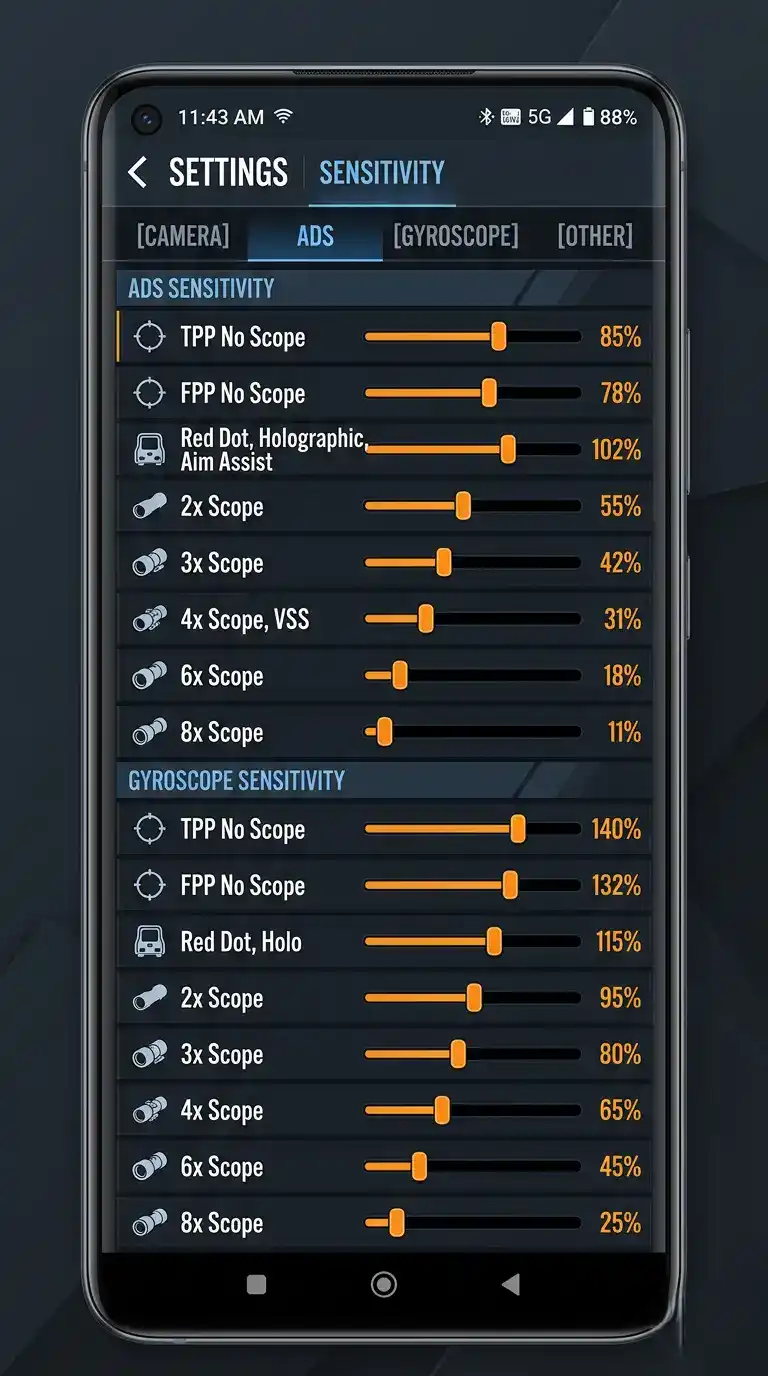
| Gyroscope | 80% to 400% | Tilt aiming and recoil pull-down | Change if phone movement shakes or cannot pull recoil down |
| ADS Gyroscope | 60% to 400% | Gyro recoil while shooting through scopes | Change if firing feels different from aiming |
| Scope | Lower as zoom increases | Stable 3x, 4x, 6x, and 8x control | Change each scope separately |
| Code usage | Use as baseline only | Fast setup import | Retest after updates or device changes |
| Android/FPS | Adjust by stability | Touch response and frame consistency | Change after switching 60, 90, or 120 FPS |
What Does Sensitivity Mean in BGMI?
BGMI sensitivity settings control how quickly your aim responds when you swipe, drag, scope, fire, or tilt your phone. The best sensitivity for bgmi balances speed and stability so your crosshair reaches the enemy without bouncing away.
| Setting Type | Controls | Best Used For | Common Mistake |
|---|---|---|---|
| Camera sensitivity | Look speed before firing | Tracking, flicks, scope movement | Setting it too high for red dot |
| ADS sensitivity | Aim movement while firing | Non-gyro recoil drag | Changing all ADS values at once |
| Gyroscope sensitivity | Device tilt aiming | Recoil pull-down and micro tracking | Using high gyro until aim shakes |
| ADS gyroscope sensitivity | Gyro behavior while firing | Spray correction through scopes | Ignoring it after importing a code |
| Free look sensitivity | Eye-button camera movement | Checking angles while moving | Leaving it too slow |
| Sensitivity code | Saved cloud setup | Importing or sharing settings | Treating it as a permanent fix |
Manual Settings Behind a Good BGMI Sensitivity Code
A BGMI sensitivity code is only a shortcut. A strong code must be backed by good manual values, because the best sensitivity for bgmi depends on the sliders behind the code.
| Category | What It Controls | Recommended Range | Tune If |
|---|---|---|---|
| TPP no scope | Hip-fire camera and close turns | 100% to 150% | Close range feels slow or twitchy |
| FPP no scope | First-person aim speed | 90% to 130% | FPP tracking feels off |
| Red dot | Close spray and tracking | 50% to 85% camera, 45% to 75% ADS | M416 red dot overshoots |
| 2x | Short to mid tracking | 35% to 65% | Tracking moving enemies is hard |
| 3x | Mid-range AR sprays | 25% to 45% touch, 200% to 320% gyro | 3x spray shakes or drifts |
| 4x | Crouch spray and controlled bursts | 18% to 35% touch, 160% to 280% gyro | 4x pulls away from target |
| 6x | 6x converted to 3x spray | 10% to 25% touch, 80% to 160% gyro | Long spray climbs or shakes |
| 8x | Sniper and DMR precision | 5% to 15% touch, 40% to 100% gyro | Long-range aim floats |
| Camera | Look movement | Medium to high for close range | Target acquisition feels slow |
| ADS | Swipe recoil control | Lower as scope zoom increases | Non-gyro recoil feels heavy |
| Gyro | Tilt aim | Higher for red dot, lower for 6x/8x | Recoil control needs phone movement |
| ADS Gyro | Tilt while firing | Match or slightly lower than gyro | Firing feels different from aiming |
Best Sensitivity for BGMI With Gyroscope
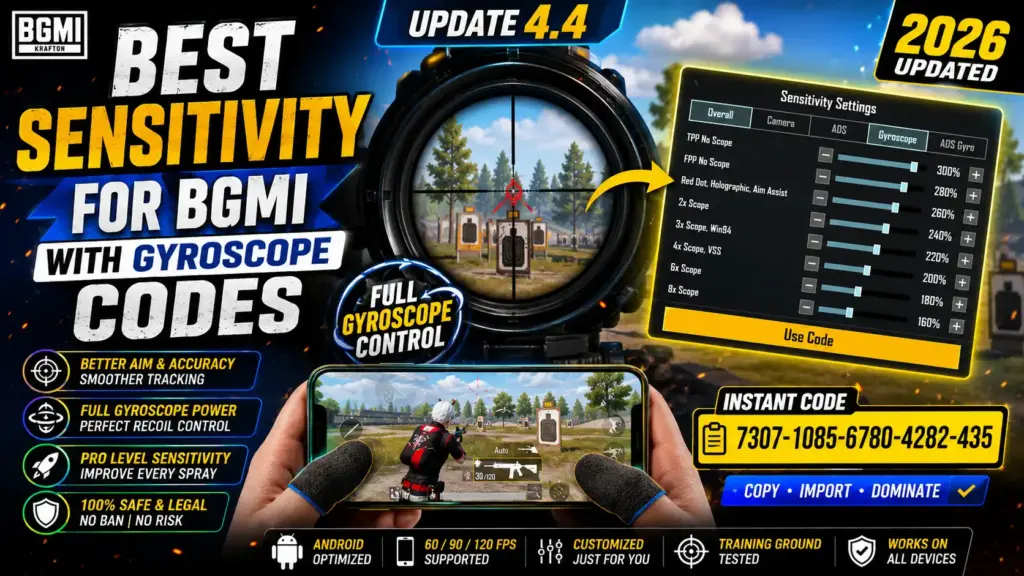
The best gyro sensitivity for bgmi usually gives better recoil control because phone tilt can pull the crosshair down while your thumb handles movement. The best sensitivity for bgmi gyroscope setup should feel stable on red dot and controlled on 3x, 4x, and 6x.
If you want the best sensitivity for bgmi with gyroscope code, start with a community gyro code or a verified TechPlayForge code after testing. The best sensitivity for bgmi with gyroscope is still personal because hand steadiness, phone weight, and FPS affect shake.
| Scope | Gyroscope Range | ADS Gyro Range | Best Use | Tuning Tip |
|---|---|---|---|---|
| TPP no scope | 300% to 400% | 300% to 400% | Close movement and hip-fire | Lower if phone shake moves aim |
| FPP no scope | 280% to 400% | 280% to 400% | FPP tracking | Tune after TPP values feel stable |
| Red dot / Holo | 300% to 400% | 300% to 400% | M416 and Scar-L close spray | Reduce if red dot vibrates |
| 2x | 280% to 380% | 260% to 360% | Short mid-range spray | Keep below red dot if shaky |
| 3x | 200% to 320% | 180% to 300% | M416 3x spray | Lower if sideways drift starts |
| 4x | 160% to 280% | 150% to 260% | Crouch spray and bursts | Use short sprays first |
| 6x | 80% to 160% | 70% to 150% | 6x converted to 3x | Reduce if long spray waves |
| 8x | 40% to 100% | 40% to 100% | Sniper and DMR precision | Keep low for fine aim |
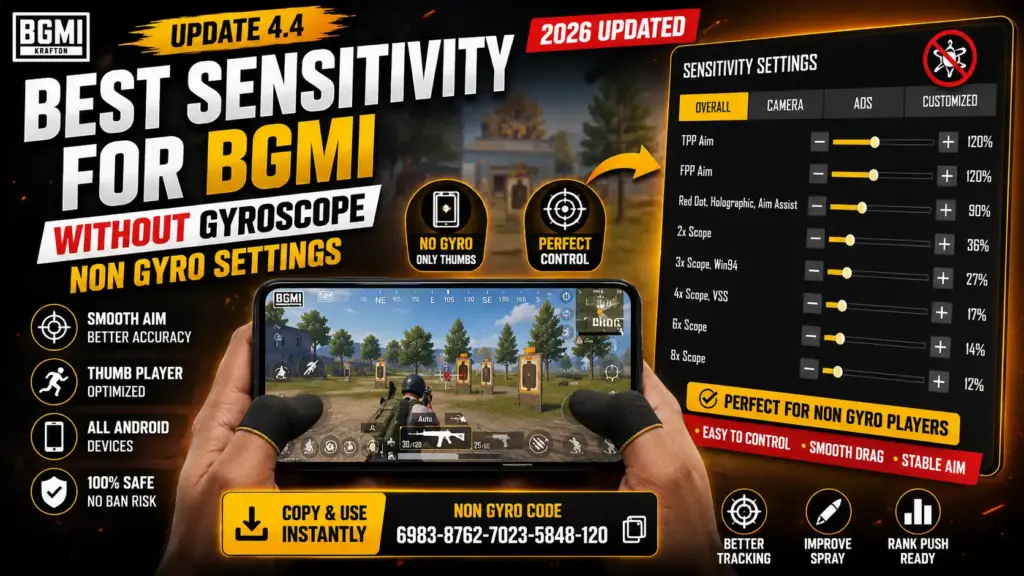
Best Sensitivity for BGMI Without Gyroscope
The best sensitivity for bgmi without gyroscope depends more on ADS and thumb control because you cannot tilt the phone to pull recoil down. Non-gyro players need smoother ADS, predictable camera speed, and a layout that lets the thumb drag downward without blocking movement.
If you need the best sensitivity for bgmi without gyroscope code, start with a non-gyro community code, then tune red dot ADS, 2x ADS, and 3x ADS first. Do not copy high-gyro settings into a non-gyro setup.
| Scope | Camera Range | ADS Range | Best Use | Tuning Tip |
|---|---|---|---|---|
| TPP no scope | 110% to 160% | 90% to 120% | Close movement | Lower if close aim over-flicks |
| FPP no scope | 100% to 140% | 85% to 115% | FPP control | Match your FPP play frequency |
| Red dot / Holo | 55% to 85% | 50% to 75% | Close spray | Increase ADS if drag feels slow |
| 2x | 40% to 65% | 35% to 60% | Short mid-range | Tune for moving enemies |
| 3x | 25% to 45% | 25% to 45% | M416 3x spray | Lower if spray swings sideways |
| 4x | 18% to 35% | 18% to 32% | Controlled bursts | Use crouch spray test |
| 6x | 10% to 25% | 10% to 25% | Long-range taps and converted spray | Keep low if aim floats |
| 8x | 5% to 15% | 5% to 15% | Sniper precision | Do not make it too fast |
BGMI Sensitivity by Finger Layout: 2-Finger, 3-Finger, and 4-Finger Claw
Your control layout changes how fast a setting feels. The best sensitivity for bgmi for a two-finger thumb player is usually steadier than a four-finger claw setup because claw players can aim, fire, crouch, and drag with less thumb overload.
| Finger Layout | Best Sensitivity Style | Recommended Code Type | Why It Works |
|---|---|---|---|
| Two-finger thumb player | Stable ADS and medium camera | Non-gyro or light gyro code | Thumb players need recoil drag without losing movement control. |
| Three-finger player | Balanced camera and ADS | Balanced Android code | Extra fire control makes tracking smoother. |
| Four-finger claw player | Faster camera with tuned scopes | Claw or gyro code | Claw can handle faster camera and separate shooting actions. |
| Full gyro player | High red dot gyro, lower zoom gyro | Gyro code | Phone movement handles recoil while thumbs handle aim and movement. |
| Non-gyro player | Smooth ADS drag | Non-gyro code | Recoil control depends on thumb drag, not phone tilt. |
BGMI Best Sensitivity Settings for Android Devices
The bgmi best sensitivity settings for android depend on touch response, heat, frame stability, and screen size. The best sensitivity for bgmi for android is not only about values; it is also about keeping FPS stable during fights.
| Device/FPS Type | Recommended Adjustment | Why It Helps | Code Advice |
|---|---|---|---|
| Low-end Android | Lower shaky camera and zoom gyro | Reduces touch delay and unstable spray feel | Use low-end code only after verification |
| Mid-range Android | Use balanced camera and ADS | Works for most casual and rank-push players | Start with balanced or community gyro code |
| High-end Android | Fine-tune gyro and 90/120 FPS feel | Better sensors can make high values feel faster | Use gyro code, then reduce shake |
| 60 FPS | Keep movement stable and avoid extreme values | Frame drops make sensitivity feel uneven | Use balanced code and test heat |
| 90 FPS | Reduce values slightly if aim feels too fast | Higher FPS can make tracking feel more responsive | Compare with your old 60 FPS code |
| 120 FPS | Tune red dot and close camera carefully | Very smooth input may expose over-sensitive values | Use the same code, then recalibrate |
For deeper FPS testing, read the BGMI 90 FPS vs 120 FPS sensitivity comparison. Frame drops, heat, touch delay, and unstable FPS can make even good sensitivity feel bad.

Best BGMI Sensitivity for M416, AKM, Scar-L, and Scope Sprays
The best sensitivity for bgmi should be tuned by weapon because M416 recoil, AKM recoil, and Scar-L recoil do not feel the same. Start with M416, then test AKM close range and Scar-L mid range.
| Weapon/Scope | Common Problem | Best Sensitivity Area to Tune | Practical Fix |
|---|---|---|---|
| M416 red dot | Overshoots in close range | Red dot camera and ADS | Lower camera by 5 points or ADS by 3 points |
| M416 3x | Spray climbs at mid range | 3x ADS or 3x gyro | Increase recoil-control value slightly |
| M416 6x converted to 3x | Long spray waves | 6x gyro and ADS | Lower if shaky, increase if climbing |
| AKM close range | Strong vertical kick | Red dot ADS and gyro | Use shorter sprays and avoid over-fast camera |
| Scar-L mid range | Drifts off moving target | 2x and 3x camera | Tune tracking before recoil |
| 4x crouch spray | Pulls away after first bullets | 4x ADS gyro | Test 10-bullet bursts first |
| Long-range tapping | Aim floats between taps | 6x and 8x camera | Lower zoom sensitivity for precision |
Best Sensitivity for BGMI No Recoil Setup
The best sensitivity for bgmi no recoil setup means controlled recoil, not recoil removal. No sensitivity code gives real zero recoil; it only helps you control recoil better through ADS, gyroscope, scope tuning, and practice.
This guide uses only legal in-game sensitivity tuning and practice. No hacks, scripts, macros, config edits, mod APKs, or third-party recoil tools are needed.
For deeper recoil-specific code testing, open the BGMI sensitivity code zero recoil guide. Use the troubleshooting table below before replacing your entire setup.
| Problem | Likely Cause | Fix |
|---|---|---|
| Recoil goes upward | ADS or gyro too low | Increase the firing value for that scope by 2 to 5 points. |
| Aim moves left/right | Over-correction or shaky gyro | Lower scope gyro and practice straight pull-down. |
| Red dot too fast | Camera too high | Reduce red dot camera by 5 points. |
| 3x spray unstable | 3x gyro or ADS mismatch | Tune 3x only; do not change all scopes. |
| 4x spray pulls away | Zoom value too fast | Reduce 4x camera or gyro and test crouch spray. |
| 6x spray hard to control | 6x sensitivity too high or too low | Convert 6x to 3x and tune in small steps. |
| Close range overshoots | No-scope camera too fast | Lower TPP no scope or red dot camera. |
| Long range under-tracks | Zoom camera too low | Increase 4x, 6x, or 8x camera slightly. |
| Code feels too fast | Different FPS, device, or layout | Reduce camera first, then ADS or gyro. |
| Code does not load | Expired, mistyped, or changed cloud code | Re-copy the code or create your own code. |
10-Minute Training Routine to Set the Best Sensitivity for BGMI
Use this routine whenever you import a new code. It is the fastest way to decide whether the best sensitivity for bgmi is actually working on your device.
- Open Training Ground.
- Import or apply your code.
- Pick M416 with red dot.
- Fire 30 bullets at close range.
- Test 3x spray at mid range.
- Test 4x crouch spray.
- Test 6x converted to 3x spray.
- Test close-range tracking.
- Change one value at a time.
- Save final code.
- Test in TDM.
- Then test in a Classic match.
Gyroscope vs Non-Gyroscope: Which BGMI Sensitivity Is Better?
Gyroscope usually gives better recoil control, but non-gyro can still work with stable ADS and strong thumb drag. The best sensitivity for bgmi is the one you can repeat under pressure.
| Category | Gyroscope | Non-Gyroscope | Winner |
|---|---|---|---|
| Close range | Fast tracking with tilt assist | Good with thumb control | Tie |
| Mid range | Strong 3x and 4x control | Needs clean drag-down | Gyroscope |
| Long range | Better micro correction | Works for taps and bursts | Gyroscope |
| Recoil control | Easier pull-down | Requires more thumb skill | Gyroscope |
| Learning curve | Harder at first | Easier for beginners | Non-gyro |
| Low-end device comfort | Depends on sensor stability | More predictable | Non-gyro |
| 90 FPS / 120 FPS | Very responsive | Also strong with stable ADS | Gyroscope |
| Rank push | Better for sprays | Works if consistent | Gyroscope |
| Code compatibility | Needs gyro-ready device | Works for touch-only players | Tie |
Common BGMI Sensitivity Mistakes Players Should Avoid
The fastest way to ruin the best sensitivity for bgmi is to keep changing everything after every bad match. Build muscle memory before judging a code.
- Copying pro codes blindly.
- Using community codes without testing.
- Changing every setting at once.
- Ignoring FPS.
- Ignoring control layout.
- Using too high gyro.
- Not testing scopes separately.
- Not saving your code.
- Using outdated screenshots.
- Ignoring device heating and touch delay.
- Expecting sensitivity alone to create zero recoil.
For a broader settings checklist, use the BGMI best sensitivity settings 2026 guide alongside this hub.
Final Recommended Best Sensitivity for BGMI Setup
For most Android players, start with a balanced code, then tune camera, ADS, red dot gyro, 3x gyro, 4x gyro, and 6x separately in Training Ground. This is the safest route to the best sensitivity for bgmi without chasing fake zero recoil.
| Player Type | Recommended Code/Setup | Manual Setting Priority | Why It Works |
|---|---|---|---|
| Beginner | Balanced starting code | Red dot camera and ADS | Easy to learn and adjust. |
| Gyro beginner | Light gyro setup | Red dot gyro and 3x gyro | Builds tilt control slowly. |
| Full gyro player | Gyro code | 3x, 4x, and 6x gyro | Best for recoil control. |
| Non-gyro player | Non-gyro code | ADS and red dot camera | Keeps thumb drag predictable. |
| Low-end Android user | Verified low-end code after testing | Camera stability | Reduces shaky touch response. |
| Mid-range Android user | Balanced Android setup | Red dot, 3x, and 4x | Good mix of speed and control. |
| High-end Android user | Gyro or high-FPS setup | Gyro shake and close camera | Uses better touch response safely. |
| 90 FPS player | Balanced code with FPS retest | Red dot and 3x | Prevents over-fast tracking. |
| 120 FPS player | High-FPS calibrated setup | Camera and gyro smoothness | Matches faster visual feedback. |
| Rank pusher | Saved personal code | M416 3x, 4x, and 6x | Consistency matters more than copying. |
Official BGMI Resources and Safe Download Links
Use official sources when checking game availability, updates, or downloads. Do not download BGMI from APK, mod, hack, or third-party cheat websites.
- BATTLEGROUNDS MOBILE INDIA official website
- KRAFTON India BGMI page
- BGMI on Google Play
- BGMI on the App Store
FAQs About Best Sensitivity for BGMI
1. What is the best sensitivity for BGMI in 2026?
The best sensitivity for bgmi in 2026 is a balanced setup that keeps camera movement smooth, ADS stable, and gyroscope strong enough to control recoil without shaking. Start with a code or recommended range, then test red dot, 3x, 4x, and 6x in Training Ground.
2. What is the best sensitivity for BGMI code?
The best sensitivity for bgmi code is the one that matches your device, FPS, gyro preference, and finger layout. Use a verified TechPlayForge code when available. Until then, treat community codes as starting points and tune ADS, camera, and gyro values after import.
3. What is the best BGMI sensitivity code for gyroscope?
For gyro players, start with a full-gyro or balanced gyro code, then tune red dot gyro, 3x gyro, and 4x gyro first. A best sensitivity for bgmi with gyroscope code should reduce vertical climb without creating crosshair shake during long sprays.
4. What is the best BGMI sensitivity code for non-gyro players?
Non-gyro players should use a touch-only code with stable ADS values. The best sensitivity for bgmi without gyroscope focuses on red dot ADS, 2x ADS, and 3x ADS because recoil control depends on thumb drag instead of phone tilt.
5. Which is better for BGMI, gyro or non-gyro?
Gyro is usually better for recoil control because phone movement helps pull the aim down. Non-gyro is easier for beginners and can still work well with stable ADS. The best sensitivity for bgmi depends on what you can control consistently during fights.
6. What is the best sensitivity for BGMI no recoil?
The best sensitivity for bgmi no recoil setup is a controlled recoil setup, not a recoil-removal trick. Tune ADS and gyro so the spray stays closer to target, but do not expect 100% zero recoil. Practice, attachments, crouch timing, and burst control still matter.
7. What is the best sensitivity for BGMI with gyroscope?
The best sensitivity for bgmi with gyroscope usually uses high red dot gyro, controlled 3x and 4x gyro, and lower 6x or 8x gyro. If your aim shakes, lower the scope gyro. If recoil climbs, increase the firing value slightly.
8. What is the best sensitivity for BGMI without gyroscope?
The best sensitivity for bgmi without gyroscope uses smooth camera movement and strong ADS drag. Keep red dot comfortable, tune 3x carefully, and avoid very high zoom sensitivity. Thumb control matters more than importing a random zero recoil sensitivity BGMI code.
9. Is high sensitivity good for BGMI?
High sensitivity is good only if you can control it. It helps fast turns and close-range tracking, but it can create overshoot, scope shake, and poor 3x control. The best sensitivity for bgmi should feel fast enough to react but stable enough to spray.
10. How do I fix recoil in BGMI?
To fix recoil, test one weapon and one scope at a time. If the spray climbs, increase ADS or gyro slightly. If it shakes, reduce gyro. If it overshoots, lower camera. The best sensitivity for bgmi comes from small changes, not full resets.
11. Does 90 FPS or 120 FPS change sensitivity?
Yes, higher FPS can make aim feel more responsive, so your old setup may feel faster. After switching to 90 FPS or 120 FPS, retest red dot, 3x, and 4x. The best sensitivity for bgmi should be recalibrated after major FPS changes.
12. Should I copy a pro player sensitivity code?
You can copy a pro code as a reference, but do not treat it as your final setup. Pro players may use different devices, FPS, control layouts, and finger styles. The best sensitivity for bgmi is personalized after Training Ground testing.
Conclusion: Use the Best Sensitivity for BGMI as a Starting Point
The best sensitivity for bgmi is a starting point you refine through code import, gyro tuning, non-gyro ADS control, Android FPS testing, no-recoil troubleshooting, and Training Ground drills. Start with a labeled code, avoid fake zero recoil promises, and tune red dot, 3x, 4x, and 6x separately.
Do not chase hacks, scripts, macros, or unsafe APKs. Build a legal in-game setup, save it, and use the TechPlayForge tool to create a custom BGMI sensitivity code for your device.
Generate BGMI Sensitivity Code
Last updated: May 2026
Checked for: 2026 BGMI sensitivity intent, copy codes, Android players, gyro/non-gyro setups, no-recoil tuning, and sensitivity code usage.
Written by: TechPlayForge Gaming Desk
Next update: After major BGMI FPS, sensitivity, recoil, or device compatibility changes.
Related guides
- Best BGMI Sensitivity Settings 2026: Zero Recoil Codes for Android and iOS
- BGMI Sensitivity Code Zero Recoil 2026: Best Codes for Gyro and Non-Gyro Players
- BGMI 90 FPS vs 120 FPS Sensitivity Comparison (2025)
- BGMI Best Sensitivity Settings 2026 | 90/120 FPS + Gyro Guide
- Best BGMI Sensitivity Code 2026: Low Recoil Codes for Gyro and Non-Gyro Players
- BGMI 4.5 Update Download: Release Date, Size, Android, iOS and Safe Install Guide
- BGMI Download APK 2026: Official APK and Safe Install Guide
- BGMI Latest News & Updates Hub: Latest Version, Events & Official Announcements
More Gaming Guides From TechPlayForge