Free Fire MAX Sensitivity Settings 2026: Best Config for Headshots on All Devices
Free Fire MAX Sensitivity Settings 2026: Best Config for Headshots on All Devices
Verified by Arjun Mehta, gaming content writer with 6 years of experience covering Free Fire MAX, mobile esports, and Android performance for Indian audiences.
Quick Answer: Free Fire MAX Sensitivity Settings 2026
The best free fire MAX sensitivity settings 2026 work on the current 0 to 200 scale. For most Indian mid-range Android phones, a strong headshot starter is General 178, Red Dot 168, 2x Scope 145, 4x Scope 112, Sniper Scope 82, and Free Look 128.
Low-end phones need smoother values around General 162 and Red Dot 150. iPhones and high refresh rate phones need slightly lower drag values because touch response feels faster at the same number. Gyroscope, device tier, FPS mode, and play style all affect what actually works for you. These are starting points, not final answers.
If your drag shots miss or your crosshair jumps past the head, you are not alone. That is the most common complaint after a phone upgrade, a fresh OB update, or a jump from a basic 60Hz screen to a smoother panel. Many players copy a flashy one-tap setup, enter CS Ranked, and then wonder why every close-range flick turns into a sky shot.
This guide covers free fire MAX sensitivity settings 2026 for every device tier and play style. You will get correct values on the current 0 to 200 scale, OB52 patch context, Android and iPhone tuning by device, an honest gyroscope guide, HUD layout advice, and a step-by-step testing routine to lock in your feel before CS Ranked and BR Ranked sessions.
As of April 2026, the Google Play India listing shows the OB52 cycle and Lost Treasure branding. OB52 added a HUD Recommendation System that changed how share codes work, moved the share code flow into that section, and added an Experimental Frame Rate Boost inside High FPS Mode. Older sensitivity videos from pre-OB52 patches reference a different menu flow. Before tuning anything, confirm you are on the current build from the official Free Fire MAX website by Garena.
Free Fire MAX Sensitivity Settings 2026 for Headshots and Drag Control

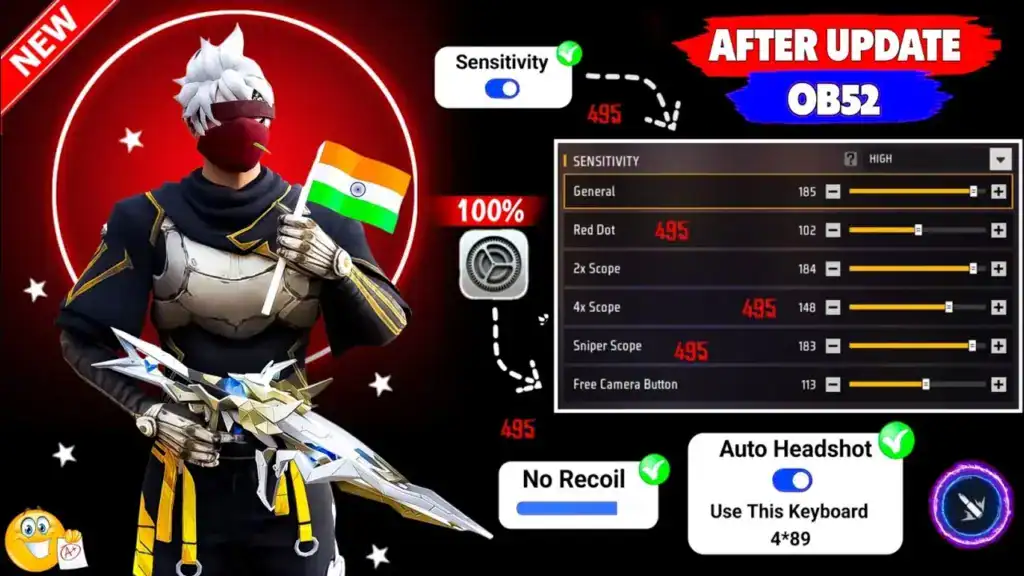
Good sensitivity makes your drag predictable, not magical. Headshots in Free Fire MAX come from a fast but controlled upward drag, clean crosshair placement, and stable touch response. If the drag stops at the neck, your core values are too low. If the crosshair flies over the head, they are too high. The goal is a drag that stops exactly at head level every time.
OB52 Official Context: Garena does not publish an official best headshot preset. The values in this article are based on community testing and device-tier tuning logic. OB52 official patch notes added the HUD Recommendation System, moved the share code flow, and introduced an Experimental Frame Rate Boost. Settings from pre-OB52 videos may reference a different in-game menu and feel different on the current build.
What Each Sensitivity Slider Actually Controls
- General: Your main drag headshot engine. Controls speed in close-range fights and fast one-tap attempts.
- Red Dot: Controls short to mid-range tracking and quick flicks with common scopes. Most headshots depend on this value.
- 2x Scope: The bridge between one-tap speed and recoil control at medium range.
- 4x Scope: Matters more for BR Ranked sprays and calmer mid-range fights.
- Sniper Scope: Keeps long shots stable. Too high here causes consistent overshoot on bolt-action attempts.
- Free Look: Controls scanning speed, target awareness, and rotation tracking without firing.
Why One Config Never Fits Every Player
A 6.7-inch 120Hz OnePlus or iQOO does not behave like a budget Redmi or Samsung M series phone at 60Hz. Bigger screens need longer finger travel. Faster panels react sooner to the same touch input. Heat and frame drops also make a good drag look inconsistent. That is why the best free fire settings are never just copied from one video. They must match your screen size, FPS mode, hand speed, fire button placement, and gyroscope habit.
Headshot-Optimised Starter Values (0 to 200 Scale, April 2026)

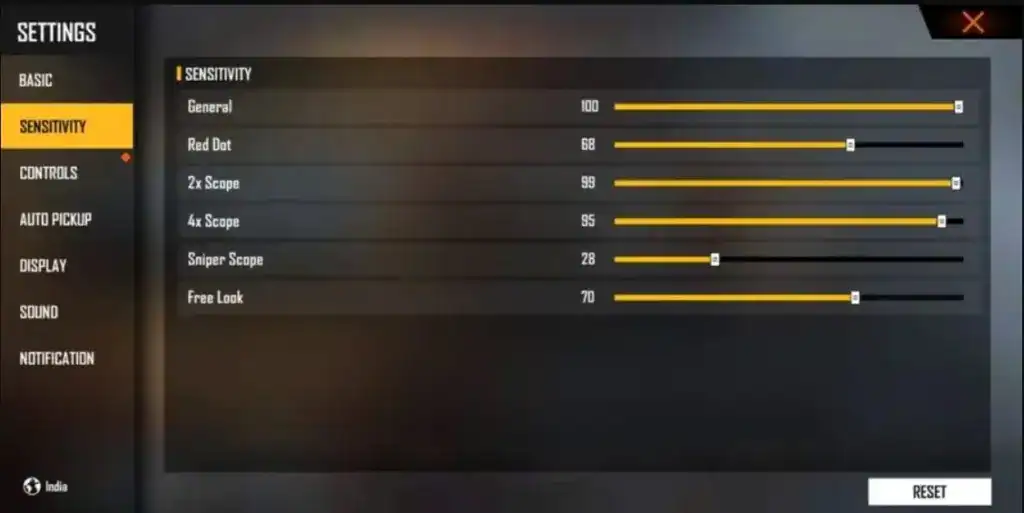
| Slider | Starter Range | Why It Works for Headshots |
|---|---|---|
| General | 160 to 190 | Fast enough for snap aim, controlled enough to stop at head level |
| Red Dot | 145 to 175 | Core drag headshot range. Tune this before any other scope. |
| 2x Scope | 125 to 150 | Smooth mid-range drag without overswing |
| 4x Scope | 95 to 120 | Stable for BR Ranked long fights and mid-range sprays |
| Sniper Scope | 65 to 90 | Controlled bolt-action one-tap aim without overswing |
| Free Look | 110 to 135 | Comfortable awareness rotation in squad fights |
General and Red Dot sit high because drag headshot players need a fast initial lift. Scope values sit lower because 2x and 4x need control more than raw speed. These ranges are on the current 0 to 200 scale used in the live OB52 build.
FF MAX Headshot Sensitivity for Android: By Device Tier
Android is how most Indian players experience Free Fire MAX. The gap between a Redmi 10A at 30 to 40fps and an iQOO Neo 9 at 90fps is not just visual. It changes how drag headshots register, how gyroscope activates, and how quickly touch input reaches the game engine.
Device Tier Settings Table (0 to 200 Scale)
| Device Tier | General | Red Dot | 2x | 4x | Sniper | Free Look |
|---|---|---|---|---|---|---|
| Low-End Android 60Hz | 162 | 150 | 132 | 104 | 78 | 120 |
| Mid-Range Android 60-90Hz | 178 | 168 | 145 | 112 | 82 | 128 |
| High-Refresh Android 120Hz | 158 | 150 | 134 | 102 | 76 | 122 |
| iPhone Standard | 152 | 146 | 130 | 98 | 72 | 118 |
Low-End Android (Redmi A Series, Realme C Series, Samsung Galaxy A03, Poco C Series)
Budget phones run Free Fire MAX at Low graphics and typically deliver 25 to 40fps in practice. Touch input delay is higher on budget chipsets. High sensitivity values feel more aggressive than they read because frame delivery is uneven.
- Keep General around 155 to 165. Lower than it looks on paper, but wins more headshots because drag stays clean.
- Keep Red Dot around 145 to 155. This compensates for frame inconsistency without wild overshoot.
- Avoid full gyroscope. Budget gyro hardware is inconsistent under load and causes more problems than it solves.
- Do not play while charging if heat is a problem. Thermal throttling at 40 percent battery makes even good settings feel wrong.
- Garena’s official lag troubleshooting guide recommends lowering graphics, clearing cache, closing background apps, and restarting before blaming sensitivity.
Mid-Range Android (Redmi Note 13, Realme Narzo 70, Poco X6, Samsung Galaxy A35, OnePlus Nord CE 4)
This is the sweet spot for Indian Free Fire MAX players. These phones run 60fps stably, many support 90fps, and gyro hardware is reliable enough for partial gyro play. The recommended row in the table above was built for this tier.
- If one-taps still feel slow, raise General by 5 first before touching Red Dot.
- If drag consistently crosses over the head, lower Red Dot by 5 and test ten kills before deciding.
- If you upgrade to 90fps via OB52 Experimental Frame Rate Boost, retest General before any scope value.
Flagship Android (iQOO 12, OnePlus 12, Samsung Galaxy S24, Poco F6 Pro)
Many flagship users make one big mistake. They keep using budget-phone sensitivity after enabling the 120Hz mode or the OB52 Experimental Frame Rate Boost. That makes drag feel too sharp instantly.
- If your phone suddenly feels too fast after enabling High FPS or Experimental Boost, reduce General and Red Dot by 8 to 15 points first.
- On fast displays, slightly lower values give better FF MAX headshot sensitivity than maxed sliders.
- Samsung Galaxy users should confirm Game Booster is in Performance mode. Battery mode lowers touch sampling rate and creates fake sluggishness that looks like wrong sensitivity.
Beginner vs Intermediate vs Advanced Settings (0 to 200 Scale)
Moving to advanced values before drag muscle memory is built destroys more progress than it creates. Use this table to identify your current tier and move up only after 15 or more consistent sessions at your current level.
| Slider | Beginner | Intermediate | Advanced |
|---|---|---|---|
| General | 148 to 162 | 162 to 178 | 178 to 195 |
| Red Dot | 138 to 152 | 152 to 168 | 168 to 185 |
| 2x Scope | 118 to 132 | 132 to 145 | 145 to 158 |
| 4x Scope | 88 to 102 | 102 to 115 | 115 to 128 |
| Sniper Scope | 62 to 75 | 75 to 85 | 85 to 95 |
| Gyroscope | Off or ADS only | Light, ADS and Red Dot | Full gyro, all scopes |
Beginners should master General and Red Dot drag control with gyroscope off first. Once ten drag headshots out of ten training attempts land on the head without gyro, add light gyro and build tilt habit from that foundation.
Pro Tip: If you move from a 60Hz phone to a 120Hz phone, retest General first, not Sniper. Fast panels change drag speed most in close fights where headshots happen, not at long-range. Lower General by 8 to 15 before touching any scope slider after an FPS or display upgrade.
Free Fire MAX Sensitivity Settings 2026 for iPhone and iOS
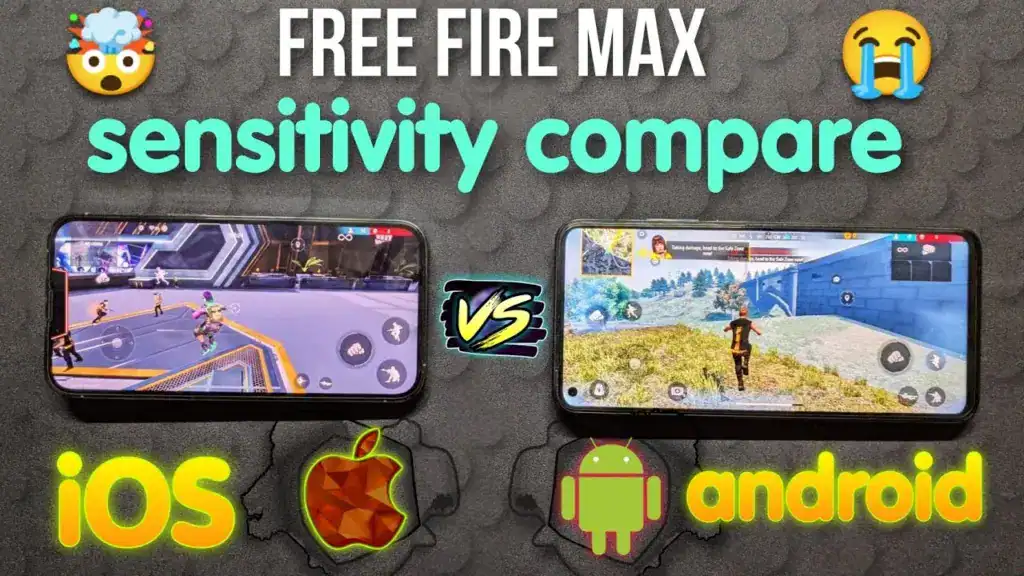
iPhone usually needs less sensitivity than Android, not more. Touch response feels cleaner on most iPhones, so max-style headshot settings often overshoot. Many iPhone players think they need more sensitivity when they actually need less. That is the most common iOS mistake in Indian Free Fire MAX communities.
iPhone Starter Values (0 to 200 Scale)
A strong iPhone starter is General 152, Red Dot 146, 2x 130, 4x 98, Sniper 72, and Free Look 118. If you use a newer iPhone with a ProMotion panel, lower General and Red Dot by another 5 to 10 from those values. That small cut usually improves one-tap control significantly.
How to Tune iPhone Values Step by Step
- If chest shots stop below the head consistently, raise General by 5.
- If the crosshair flies above the head on every drag, lower Red Dot by 5 first.
- If 2x feels loose in mid-range fights, lower it by 4 to 6 before anything else.
- If 4x sprays wobble in BR Ranked, lower 4x by 5 before touching Sniper.
- Do not copy a high-refresh Android drag setup on iPhone. iPhone sensitivity should stay tighter on every slider.
iPhone ProMotion 120Hz Note
iPhone 15 Pro and Pro Max run ProMotion at up to 120Hz. Treat these devices like a flagship Android at 120Hz. Start General at 142 to 150 and Red Dot at 138 to 146 and test from there. If your flicks jump too high after enabling ProMotion, lower General by 5 first and test ten drag attempts in training before touching other sliders.
FF MAX Gyroscope Settings 2026: Full Setup and Calibration Guide
FF MAX gyroscope gives a meaningful headshot control advantage when set up correctly. Done wrong, it causes chaotic drag that no amount of sensitivity tuning can fix. The difference between those two outcomes is almost always the setup and calibration process, not natural ability.
Calibrate Your Hardware Gyroscope First
Many Indian players on Redmi and Realme phones experience gyro drift because the hardware gyroscope is slightly miscalibrated from the factory. If your crosshair drifts in one direction while you hold the phone completely still, this is a hardware calibration issue, not a sensitivity problem.
To calibrate on Android: Go to phone Settings, search for Gyroscope Calibration or Motion Sensor Calibration, place the phone flat on a table, and follow the on-screen steps. Do this before touching any gyro sensitivity value in Free Fire MAX. Testing gyro settings on a miscalibrated sensor wastes every session.
How Gyroscope Works in Free Fire MAX
Gyroscope uses your phone’s tilt sensor to assist drag headshots. Tilting slightly upward guides the crosshair to head level without relying entirely on thumb drag speed. Gyro is an assist tool, not a replacement for thumb control. Once the tilt habit is trained, it feels seamless. Until then, it feels chaotic.
Gyro vs No Gyro: Honest Comparison for Indian Players
| Factor | Gyroscope On | No Gyroscope |
|---|---|---|
| Drag headshot ceiling | Higher with trained tilt habit | Lower ceiling but fully consistent |
| Learning curve | 2 to 4 weeks of focused practice | Faster to stabilise, easier to maintain |
| Best for Indian ranked grind | Yes, with consistent practice | Yes, if Red Dot is properly tuned |
| Budget phone suitability | Poor on low-end hardware | Fully suitable on all device tiers |
| One-tap kill precision | Excellent when tilt is trained | Depends entirely on Red Dot tuning |
| Works on floor or crouching angles | Can feel inconsistent on tilted positions | Fully consistent from any position |
Pro Tip: If you are new to gyroscope in Free Fire MAX, enable it only during ADS in Red Dot fights for the first two weeks. Do not add it for Free Look or general movement yet. Building the ADS tilt habit first before adding movement gyro keeps muscle memory clean and prevents the chaotic feeling most beginners quit over within the first week.
Free Fire Sensitivity Code 2026: How the OB52 Share System Actually Works
A free fire sensitivity code 2026 in the current OB52 build is a share code generated inside the HUD Recommendation System. OB52 changed how this works. The share code now lives in the HUD section, not the old sensitivity tab many 2025 videos reference. When you apply a preset from a share code, OB52 lets you choose whether to sync the linked sensitivity settings or keep your own values with just the HUD layout.
Why Random Codes From Videos May Not Help
Share codes are player-generated. A code that feels perfect on a creator’s flagship OnePlus at 120Hz will feel completely different on a budget Redmi at 60Hz. The smart approach is to import a code from a trusted creator or teammate, preview it, and then test before entering ranked. If the sensitivity values feel wrong for your device, keep the HUD layout from the code but set your own sensitivity values manually.
How to Use the OB52 Share Code System
- Open Free Fire MAX and tap Settings from the lobby screen.
- Go to the HUD section where the OB52 recommendation and share code tools now live.
- Tap the share code option and paste the code from a trusted creator or teammate.
- Preview the preset layout and sensitivity values before applying.
- Decide whether to sync the linked sensitivity settings or keep your own values.
- Apply the preset, then go to Training Ground immediately to test drag headshots.
- Change only 1 to 2 sliders per session if anything feels off. Never change everything at once.
When to Use Manual Values Instead
If you like your current HUD and only want better headshots, manual tuning is better than importing a full preset. Open the Sensitivity tab directly, set your values from the device tier table above, and test one slider at a time. This is safer than importing a full preset you do not fully understand on your specific device.
Warning: Sensitivity codes and share presets are normal in-game tools. Scripts, modified APKs, and auto-headshot tools are not. Garena’s official support pages state clearly that unauthorized third-party programs and modified clients can lead to permanent penalties. Sensitivity tuning is completely safe. Third-party cheat tools are not.
For patch tracking, version history, and the latest update context in India, check our Free Fire MAX complete guide and updates.
Pro Tip: If you love a creator’s HUD layout but hate their aim feel, apply the share code and keep sensitivity sync off. Use their HUD with your own sensitivity values. This gives you the ergonomic benefits of a proven layout without forcing values built for a different device onto yours.
Best Free Fire Settings 2026 by Play Style
Your play style should shape your sensitivity more than any creator name. A CS Ranked hold-angle player and a BR Ranked squad rusher should not be on the same drag profile. Use this table to identify your closest match then apply the corresponding adjustments to the starter values from the device tier section.
| Play Style | Best Core Range | Gyro Advice | Best For |
|---|---|---|---|
| No Gyro Thumb Player | General 175-185, Red Dot 165-175 | Keep gyro off, focus on clean drag length | Straightforward drag headshots on any Android |
| Partial Gyro Player | General 165-175, Red Dot 155-168 | Use gyro for micro-correction, not full aim path | Balanced CS and BR ranked play |
| Full Gyro – Ranked Grind | General 178, Red Dot 168 | Full gyro, trained tilt habit required | Recommended for highest headshot ceiling |
| Close-Range Rusher | General 182-190, Red Dot 170-180 | Keep gyro light if drag already feels fast | One-tap, MP40, Shotgun pressure fights |
| Long-Range BR Player | General 165-175, Red Dot 155-165 | Light gyro helps micro-fixes on 4x | Calm sprays and cleaner 4x or sniper taps |
| CS Ranked Hold-Angle | Lower Red Dot by 5 to 8 from your base | No gyro or very light gyro for tight angles | Precise micro-drag on fixed entry points |
| One-Tap Focused Player | General 185-195, Red Dot 175-185 | Only if phone does not overshoot at these values | Fast drag headshot clips and custom room drills |
| BR Ranked Squad Player | Raise Free Look to 130 to 138 | No change needed specifically for gyro | Faster awareness rotation in multi-enemy fights |
Free Fire MAX HUD Layout and How It Affects Headshot Feel
Sensitivity values do not exist independently from your HUD. Your button layout determines how your thumbs sit, how much pressure they apply during drag, and where drag starts on your screen. A properly tuned sensitivity will still feel wrong with a badly built HUD. This is the most overlooked problem in Indian Free Fire MAX communities.
How Layout Directly Affects Drag Headshots
- Fire buttons placed too close to the ADS button create accidental double-input. This reads as sensitivity jumping, not actual sensitivity being wrong.
- Thumbs stretched to reach widely spread buttons apply uneven pressure. Uneven pressure changes the arc of drag even when values are correct.
- Small fire buttons on large-screen phones cause edge-of-thumb contact instead of pad contact, producing inconsistent drag registration.
- ADS button in an awkward corner slows ADS entry and is frequently blamed on sensitivity when it is actually a reach and placement issue.
HUD Size Recommendations
- Small phones under 6.1 inches: Keep fire and ADS buttons central. Extreme corners increase thumb stretch and ruin drag consistency.
- Mid-size phones 6.1 to 6.5 inches: Sweet spot for 4-finger layouts. Space fire buttons evenly from center for clean drag paths on both sides.
- Large phones above 6.5 inches: Use larger button sizes and bring ADS closer to center. Corner buttons on large screens directly hurt drag accuracy.
- iPhone users: iOS touch targets register more precisely. Keep fire buttons at medium size for consistent tap and drag.
Lock your HUD after every session using the layout lock option in Free Fire MAX settings. Accidental button repositioning between sessions causes unexplained drag inconsistency that players almost always blame on sensitivity instead of layout drift.
Pro Tip: Keep a simple notes app entry for every sensitivity change with the date and what you noticed. After every OB patch, Free Fire MAX can feel different even with unchanged settings. Your notes let you spot exactly what shifted in 30 seconds instead of spending a full session re-testing from scratch.
Common Mistakes That Ruin Free Fire MAX Headshot Control
Most missed headshots come from bad testing habits and wrong expectations, not bad numbers. Players ruin good setups by changing too much too fast and never giving drag muscle memory time to form.
Changing Every Slider in One Session
If you change General, Red Dot, 2x, 4x, and HUD in the same session you lose the cause of every problem. Fix General first, then Red Dot, then 2x, then 4x. That order saves drag muscle memory and isolates each change clearly.
Copying Streamer Configs Blindly
A top creator may use a flagship phone, a cooling fan, full gyroscope, and 5 hours of daily practice. Your mid-range Realme at 60Hz will not deliver those values cleanly. Use creator configs as directional hints only. Never treat them as a target to match exactly on different hardware.
Using Extreme One-Tap Values in BR Ranked
What looks amazing in a close custom-room clip ruins 4x control in real BR Ranked matches. One-tap maxed values leave you unable to hold mid-range angles cleanly. Custom room clips and ranked games have different demands. Tune for the mode you actually play most.
Blaming Sensitivity for Heat or Lag
If your phone is dropping frames due to heat or your Indian server ping is spiking, no slider can fully fix that. Test sensitivity only under stable conditions. A phone that is 42 degrees and thermal throttling will make even perfect settings feel broken.
Testing on a Partially Loaded Client
After an OB update, many Indian players start testing before all resource packs finish downloading on Wi-Fi. A half-loaded client creates touch lag that mimics wrong sensitivity. Wait for downloads to complete, restart the game once, then test.
Pro Tip: Do one training ground drill, one custom room headshot test, and one Clash Squad practice match before entering BR Ranked or CS Ranked with any new sensitivity. Jumping straight into ranked with untested settings after an OB patch is the fastest way to lose Diamond or Heroic RP before your thumbs have adapted to the new feel.
How to Test and Lock In the Best Free Fire Settings
Test settings through a repeatable drill, not panic adjustments after one bad kill. The same weapons, the same ranges, the same drill every session gives you real data about what changed and what stayed the same.
The Testing Routine That Actually Works
- Open Training Ground and pick your main close-range weapon with Red Dot.
- Do 20 close-range drag attempts from chest to head on a stationary bot. Count how many land on the head.
- Do 20 Red Dot flicks from ground to head level on a moving bot.
- Switch to 2x and test 15 medium-range drag headshots.
- Switch to 4x and test 15 controlled sprays at long range. Watch for overshoot and drift.
- Do 10 Sniper taps at maximum range for stability check.
- Play a custom room session with a friend to test under real movement conditions.
- Play one Clash Squad practice match before entering CS Ranked.
What to Watch During the Test
- Drag consistently overshoots head: Red Dot is too high. Lower by 5 and retest ten kills.
- Drag stops at neck every time: General may be too low. Raise by 5 before touching Red Dot.
- General movement feels heavy: raise General by 5 and test snap-aim before touching scope values.
- Gyroscope pulls aim sideways: gyro is too high for current tilt habit. Lower by 5 and test in custom room only.
- Indian server ping spikes during test: do not blame sensitivity. Retest on stable connection before changing anything.
How Long Before Changing Again
Give any new setup at least 15 minutes of Training Ground work, two custom room rounds, and three real matches before deciding it does not work. New settings always feel unfamiliar for the first several sessions because drag muscle memory is recalibrating. The discomfort in the first two games is adaptation, not evidence the setting is bad.
Related Reading: For the latest Free Fire MAX updates, OB patch notes, and version history in India, visit our Free Fire MAX complete guide and updates. For broader Free Fire guides and India-specific news, check our latest Free Fire coverage.
Frequently Asked Questions: Free Fire MAX Sensitivity Settings 2026
What are the best Free Fire MAX sensitivity settings 2026?
The best free fire MAX sensitivity settings 2026 on the current 0 to 200 scale for most Indian mid-range Android phones are General 178, Red Dot 168, 2x 145, 4x 112, Sniper 82, and Free Look 128. These are starting values built for 60Hz mid-range devices on the OB52 build. Fine-tune one slider at a time based on your device tier, FPS mode, and whether you use gyroscope.
What is the best FF MAX headshot sensitivity?
The best FF MAX headshot sensitivity is the Red Dot value that lets your drag stop exactly at head level without overshooting. For most mid-range Android players at 60Hz, Red Dot between 160 and 170 gives the most consistent drag headshot results. Budget phone players should start at 145 to 155. iPhone users should start 5 to 7 points lower than their Android equivalent.
How do I get a free fire sensitivity code 2026?
In the OB52 build, share codes live in the HUD section, not the old Sensitivity tab. Go to Settings, open HUD, and use the share code option to paste a code from a trusted creator or teammate. You can choose whether to sync the linked sensitivity settings or just apply the HUD layout. Always test any imported preset in Training Ground before ranked play.
Are gyroscope settings good for beginners in Free Fire MAX?
Light gyroscope in ADS-only mode is manageable for beginners but full gyroscope is not recommended. The tilt habit for full gyro takes 2 to 4 weeks of focused practice to build cleanly. Beginners should master General and Red Dot drag control without gyro first. Once 8 out of 10 training drags land on the head without gyro, add light gyro in small steps.
What sensitivity is best for Android in Free Fire MAX?
Android sensitivity depends on device tier. Budget Redmi, Realme C, and older Samsung phones need General around 162 and Red Dot around 150. Mid-range phones like Redmi Note 13, Poco X6, and Samsung Galaxy A35 work well at General 178 and Red Dot 168. Flagship Android users at 120Hz should reduce those values by 8 to 15 points and test from that lower baseline.
What sensitivity is best for iPhone in Free Fire MAX?
iPhone players need lower General and Red Dot values than Android users due to faster touch response. A good iPhone starter is General 152, Red Dot 146, 2x 130, 4x 98, Sniper 72, and Free Look 118. iPhone 15 Pro ProMotion users should reduce those values by another 5 to 10 points and treat the device like a high-refresh flagship Android.
Is gyroscope better than no gyroscope in Free Fire MAX?
Light gyroscope is better than no gyroscope for most trained players because it adds small tilt corrections that raise headshot consistency. Full gyroscope has the highest ceiling but the steepest learning curve. No gyroscope still works very well in Free Fire MAX if Red Dot is tuned correctly and drag habit is consistent. The difference comes from practice commitment, not just enabling the slider.
Why are my headshots not connecting after changing settings?
Headshots require correct sensitivity and trained drag technique working together. If you do not consciously drag upward toward the head while firing, no setting places bullets there reliably. Test your drag direction in Training Ground by firing at chest level and deliberately pulling upward to the head. Good sensitivity gives you control. The conscious drag habit is what puts the bullet at head level.
How often should I change Free Fire MAX sensitivity?
Change sensitivity only when a clear problem repeats across multiple sessions. Valid reasons are a device upgrade, a graphics or FPS mode change, starting gyroscope for the first time, or after a major OB patch that changed game feel. Random daily changes destroy drag muscle memory faster than they improve it. After any OB update, lower Red Dot by 5 first and retest before touching anything else.
What is the best Red Dot and 2x sensitivity in Free Fire MAX?
For mid-range Android at 60Hz, Red Dot around 160 to 170 and 2x around 140 to 148 gives the most consistent headshot and spray results based on community testing. For iPhone, Red Dot at 146 to 155 and 2x at 130 to 138 is a reliable starting point. Test Red Dot and 2x separately because they affect different fight ranges and respond to different adjustment directions.
Do Free Fire MAX sensitivity settings change after an OB update?
Yes. OB updates can change weapon handling, movement feel, and frame delivery without touching sensitivity slider values. After OB52, many players reported that drag felt different even with unchanged settings because the Experimental Frame Rate Boost changed how touch inputs were processed. Always run a training ground headshot drill after every major OB update before entering ranked play.
What is the OB52 Experimental Frame Rate Boost and how does it affect sensitivity?
OB52 added an Experimental Frame Rate Boost option inside High FPS Mode that increases frame delivery on supported devices. Enabling it can make your current sensitivity feel too fast, especially General and Red Dot. If you enable the boost and drag suddenly overshoots, reduce General by 8 to 12 points first and Red Dot by 5 before testing. Treat enabling the boost as equivalent to upgrading to a faster display in terms of sensitivity impact.
Final Thoughts: Free Fire MAX Sensitivity Settings 2026
Three things matter most. First, the free fire MAX sensitivity settings 2026 that work are built on the correct 0 to 200 scale, matched to your device tier and FPS mode, not copied from a video using pre-OB52 menu flows. Second, Red Dot and General drive most headshot kill decisions and deserve tuning priority over every other slider. Third, a repeatable testing drill in Training Ground and custom rooms beats random adjustments after bad ranked games every single time.
Bookmark this page and return after every major OB update. Patch cycles regularly shift drag feel, weapon handling, and frame delivery. For OB patch tracking and version updates in India, check our Free Fire MAX complete guide and updates. For broader game guides and India-specific news, explore our latest Free Fire coverage. Copy a base value from your device tier, test it properly, and build your own drag muscle memory instead of chasing every new viral config.
Related guides