BGMI Sensitivity Code Zero Recoil 2026: Best Codes for Gyro and Non-Gyro Players
BGMI Sensitivity Code Zero Recoil 2026: Best Codes for Gyro and Non-Gyro Players
Updated: October 6, 2026. BGMI 4.6 (September 16, 2026) is the current version, and the codes below were tested in-game by the TechPlayForge owner. This BGMI sensitivity code zero recoil guide covers gyro codes, non-gyro codes, 2/3/4 finger setups, 90 FPS, 120 FPS, import steps, and Training Ground calibration.
Want a code built for your device? Use our free BGMI Sensitivity Code Generator to get settings matched to your phone, grip and playstyle, then compare them with the codes below. For the latest patch changes, see the BGMI updates hub.
The codes below are community-recommended starting points, not official KRAFTON codes. Import one code at a time, test Red Dot, 3x, and 6x sprays, then keep only the setup that feels stable on your device.
Quick answer: A BGMI sensitivity code zero recoil setup does not remove recoil from the game. It imports Camera, ADS, and Gyroscope values that make recoil easier to control. Use a gyro code if you tilt your phone for recoil correction, use a non-gyro code if you control sprays by thumb, and always calibrate the code in Training Ground before ranked matches.

In This Guide
BGMI Sensitivity Code Zero Recoil: Quick Picks
Use this table first. Pick the code that matches your playstyle, import it, and test it for 10 to 15 minutes. Do not copy every code one after another, because that will make your aim feel random.
| Use case | Code | Playstyle | Best for | Status |
|---|---|---|---|---|
| All-device gyro zero recoil | 1-7548-3179-3475-5514-208 | Balanced camera with high gyro | Android and iOS players using gyroscope | Community starting point |
| Popular gyro no recoil | 7350-5353-1699-2688-280 | Strong recoil control with always-on gyro | 4-finger claw and full-gyro players | Community starting point |
| Aggressive gyro spray | 7120-0815-5403-4938-964 | Fast AR spray and head-level tracking | Rank pushers who fight close and mid range | Creator-style starting point |
| Touch-only non-gyro | 6983-8762-7023-5848-120 | Lower camera shake with ADS control | 2-finger and 3-finger non-gyro players | Community starting point |
| Patch test options | 1-7504-1481-8987-5798-2491-7480-7571-1076-8140-511 | Mid-range spray control after update changes | Players testing new patch feel | Experimental starting points |
Important: These codes are not official KRAFTON codes and they do not create real zero recoil. They only import sensitivity values. Avoid any page that promises auto headshot, recoil hack, config file, or script-based no recoil.
Does a BGMI Sensitivity Code Actually Give Zero Recoil?
No sensitivity code removes recoil from BGMI. A BGMI sensitivity code zero recoil setup helps by making your aim speed, ADS drag, and gyro pull-down easier to control.
When a code feels good, your spray looks flatter because your inputs match the weapon recoil better. The gun still has recoil. You are just controlling it more consistently.
| Claim | Truth | Safe action |
|---|---|---|
| Zero recoil code | It means easier recoil control, not recoil removal. | Use in-game sensitivity only. |
| Auto headshot code | This is unsafe and misleading. | Avoid it. |
| Config or script recoil removal | This can violate fair play and risk your account. | Do not use it. |
What Is a BGMI Sensitivity Code?
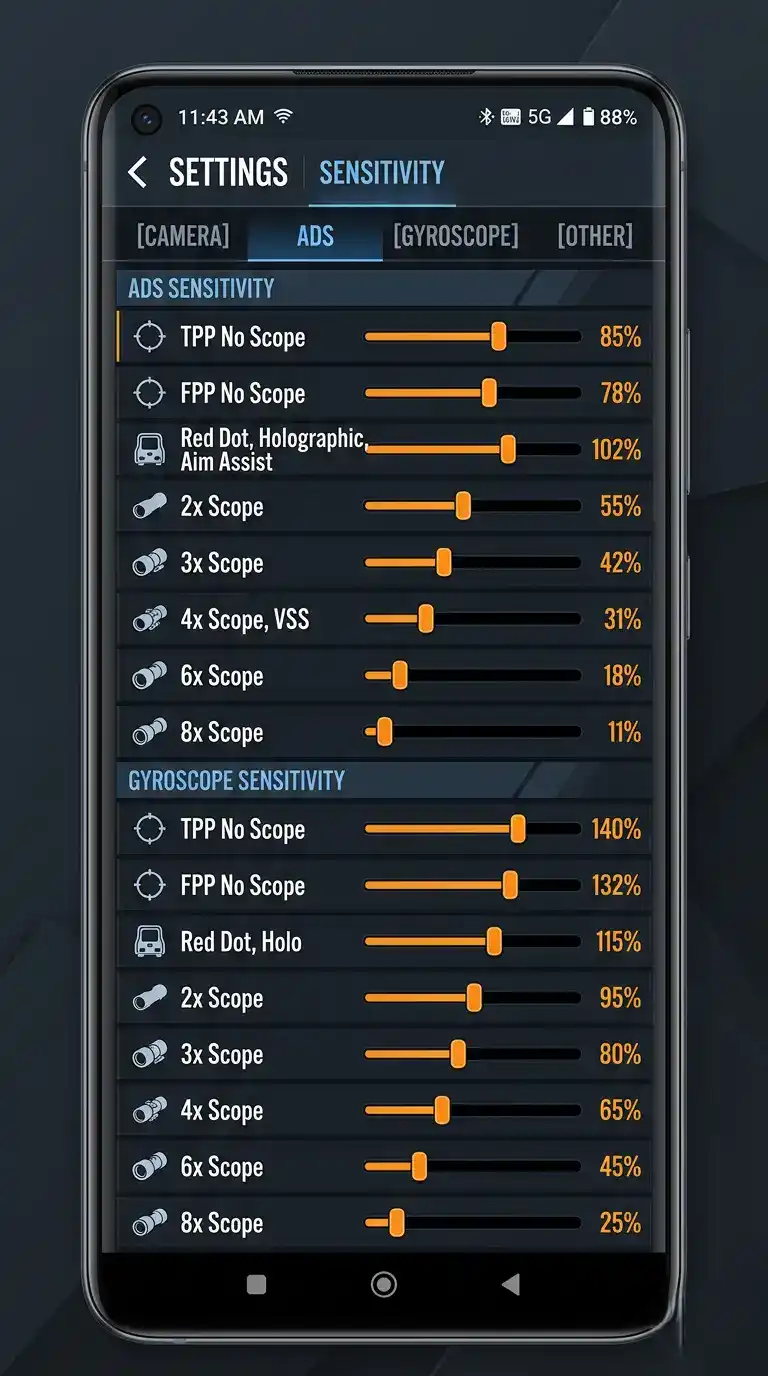
A BGMI sensitivity code is a share code that stores your Camera, ADS, and Gyroscope sensitivity values. When you import the code, BGMI applies the saved sensitivity profile without making you move every slider manually.
A code can save time, but it is not a perfect fit for every phone. FPS, refresh rate, screen size, touch response, and gyro habit all change how the same code feels.

What the code usually changes
- Camera sensitivity: How fast your aim moves before firing.
- ADS sensitivity: How your aim moves while firing through a scope.
- Gyroscope sensitivity: How the aim responds when you tilt your phone.
- Scope-specific values: Red Dot, 2x, 3x, 4x, 6x, and 8x sensitivity behavior.
How to Apply a BGMI Sensitivity Code Step by Step
Before importing any code, take a screenshot of your current settings. This gives you a rollback option if the new setup feels too fast, shaky, or uncomfortable.
- Open BGMI and tap the Settings gear icon.
- Go to Sensitivity.
- Open Layout Management, Cloud Management, Search Method, or Use Code. The label can change by update.
- Paste the BGMI sensitivity code.
- Tap Preview if available, then apply the layout.
- Save the layout to cloud if it feels good.
- Test Red Dot, 3x, and 6x sprays in Training Ground before ranked.
Code not importing? Remove spaces, re-copy the code, restart the game, and try again. Codes can expire if the creator deletes or replaces the cloud layout.
Best BGMI Sensitivity Code Zero Recoil for Gyro Players
Gyro players tilt the phone to pull recoil down, so they usually need stronger gyro values and controlled Camera sensitivity. These codes are a good starting point if you play full gyro or Scope On gyro.
All-device gyro code
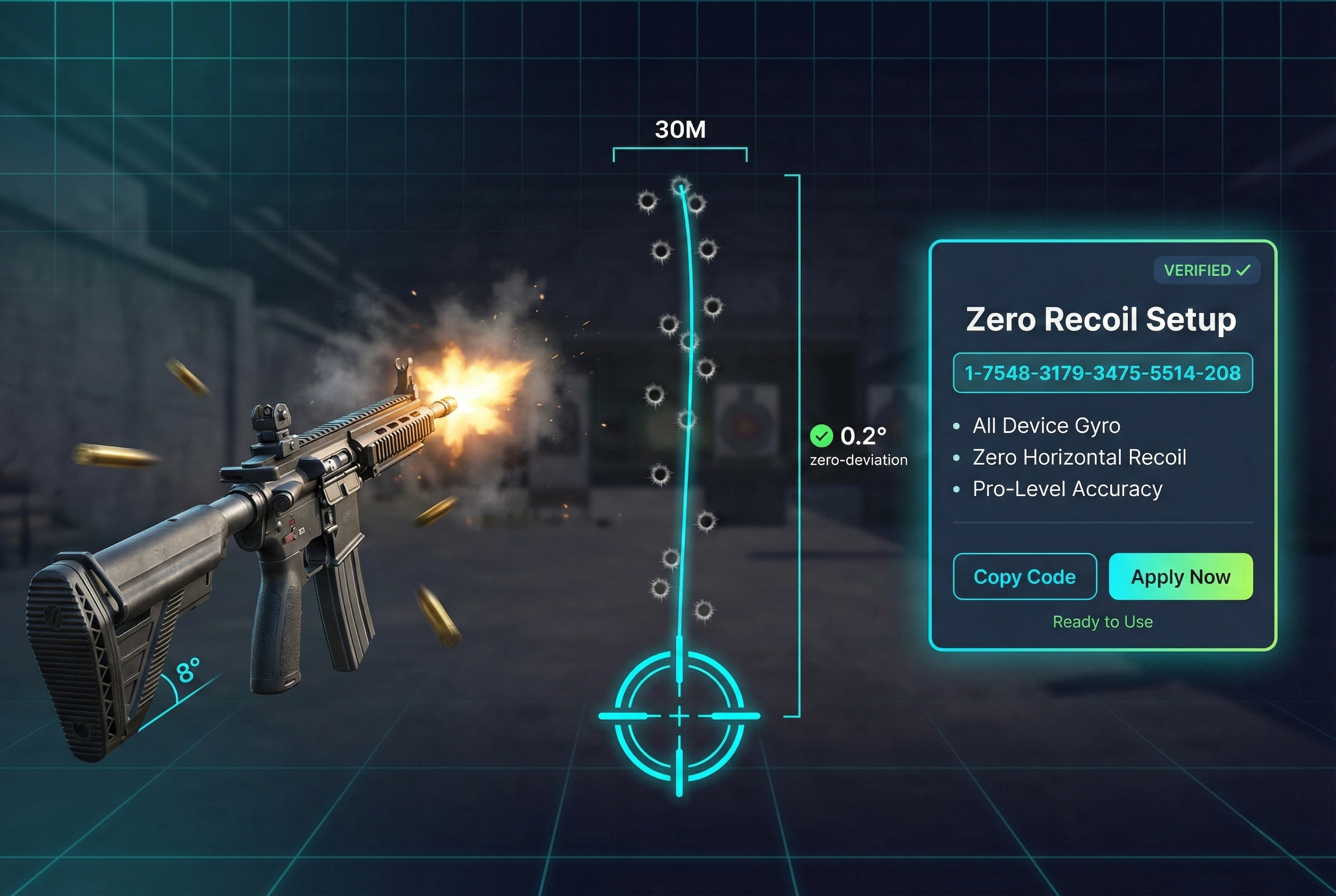
Code: 1-7548-3179-3475-5514-208
Start with Red Dot and 3x tests. If the crosshair shakes, lower Gyro Red Dot and Gyro 3x slightly.
Popular gyro no recoil code
Code: 7350-5353-1699-2688-280
This code is better for players who already understand gyro control. New gyro players should reduce values if the scope shakes.
Aggressive gyro spray code
Code: 7120-0815-5403-4938-964
Use this only if you are comfortable with fast aim movement. If Red Dot feels too fast, reduce Camera Red Dot first.
Best BGMI Sensitivity Code Zero Recoil for Non-Gyro Players
Non-gyro players rely on thumb or finger drag to control recoil. Your code should keep Camera stable and ADS strong enough to pull the spray down without shaking.
| Code type | Code | Best for | Tweak first |
|---|---|---|---|
| Touch-only non-gyro | 6983-8762-7023-5848-120 | 2-finger and 3-finger thumb players | Red Dot ADS and 2x ADS |
| Patch test option 1 | 1-7504-1481-8987-5798-249 | Players adapting after update feel changes | 3x ADS |
| Patch test option 2 | 1-7480-7571-1076-8140-511 | Mid-range AR control | Red Dot Camera |
For full manual slider values, use our BGMI best sensitivity settings 2026 guide.
Device-Wise Tips for Any BGMI Sensitivity Code
The same BGMI sensitivity code can feel different on a low-end Android phone, a flagship Android, an iPhone, or an iPad. Use these tweaks after importing any layout.
| Device type | What usually happens | Best adjustment |
|---|---|---|
| Low-end Android | Frame drops make fast sensitivity feel shaky. | Lower Camera and ADS by 5 to 10. |
| Mid-range Android | Most codes feel usable but need 3x/6x tuning. | Tune 3x ADS, 3x Gyro, and 6x Gyro. |
| Flagship Android | Higher FPS makes aim feel smoother and faster. | Reduce Red Dot if you overshoot. |
| iPhone / iPad | Touch response feels smooth, but Android codes can feel fast. | Lower Camera slightly if tracking feels twitchy. |
For FPS-specific tuning, read our BGMI 90 FPS vs 120 FPS sensitivity comparison.
Training Ground Calibration: Make Any Code Feel Better
The best zero recoil code still needs calibration. Import the code, then use this routine before ranked matches.
| Test | Goal | If it fails |
|---|---|---|
| Red Dot tracking | Track a moving target without crossing past it. | Lower Red Dot Camera by 3 to 8. |
| 3x spray | Keep bullets near chest level. | Adjust 3x ADS or Gyro by 3 to 10. |
| 6x spray | Hold the scope without heavy shaking. | Lower 6x Camera, ADS, or Gyro slightly. |
| Close-range hip fire | Center the enemy quickly in TDM-style fights. | Tune TPP No Scope and Red Dot only. |
How to Build Your Own BGMI Sensitivity Code
The best long-term setup is usually your own code. Start with a community preset, tune it, then save your personal version to the cloud.
- Import one zero recoil code from the table.
- Test Red Dot, 3x, and 6x in Training Ground.
- If spray climbs, raise ADS or Gyro slightly.
- If scope shakes, lower that scope only.
- If tracking overshoots, lower Camera sensitivity first.
- When it feels stable, use Share or Upload to Cloud to create your own code.
For the full code library, use our main best BGMI sensitivity code guide.
Common Zero Recoil Code Problems and Fixes
If a BGMI sensitivity code feels wrong, do not panic-reset everything. Fix one symptom at a time.
| Problem | Likely cause | Fix first |
|---|---|---|
| Gun jumps upward | ADS or gyro is too low for recoil pull-down. | Raise 3x ADS or Gyro by 3 to 10. |
| Scope shakes | Scope sensitivity is too high. | Lower only the shaking scope. |
| Cannot turn fast enough | No-scope Camera is too low. | Raise TPP No Scope and Red Dot Camera slightly. |
| Code feels different after update | New patch, FPS change, or device performance change. | Retest Red Dot, 3x, and 6x from zero. |
Do 2025 BGMI Sensitivity Codes Still Work in 2026?
Some 2025 BGMI sensitivity codes may still import in 2026, but they should be treated as old presets. Do not trust the year in the title alone. Test the code on your current BGMI version, current FPS setting, and current device.
If an old zero recoil code feels too fast after a BGMI update, reduce Red Dot Camera first. If the spray climbs, adjust ADS or Gyro instead of changing every scope.
For current update context, see our BGMI 4.6 update guide.
7 Factors That Change How Any BGMI Sensitivity Code Feels
Two players can import the same best BGMI sensitivity code and get different results. Check these factors before blaming the code.
- FPS tier: 90 FPS and 120 FPS feel smoother, so the same sensitivity can feel faster.
- Refresh rate: 90Hz and 120Hz screens can make Red Dot movement feel snappier.
- Screen size: small screens can feel twitchy, while larger screens can feel slower.
- Gyro ON or OFF: gyro codes feel wrong when used by non-gyro players.
- Touch sampling and DPI: some phones track tiny swipes more precisely than others.
- Finger layout: 4-finger players can usually handle faster camera movement than 2-finger players.
- Grip and aim style: low-sens control players and high-sens flick players need different starting points.
For manual slider-by-slider tuning, read BGMI best sensitivity settings 2026. Use that page for fine tuning after this code guide.
Best BGMI Sensitivity Code for 90 FPS vs 120 FPS
The same BGMI sensitivity code can feel faster on 120 FPS or a 120Hz screen because the game looks smoother and responds more quickly. That does not mean the code is bad. It means you need small adjustments.
| What you feel | Likely reason | Change first |
|---|---|---|
| Red Dot feels too fast | Camera too high for refresh rate | Lower Red Dot Camera by 3 to 8 |
| Spray climbs upward | ADS or gyro control too low | Raise ADS or Gyro ADS slightly |
| 6x shakes during micro-aim | 6x sensitivity too high | Lower only 6x ADS or 6x Gyro |
For deeper FPS tuning, read 90 FPS vs 120 FPS sensitivity comparison. This article should remain your main code guide.
Common Mistakes That Make a Sensitivity Code Feel Bad
- Copying a pro-style setup without matching FPS, gyro, and finger layout.
- Raising every slider after import, which creates shake across all scopes.
- Changing Camera when the real issue is ADS or gyro recoil control.
- Changing sensitivity every day instead of locking it for at least 3 days.
- Ignoring refresh rate and blaming the code when the phone is the real variable.
Advanced Tips for Gyro, Scope Stability, and Recoil Control
Once your code feels close, use these small adjustments to improve consistency without breaking the whole setup.
- Use gyro for correction, not panic turning: keep Camera comfortable and let gyro handle recoil pull-down.
- Stabilize 6x before 8x: if 6x is stable, 8x usually needs only a small reduction.
- Fix only the scope that shakes: if 6x shakes, change only 6x ADS or 6x Gyro.
- Prioritize Red Dot and 3x: these scopes decide most close and mid-range fights.
Related BGMI Guides
- Best BGMI sensitivity code – main code library for gyro, non-gyro, 2/3/4 finger players.
- BGMI best sensitivity settings 2026 – full manual Camera, ADS, and Gyro values.
- BGMI download APK – safe install and update guide.
- Best BGMI sensitivity settings 2026 – full Camera, ADS and Gyro settings guide.
FAQ: BGMI Sensitivity Code Zero Recoil
What is a BGMI sensitivity code?
A BGMI sensitivity code is a share code that imports Camera, ADS, and Gyroscope sensitivity values into BGMI. It saves time because you do not need to adjust every slider manually.
Which BGMI sensitivity code is best for zero recoil?
There is no single best code for every player. Start with a gyro code if you use tilt aiming, or a non-gyro code if you play touch-only. Then test Red Dot, 3x, and 6x before ranked.
Is zero recoil sensitivity code a hack?
No, not when it uses only in-game sensitivity settings. It becomes unsafe if a site asks you to use scripts, config files, APK mods, auto headshot tools, or login-based generators.
Do BGMI sensitivity codes expire?
Yes, codes can stop working if the creator deletes, updates, or replaces the cloud layout. If one code fails, use manual settings or another community starting point.
Can I use the same code for gyro and non-gyro?
You can import it, but it may feel wrong. A gyro code is built around tilt control, while a non-gyro code relies more on ADS and thumb drag.
Does sensitivity affect FPS or lag?
Sensitivity does not directly change FPS, but high values make frame drops feel worse because the crosshair moves more sharply. Low-end phones often need lower Camera and ADS values.
Official Sources and Safety Notes
This is an independent fan guide. For official BGMI news, patch notes, and account notices, use official BGMI sources.
- Official BGMI website: battlegroundsmobileindia.com
- Official BGMI news: BGMI News
- Official BGMI v4.3.0 patch notes: Patch Notes 4.3
Safety reminder: Do not enter your BGMI login, OTP, Google login, UPI, or payment details on random sensitivity code generator pages. Sensitivity codes are imported inside BGMI settings, not through external login pages.
About the author: Aniket Patil covers BGMI sensitivity settings, recoil control, FPS optimization, updates, redeem codes, and mobile gaming performance for TechPlayForge. This guide is updated after major BGMI patches and reviewed against current gameplay needs where possible.
Related guides
- Best BGMI Sensitivity Settings 2026: Zero Recoil Codes for Android and iOS
- BGMI 90 FPS vs 120 FPS Sensitivity Comparison (2025)
- Best Sensitivity for BGMI 2026: 7 Community Codes & BGMI 4.4 Settings
- BGMI Best Sensitivity Settings 2026 | 90/120 FPS + Gyro Guide
- Best BGMI Sensitivity Code 2026: Low Recoil Codes for Gyro and Non-Gyro Players
- BGMI 4.5 Update Download: Release Date, Size, Android, iOS and Safe Install Guide
- BGMI Download APK 2026: Official APK and Safe Install Guide
- BGMI Latest News & Updates Hub: Latest Version, Events & Official Announcements
More Gaming Guides From TechPlayForge